What Is an SSL/TLS Certificate? 7 Things Every Developer Should Know (With Examples)
November 15, 2026 · Security
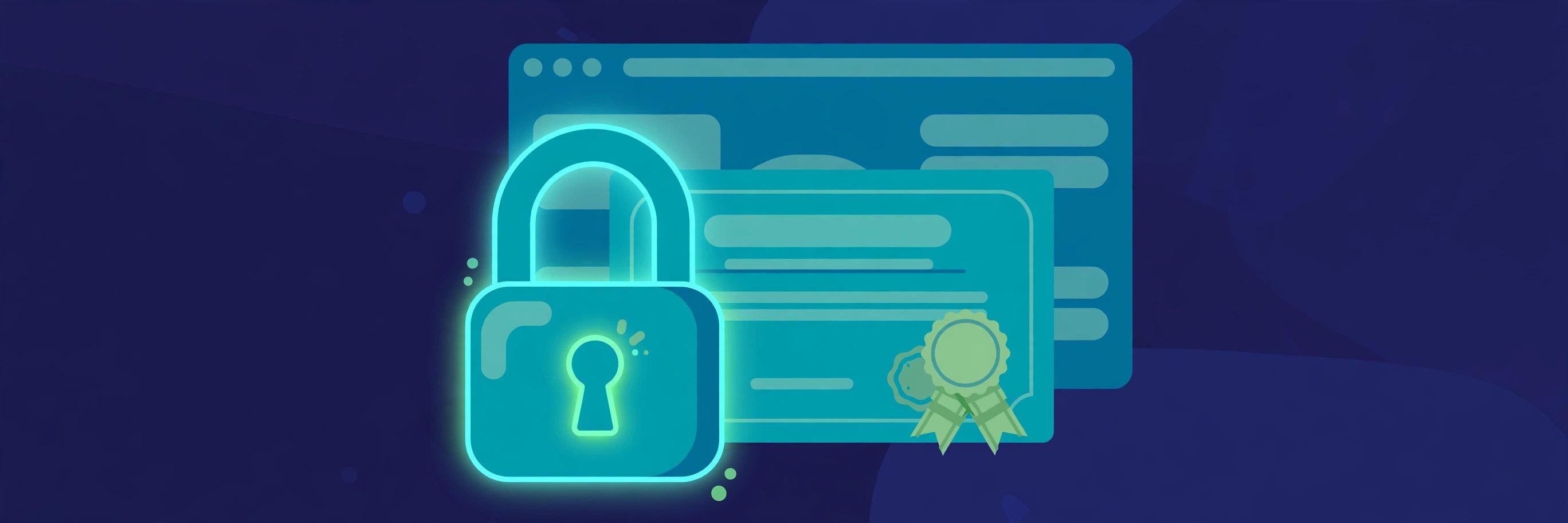
Every padlock in a browser is a small file doing its work: what is an SSL/TLS certificate? It is the digital credential a server presents to prove it is who it claims to be — and the key material for encrypting everything that follows. This guide covers what a certificate contains, a live inspection of a real one, the TLS 1.3 handshake, the DV/OV/EV types, the 200-day expiry rule, and the four mistakes that break HTTPS.
What is an SSL/TLS certificate?
An SSL/TLS certificate is a small digital file, issued by a certificate authority (CA), that binds a domain name to a key pair and carries the CA's signature. When your browser connects over HTTPS, the server presents this certificate before any page content is exchanged. The browser checks three things: it names the domain you asked for, it was signed by a CA in the browser's trust store, and it has not expired. If all three pass, the browser trusts the public key inside it and uses it to agree on encryption keys with the server.
That gives the certificate two jobs, and only two. First, identity: it answers "am I talking to the real example.com?" Second, encryption setup: it supplies the authenticated public key that starts the encrypted session. Everything else people attribute to certificates — trustworthiness, safety, legitimacy of the business — is not in the job description: a certificate proves control of a domain and protects data in transit, not the honesty of whoever controls it.
The name is a historical accident. SSL (Secure Sockets Layer) was Netscape's protocol from the mid-1990s; TLS (Transport Layer Security) succeeded it in 1999, and every SSL version is now deprecated — SSL 3.0 fell to the POODLE attack in 2014, and TLS 1.0 and 1.1 were formally deprecated in RFC 8996 (March 2021). The file follows the X.509 standard. Strictly, the modern term is "TLS certificate", but "SSL certificate" is what everyone still says — this guide uses both for the same file. Our HTTP vs HTTPS guide covers the protocol side.
What a certificate actually contains
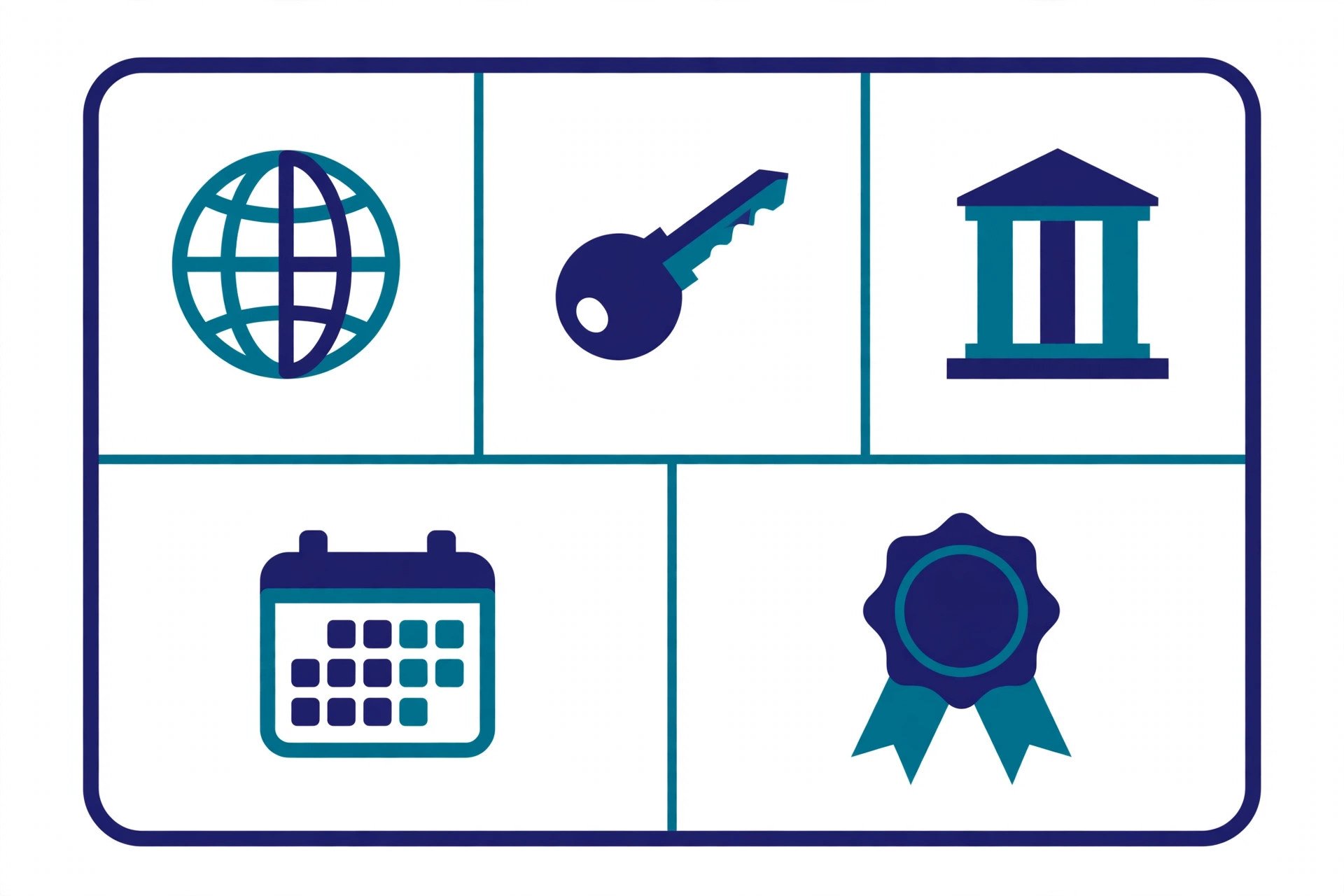
A certificate is a structured document, not a blob. These are the fields that matter — and the demo below shows every one of them on a live certificate:
| Field | What it is | Why it matters |
|---|---|---|
| Subject | Who the certificate was issued to — usually the domain name | The browser checks it matches the address bar |
| Subject Alternative Name (SAN) | The full list of domain names the certificate covers | The real check: browsers match against SAN, not the subject |
| Issuer | The certificate authority that signed it | Must chain to a CA in the browser's trust store |
| Validity dates | Not before / not after — the window the certificate is trusted | After "not after", browsers refuse the connection |
| Subject public key | The public half of the server's key pair | Used to authenticate the server and agree on session keys |
| Serial number | A unique number from the issuer | Identifies the certificate for revocation |
| Signature | The issuer's digital signature over all the above | Any tampering with a field breaks the signature |
Two fields deserve emphasis. The SAN is the list that actually decides acceptance: if the domain you visited is not in the SAN, the browser rejects the certificate even if the subject matches. And the private key never appears in the certificate at all — it stays secret on the server, and only its holder can complete the handshake, which is how the certificate proves the server is who it claims to be rather than someone who merely copied the file. Anyone can download a site's certificate — it is public — but without the private key it is useless. Our hashing guide explains the signature mechanism underneath, and our DNS guide explains how the browser finds the server to ask.
Verified demo: inspecting a real certificate
I inspected this very site's certificate while writing this guide. The standard tool is OpenSSL, which ships on macOS and Linux:
$ openssl s_client -connect zentotoolshub.com:443 -servername zentotoolshub.com
$ openssl x509 -noout -issuer -subject -dates -ext subjectAltName
One honest caveat: the direct handshake failed from the machine I was writing on — it sits behind a proxy that does not pass raw TLS through — so I read the same fields from the public Certificate Transparency log instead, via crt.sh. Every publicly trusted certificate must appear in that log, so the fields are identical to what a browser sees:
issuer:     C=US, O=Let's Encrypt, CN=YE2
names:      www.zentotoolshub.com
            zentotoolshub.com
not_before: 2026-08-30T19:31:03
not_after:  2026-11-28T19:31:02
The issuer is Let's Encrypt, the free automated CA; 30 August to 28 November is exactly its standard 90 days. The SAN lists both the bare domain and the www variant, so one certificate covers both. The expiry date is the operational fact: on 28 November 2026 this certificate stops being trusted, and the site's automation must have replaced it before then. The log also lists a second current certificate for the same domain, issued by Google Trust Services (CN=WE1) as a wildcard for *.zentotoolshub.com, valid 20 August to 18 November 2026 — the edge certificate of the CDN in front of the site. Two certificates, same domain, different layers: origin and edge. Run the same check on any site: click the padlock, open "Certificate", and compare issuer, SAN and expiry against what you expect.
To check what your own server actually sends — not what the log says — our HTTP header checker shows the response headers, including the Strict-Transport-Security header that tells browsers to refuse plain HTTP in future.
How the TLS 1.3 handshake uses the certificate
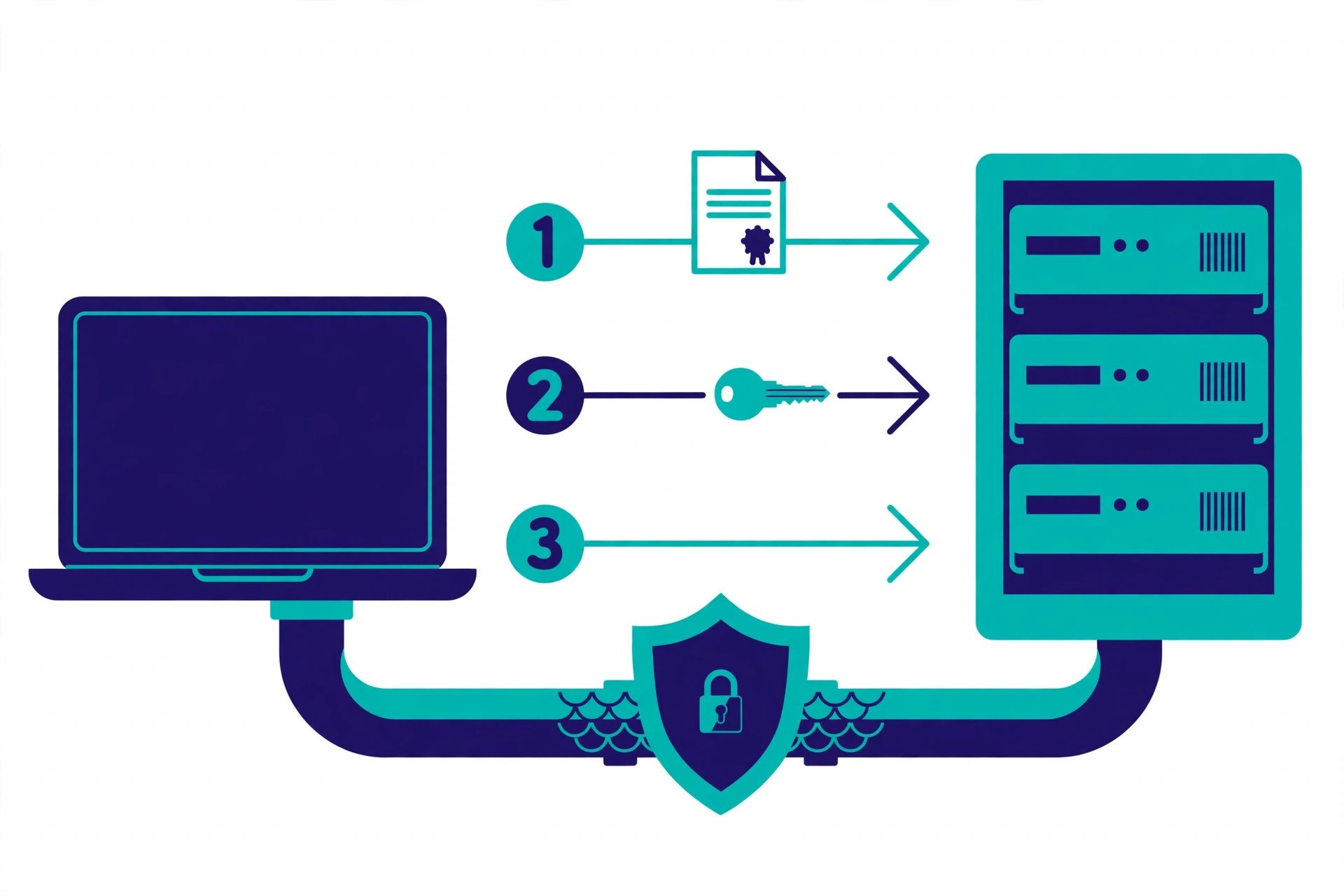
The certificate does its work inside the TLS handshake, the short negotiation before a single byte of page content moves. TLS 1.3 (RFC 8446, 2018) runs it in one round trip:
- ClientHello. The browser sends the TLS versions and cipher suites it supports, a fresh random value, and its own key share.
- ServerHello + certificate. The server picks a version and cipher, sends its key share — and sends its certificate. Everything after this depends on the browser accepting it.
- CertificateVerify. The server signs the handshake transcript so far with its private key, proving it actually holds the key matching the certificate — presenting a copied certificate is not enough.
- Finished. Both sides derive the same session keys from the exchanged shares and confirm the handshake. From here on, all application data is encrypted — and because the keys are ephemeral, the session has forward secrecy: a later leak of the private key cannot decrypt it.
Three things changed from TLS 1.2 that make 1.3 worth naming. The handshake dropped from two round trips to one, so HTTPS connections start faster. RSA key transport and static Diffie-Hellman were removed, so forward secrecy is no longer optional. And the server's certificate is encrypted in the handshake, where 1.2 sent it in the clear. The certificate itself did not change — X.509 is the same format — but the handshake got tighter.
DV vs OV vs EV — and wildcard vs SAN
Certificates differ by how much the CA checked before issuing. The encryption is identical in all three:
| Type | What the CA checks | Who it fits |
|---|---|---|
| DV — Domain Validation | Control of the domain only, usually automated (a file on the server or a DNS record) | Almost every site; free from Let's Encrypt; issued in minutes |
| OV — Organization Validation | Domain control plus that the company legally exists | Businesses that want their legal name in the certificate |
| EV — Extended Validation | The strictest identity check on the company | Almost nobody now — browsers no longer show the company name in the address bar, so the extra visibility EV used to buy is gone |
Coverage is separate from validation. A wildcard covers one level of subdomains: *.example.com covers blog.example.com and shop.example.com, but not example.com itself or a.b.example.com. A SAN certificate lists several exact names, which may be unrelated domains. Most real deployments are SAN certificates — the demo above is one. Pick wildcard when subdomains appear and disappear often; pick SAN when the list of names is fixed.
Why certificates expire — and why faster every year
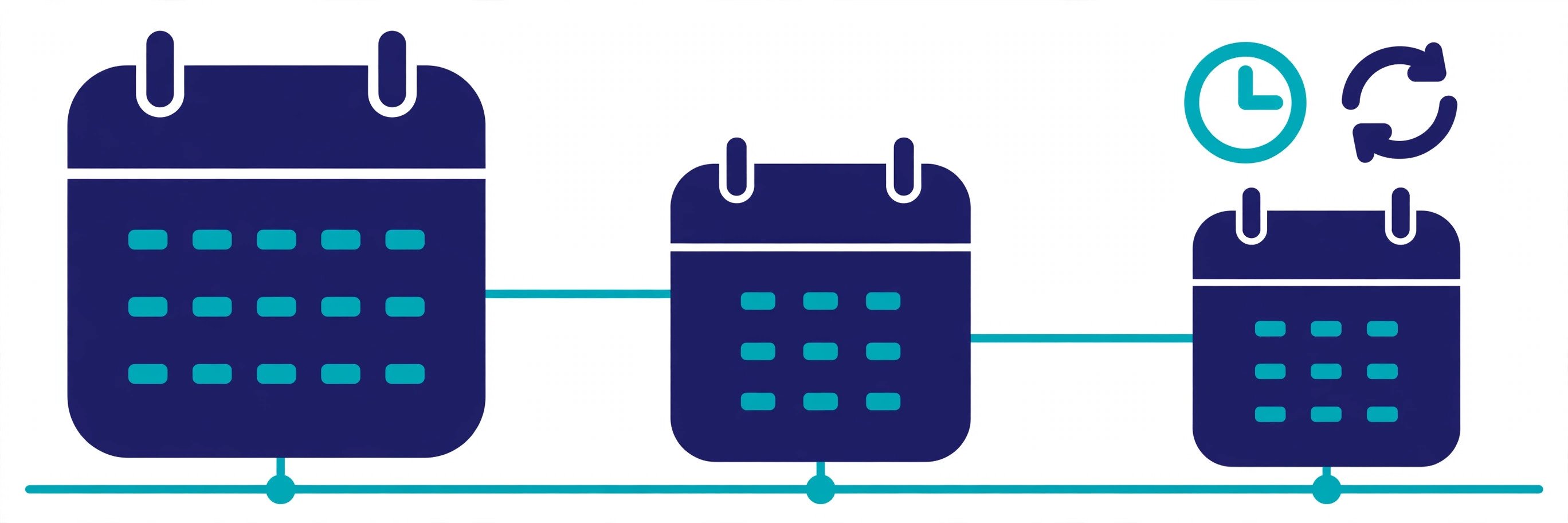
Every certificate expires on purpose. Short lifetimes limit the damage if a private key is stolen, and force weak settings and stale details out of circulation. The schedule is now written into the CA/Browser Forum's rules — ballot SC-081v3, adopted in April 2025:
| Certificates issued on or after | Maximum lifetime | Domain validation reuse |
|---|---|---|
| Before 15 March 2026 | 398 days | 398 days |
| 15 March 2026 | 200 days | 200 days |
| 15 March 2027 | 100 days | 100 days |
| 15 March 2029 | 47 days | 10 days |
The 200-day cap is already in force. The 47-day endpoint in 2029 is the one that changes operations: a certificate renewed eight times a year cannot be a manual task, and domain validation can only be reused for 10 days, so the proof that you control the name must be automated too. The standard answer is ACME (RFC 8555), the protocol Let's Encrypt built: a client on the server proves domain control, fetches a fresh certificate, installs it and reloads the server, all without a human. Certificates issued before each deadline keep their original expiry — the caps apply to issuance, not retroactively. Our DNSSEC guide covers the other chain of trust that protects the name itself.
The 4 mistakes that break HTTPS
Most HTTPS failures are operations failures, not cryptography failures:
- Letting it expire. The commonest outage of all — browsers show a full-page warning and there is no grace period. Automate renewal with ACME and add expiry alerts at 30 and 7 days; the demo certificate above expires 28 November 2026.
- The wrong names in the SAN. A certificate for example.com does not cover www.example.com unless the SAN lists it. The browser error is NET::ERR_CERT_COMMON_NAME_INVALID, and the fix is a reissue — a certificate cannot be patched after issuance.
- Mixed content. An HTTPS page loading an image, script or stylesheet over plain HTTP triggers a warning or a blocked load. The page is only as secure as its weakest resource — find the http:// URLs in your markup and fix them at the source.
- Self-signed in production. A certificate you sign yourself is fine for local development, but no browser trusts it — visitors get a warning and most will leave. Keep it on localhost, and use a publicly trusted certificate everywhere else.
What is an SSL/TLS certificate? A small X.509 file that binds a domain name to a public key, signed by a certificate authority your browser trusts. It proves the server is who it claims to be, supplies the key material for the TLS 1.3 handshake, and expires — faster every year — so a stolen key has a short shelf life. Read any site's certificate yourself: the padlock, the SAN, the issuer and the expiry date tell you everything that matters. For the authoritative details, read RFC 8446 (TLS 1.3) and the SC-081v3 lifetime schedule.
Frequently asked questions
- What is an SSL/TLS certificate in simple terms?
- An SSL/TLS certificate is a small digital file a website shows to every browser that connects. It binds the site's domain name to a public key and carries the signature of a certificate authority the browser already trusts. The browser uses it to check it is talking to the real site, then uses the public key to set up an encrypted connection. It does two jobs: identity and encryption.
- Is an SSL certificate the same as a TLS certificate?
- Yes — they are the same file. SSL (Secure Sockets Layer) is the old protocol, and every version of it is now deprecated and insecure. The protocol in use today is TLS (Transport Layer Security). The name "SSL certificate" stuck around for historical reasons, so "SSL certificate", "TLS certificate" and "SSL/TLS certificate" all mean the same thing: the X.509 certificate a server presents during the TLS handshake.
- Do I need a certificate for a site with no login or payments?
- Yes. Browsers mark plain-HTTP pages "Not secure", and modern browser features — geolocation, camera and microphone access, service workers, HTTP/2 — require a secure context. Search engines also treat HTTPS as a ranking signal. A free DV certificate from Let's Encrypt takes minutes to set up, so there is no good reason left to serve a public site over plain HTTP.
- How long does an SSL/TLS certificate last?
- As of 15 March 2026, a publicly trusted certificate issued on or after that date lasts at most 200 days, under CA/Browser Forum ballot SC-081v3. The cap falls to 100 days on 15 March 2027 and 47 days on 15 March 2029. Let's Encrypt certificates have always been 90 days. Short lifetimes limit the damage if a private key leaks, and they force automation — manual renewal cannot keep up with a 47-day cycle.
- What is the difference between DV, OV and EV certificates?
- DV (Domain Validation) proves only that the requester controls the domain — an automated check, usually by placing a file on the server or adding a DNS record. OV (Organization Validation) adds checks that the company behind the site really exists. EV (Extended Validation) was the strictest check, and browsers used to show the company name in the address bar; today browsers no longer display that distinction, so EV buys little extra visibility. All three encrypt traffic identically — the difference is only how much identity was verified.
- Does a padlock mean a website is safe and trustworthy?
- No. The padlock means the connection is encrypted and the browser verified the certificate for that domain — it says nothing about the honesty of the site owner. A phishing site can hold a perfectly valid DV certificate, because DV only proves control of the domain, not good intent. Judge the site itself; treat the padlock as proof the pipe is private, not that the destination is safe.
- Can a certificate cover more than one domain?
- Yes, in two ways. A wildcard certificate covers one level of subdomains — *.example.com covers blog.example.com and shop.example.com, but not example.com itself or a.b.example.com. A SAN (Subject Alternative Name) certificate lists several exact names, which can be unrelated domains, such as example.com and example.net. Both are common; the demo below shows a real certificate covering a domain and its www variant.
- What happens when a certificate expires?
- Browsers refuse the connection and show a full-page warning — NET::ERR_CERT_DATE_INVALID in Chrome — until the site installs a fresh certificate. There is no grace period. This is why automation matters: a monitoring check or an ACME client that renews and reloads the certificate before expiry is the difference between a quiet renewal and an outage your users notice first.
Related articles
What Is Hashing? 7 Things Every Developer Should Know (With Examples)
What is hashing? Learn how one-way hash functions work — SHA-256, HMAC, salts, and password hashing — with verified examples and code you can run in Python.
SecurityWhat Is DNSSEC? 7 Things Every Developer Should Know (With Examples)
What is DNSSEC? Learn how DNSSEC signs DNS records — RRSIG, DNSKEY, DS records and the chain of trust — with a verified root-key demo and dig examples.
SecurityWhat Is a JWT? Structure, Claims & Security Explained
JSON Web Tokens explained: header, payload, and signature, what claims like exp and sub mean, and the security rules that actually matter.