What Is DNS? How DNS Works in 8 Steps (With Examples)
October 2, 2026 · Web Development
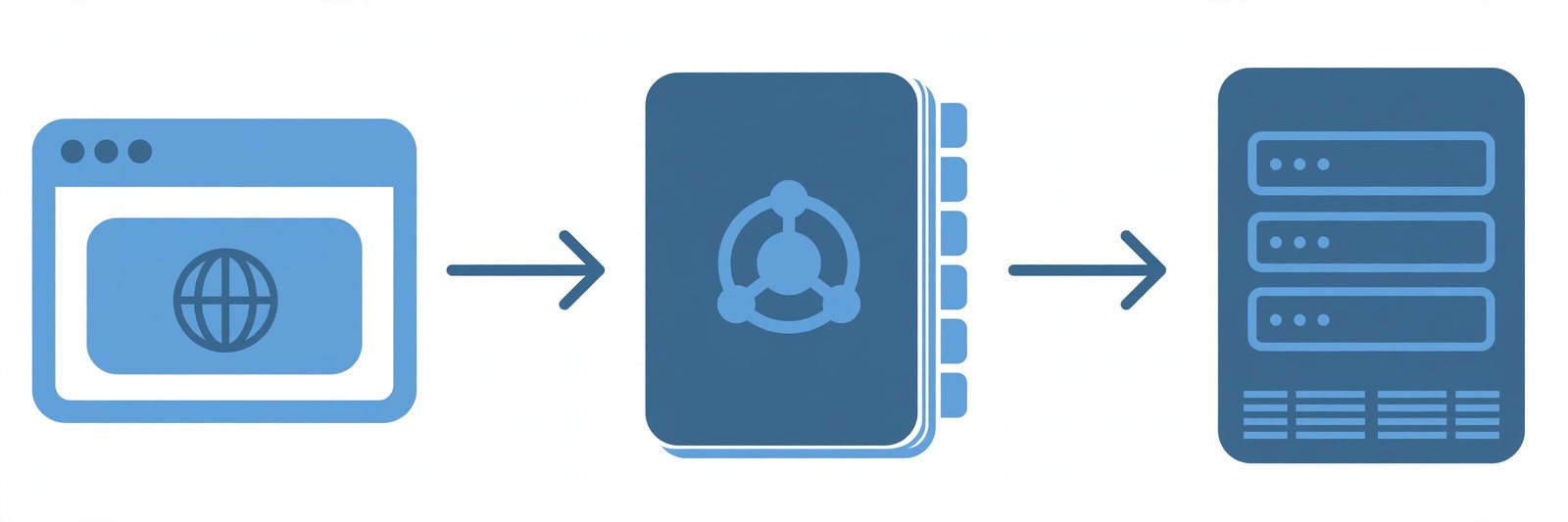
You type example.com into your browser — but computers speak in numbers: IP addresses like 93.184.216.34. Something translates between the two, instantly, billions of times a day. That something is DNS — the Domain Name System, the internet's phonebook. What is DNS, how does DNS work step by step, and what are DNS records, resolvers, and nameservers? This guide covers it all: the 8 steps of a lookup, the 4 server types, the record types you'll meet, caching and TTL, public DNS servers, and DNSSEC.
What is DNS?
The Domain Name System (DNS) is the hierarchical, distributed naming system that translates human-friendly domain names (like nytimes.com) into the machine-friendly IP addresses browsers need to find servers. Every device on the internet has an IP address — IPv4 looks like 192.168.1.1, IPv6 like 2400:cb00:2048:1::c629:d7a2. DNS servers eliminate the need for humans to memorize any of them: you remember the name, DNS finds the number. As Cloudflare's DNS explainer puts it: the domain name is the contact name, the IP address is the phone number.
Without DNS, every bookmark would be a string of numbers and moving a site to a new server would break every link. DNS decouples names from locations: the name stays stable while the IP changes freely. Defined in 1987 by RFC 1035, it handles trillions of queries a day.
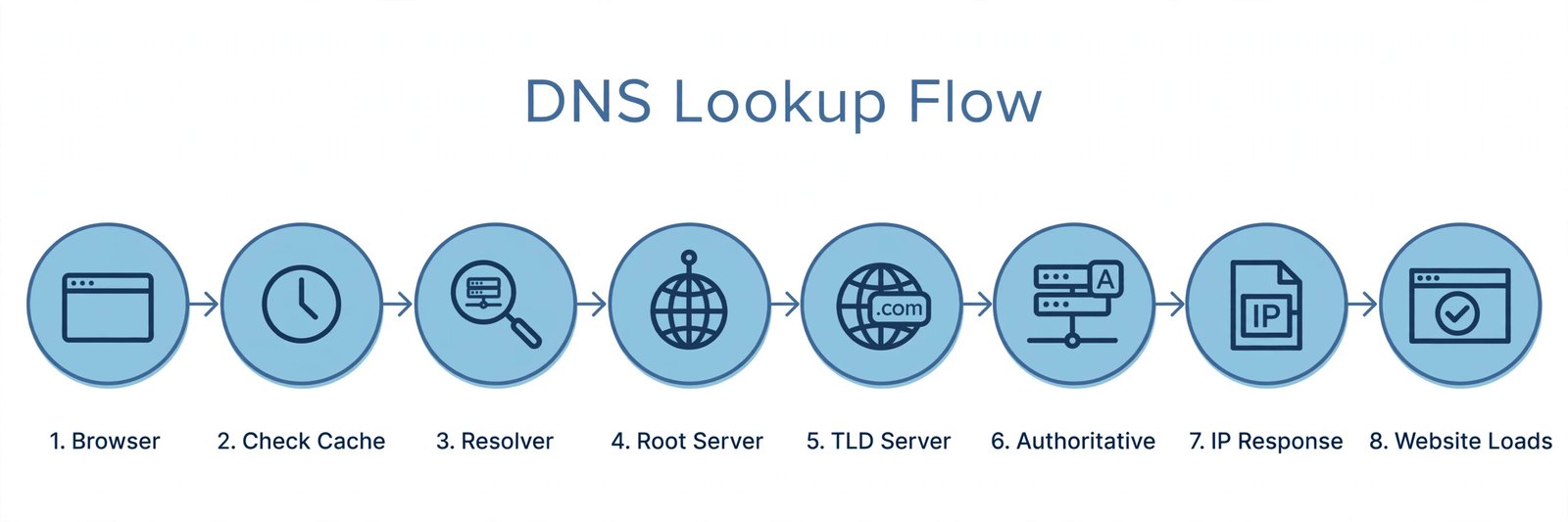
How DNS works: the 8 steps of a DNS lookup
Follow what happens when you type example.com into a browser, assuming nothing is cached (the full journey, per Cloudflare's breakdown):
- You type the domain. The query leaves your browser and reaches a DNS recursive resolver — usually run by your ISP or a public provider.
- The resolver asks a root nameserver. The root sits at the top of the hierarchy. It doesn't know the final IP, but knows where to look next.
- The root points to the TLD server. It responds with the TLD (top-level domain) nameserver — for
example.com, the.comserver. - The resolver queries the TLD server for
example.com. - The TLD points to the authoritative nameserver — the server responsible for
example.comitself. - The resolver queries the authoritative nameserver — the final stop, holding the domain's actual DNS records.
- The IP comes back (e.g.
93.184.216.34) to the resolver. - The resolver answers your browser, which makes its HTTP request directly to the web server and renders the page.
Your computer only ever talks to the resolver — the resolver does all the legwork. That's the recursive part: it recurses through the hierarchy on your behalf. When data is cached anywhere along the way, steps get skipped and the answer comes back faster.
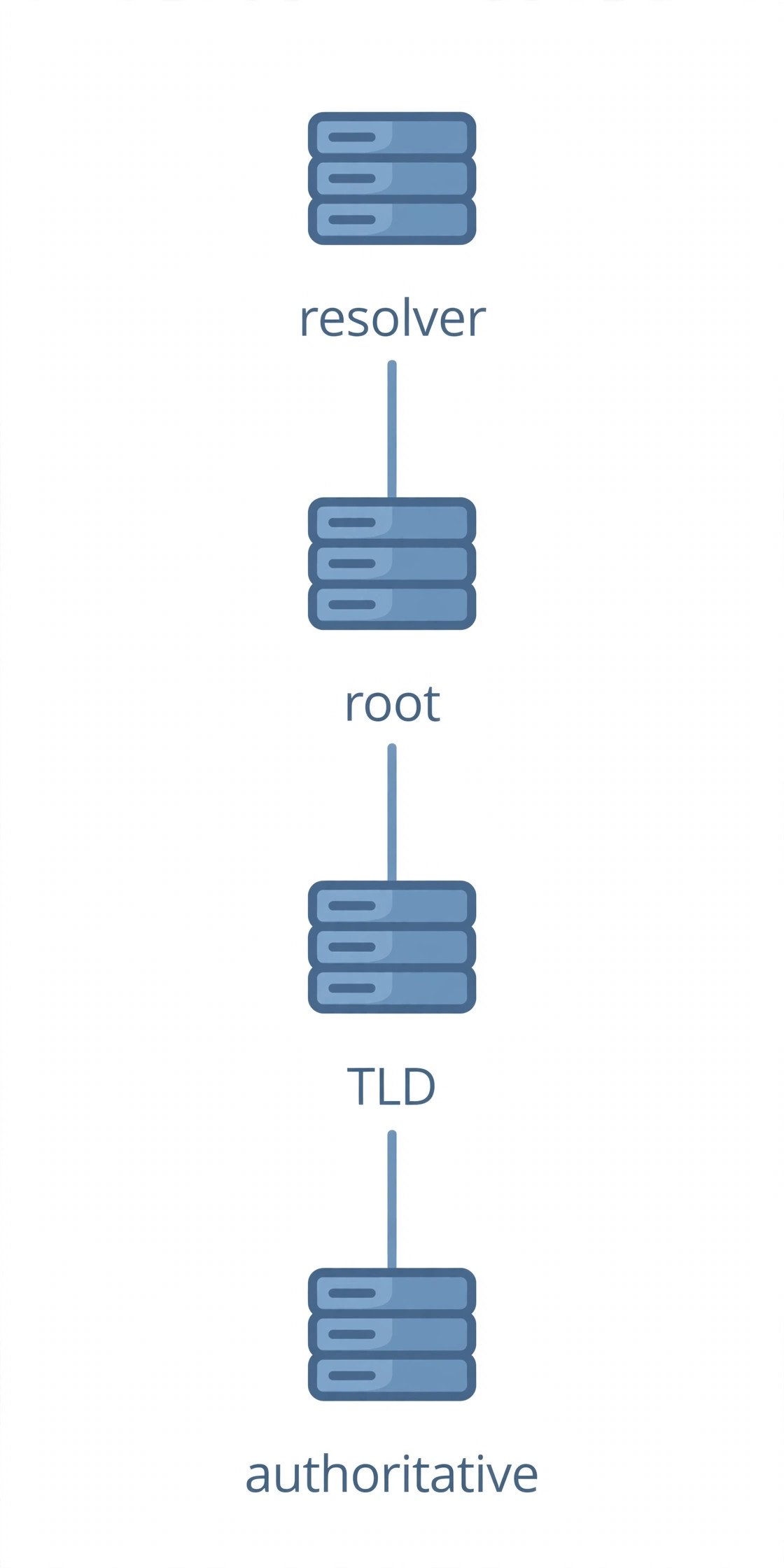
The 4 DNS servers in every lookup
Each server in the chain has one job:
- DNS recursor (recursive resolver). The librarian. It receives your query and tracks down the answer, making every follow-up request itself. Run by your ISP by default, or by a public provider you choose.
- Root nameserver. The index. First step in resolving a name, pointing queries toward the right TLD servers. There are only 13 named root server identities (A through M) — each served by hundreds of anycast instances worldwide. IANA publishes the full list, with operators including Verisign, NASA, and ICANN.
- TLD nameserver. The bookshelf. Hosts the
.com,.org, or.ioportion and knows which authoritative nameserver handles each domain under it. - Authoritative nameserver. The dictionary. The final authority for a domain's records; it answers from its own data. If it has no record, the domain effectively doesn't exist (an NXDOMAIN response).
For subdomains like blog.example.com, an extra authoritative nameserver can sit in the chain holding that subdomain's records.
DNS record types you'll actually meet
The individual entries an authoritative nameserver holds. The ones that matter in practice:
- A — hostname to IPv4 address:
example.com → 93.184.216.34. - AAAA — the same, for IPv6.
- CNAME — aliases one name to another (
www.example.com → example.com). Can't sit on a bare domain alongside other records. - MX — the mail servers handling email for the domain, with priority numbers for backups.
- TXT — free-form text: SPF, DKIM, DMARC email authentication and domain verification.
- NS — the domain's authoritative nameservers; how the TLD delegates to them.
- SOA — administrative metadata, including the serial number secondaries use to detect changes.
- PTR — reverse DNS: IP back to hostname, used by mail servers and logging.
Setting up email on a custom domain is most people's first real encounter with MX and TXT records.
DNS caching and TTL: why changes take time
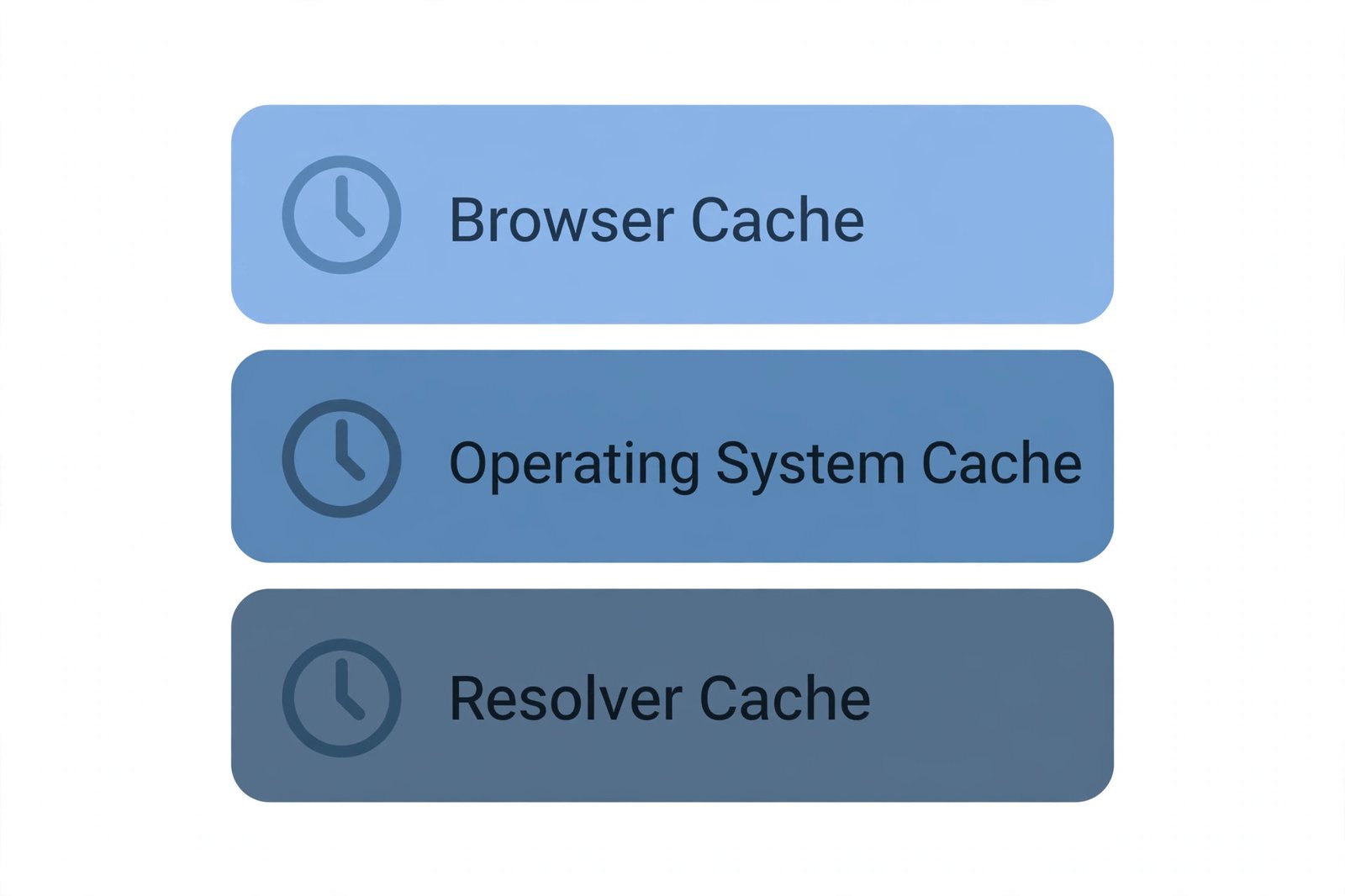
Walking the full hierarchy for every lookup would melt the system, so caching happens at three levels: your browser (Chrome: chrome://net-internals/#dns), your OS stub resolver, and the recursive resolver itself.
Each cached record carries a TTL (time-to-live) — seconds a server may reuse it before asking again. Short TTLs (e.g. 300s) propagate changes in minutes but generate more queries; long TTLs are efficient but slow to update. That wait is DNS propagation: old cached values expiring worldwide. Standard trick before a migration — lower the TTL to 300 a day early, change the record, then raise it back.
Public DNS servers: 8.8.8.8, 1.1.1.1, and friends
You don't have to use your ISP's resolver. Public recursive resolvers are free and often faster:
- Google Public DNS:
8.8.8.8and8.8.4.4 - Cloudflare:
1.1.1.1and1.0.0.1 - Quad9:
9.9.9.9(blocks known malicious domains) - OpenDNS:
208.67.222.222and208.67.220.220(filtering options)
People switch for speed, privacy, or features like malware blocking. Set them on a device or on your router — then see our HTTP security headers guide for the next layer of hardening.
DNS vs DNSSEC: is DNS secure?
Classic DNS has an uncomfortable truth: responses aren't authenticated, enabling attacks like DNS cache poisoning — tricking a resolver into caching a fake record. DNSSEC (DNS Security Extensions) fixes authenticity: the domain owner cryptographically signs records with a private key, and resolvers verify the signature with the public key. What DNSSEC doesn't do is encrypt queries — anyone on the path can still see which domains you look up. That's the job of DNS over HTTPS (DoH) and DNS over TLS (DoT).
Try it yourself: dig and nslookup
dig example.com— full answer, including response time. Add+shortfor just the IP.nslookup example.com— the simpler classic, on Windows, macOS, and Linux.dig example.com MX— mail records; tryTXTfor the domain's SPF data.dig @8.8.8.8 example.com— force the query through Google's resolver to compare answers.
Once DNS resolves, our HTTP status codes cheat sheet picks up where this guide leaves off — and what webhooks are covers the push pattern that replaces polling. A URL shortener leans on DNS twice (short domain, then redirect target), making it a good companion read.
Common DNS errors and what they mean
- DNS_PROBE_FINISHED_NXDOMAIN (Chrome) — the domain doesn't exist. Check for typos.
- DNS_PROBE_FINISHED_NO_INTERNET — can't reach any resolver; a connectivity problem, not DNS.
- SERVFAIL — something broke upstream (misconfigured DNSSEC is a classic cause).
- Slow first visits — often a sluggish resolver; try
1.1.1.1or8.8.8.8.
DNS is the quiet infrastructure the web stands on: a distributed phonebook turning names into numbers — via a recursive resolver, 13 named root authorities, TLD servers, and the authoritative server holding the truth. Understand the lookup, the record types, and how caching and TTL shape propagation, and "DNS issue" becomes a debuggable system. References: Cloudflare's What is DNS? explainer and IANA's root server list.
Frequently asked questions
- What does DNS stand for?
- DNS stands for Domain Name System. It's the distributed naming system that translates human-readable domain names like example.com into machine-readable IP addresses like 93.184.216.34, so your browser knows which server to contact.
- How does DNS work in simple terms?
- You type a domain; your computer asks a DNS recursive resolver for the IP. If it isn't cached, the resolver walks the hierarchy — root, then the TLD server (e.g. .com), then the domain's authoritative nameserver — which returns the final IP. Usually over in milliseconds.
- What are DNS records?
- The entries an authoritative nameserver holds for a domain. A maps a name to IPv4, AAAA to IPv6, CNAME aliases one name to another, MX points to mail servers, TXT holds text like SPF/DKIM data, and NS lists the domain's nameservers.
- What's the difference between a DNS resolver and an authoritative nameserver?
- A recursive resolver is the server your device asks first — usually your ISP's or a public one. It chases down the answer by querying other servers. An authoritative nameserver sits at the end of that chain: it actually holds the domain's records and is the final source of truth.
- What is 8.8.8.8?
- Google Public DNS (secondary 8.8.4.4) — a free recursive resolver anyone can use instead of their ISP's default. Alternatives: Cloudflare's 1.1.1.1 and Quad9's 9.9.9.9. People switch for speed, privacy, or built-in filtering.
- What is DNS propagation and how long does it take?
- The delay between changing a DNS record and everyone seeing the new value — resolvers worldwide cache the old record until its TTL expires. With a short TTL (300s) most places update within minutes; long TTLs can take 24–48 hours. Lower the TTL a day before a planned migration.
- Is DNS secure? What is DNSSEC?
- Plain DNS isn't authenticated — responses can theoretically be spoofed (cache poisoning). DNSSEC fixes this: the domain owner signs records with a private key, and resolvers verify the signature with the public key. It proves authenticity, but doesn't encrypt queries — that's what DNS over HTTPS/TLS is for.
- How do I change my DNS server?
- Set custom DNS in your OS network settings (Windows: adapter properties → IPv4; macOS: System Settings → Network → DNS; Linux: /etc/resolv.conf). Enter 8.8.8.8 / 8.8.4.4 (Google) or 1.1.1.1 / 1.0.0.1 (Cloudflare). Changing DNS on your router covers every device at once.
Related articles
What Is a REST API? How REST APIs Work in 7 Steps (With Examples)
What is a REST API? Learn how REST APIs work: resources, endpoints, HTTP methods, requests, responses, status codes — with live curl examples to try now.
Web DevelopmentWhat Is a Webhook? How Push-Based APIs Work (With Examples)
What is a webhook? Learn how webhooks work: events trigger instant HTTP POSTs to your URL. Includes a real JSON payload, Stripe example, and security tips.
Web DevelopmentHow Does a URL Shortener Work? 7 Steps From Long URL to Short Link
How does a URL shortener work? The 7 steps from long URL to short link — key generation, database lookup, redirects, click tracking, and security risks.
Try the free tool
URL Encoder/Decoder
Encode and decode URLs with correct UTF-8 handling, live conversion, and double-encoding warnings.
Runs entirely in your browser Server & Deployment ToolsHTTP Header Checker
See a URL's response headers and which common security headers are missing.
Checked server-side — nothing is stored