What Is a REST API? How REST APIs Work in 7 Steps (With Examples)
October 4, 2026 · Web Development
Every time your weather app shows the forecast, your phone asks a server for that data — and the server answers in a predictable, standardized way. That conversation happens through a REST API. REST — Representational State Transfer — is an architectural style for building web services, introduced by Roy Fielding in his 2000 doctoral dissertation. What is a REST API, how do REST APIs work, and what makes an API "RESTful"? This guide answers in 7 steps: resources and endpoints, HTTP methods, requests and responses, statelessness, and a real curl walkthrough you can run yourself.
What is a REST API?
A REST API (RESTful API) is an application programming interface that follows the REST architectural style: clients and servers exchange data over HTTP using a small set of standard methods (GET, POST, PUT, PATCH, DELETE), where every piece of data is a resource addressed by a URL called an endpoint. Responses usually arrive as JSON, and each request carries everything the server needs to handle it.
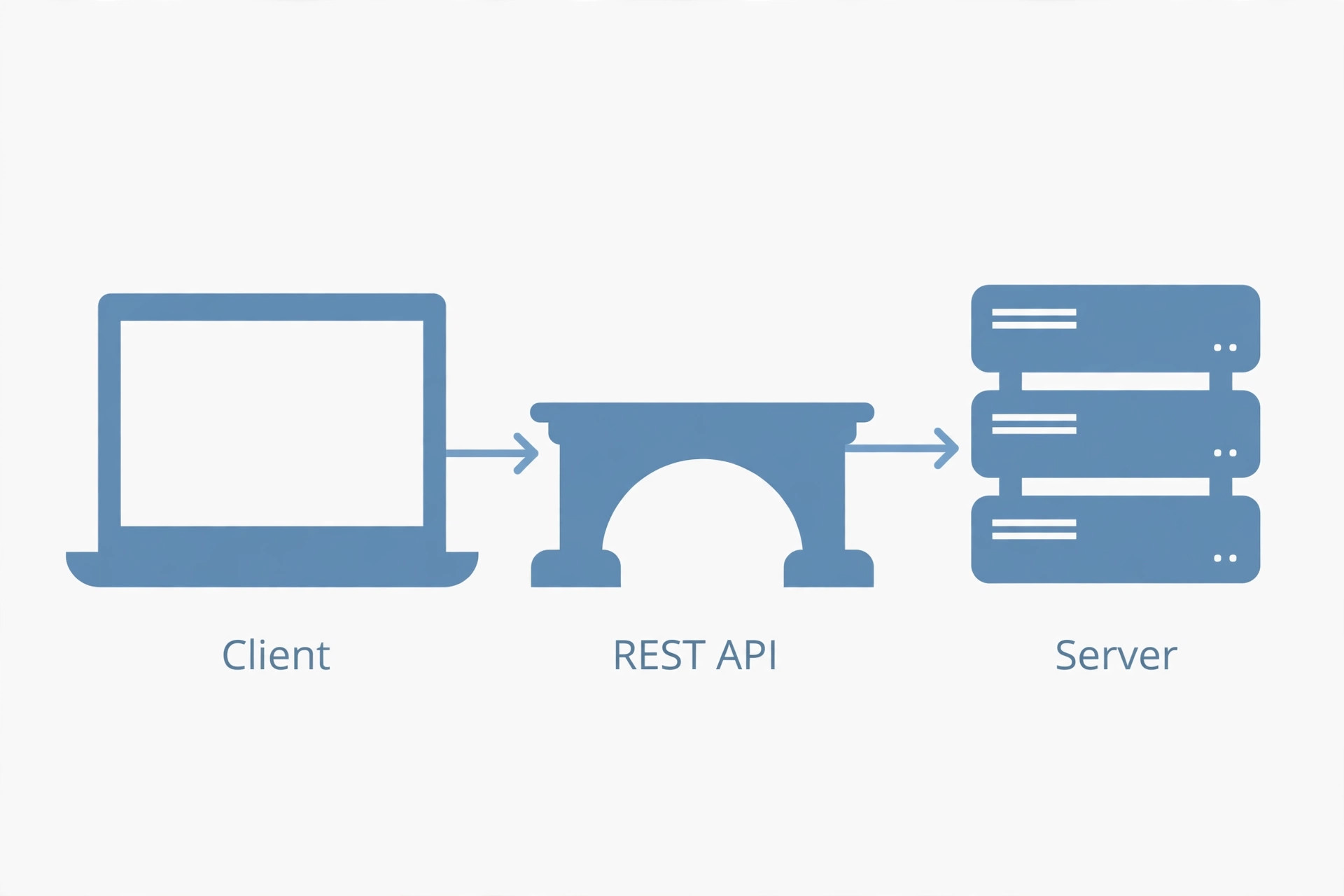
REST vs API: what's the difference?
API is the broad concept — any defined way for one program to use another's functionality: a library's functions, an operating system's calls, a web service. A REST API is one specific kind of web API: one that follows REST's constraints and communicates over HTTP. All REST APIs are APIs, but not all APIs are REST APIs — SOAP services follow a strict XML protocol, and GraphQL uses a single endpoint with a query language. When someone says "the API," they mean a doorway into a system; "the REST API" means a doorway built the REST way. If the doorway needs a credential, that's usually an API key or token sent with each request.
The 6 REST constraints, in plain English
Fielding's dissertation defines six constraints. The first five are the ones every working REST API honors; the sixth is optional:
- Client-server. Client and server are separate and evolve independently — the server doesn't care whether you call it from a phone, a browser, or a script.
- Stateless. Each request carries everything the server needs. The server stores no memory of your previous requests.
- Cacheable. Responses declare whether they can be cached, so clients and proxies can skip repeat trips.
- Uniform interface. The big one: resources are identified by URIs and manipulated through representations (the JSON you send and receive).
- Layered system. Proxies, load balancers, and CDNs can sit between client and server invisibly.
- Code on demand (optional). Servers may send executable code to extend the client. Almost nobody implements this; it's the one constraint you're allowed to skip.
Statelessness and the uniform interface explain nearly every design choice in real REST APIs.
Resources and endpoints: nouns, not verbs
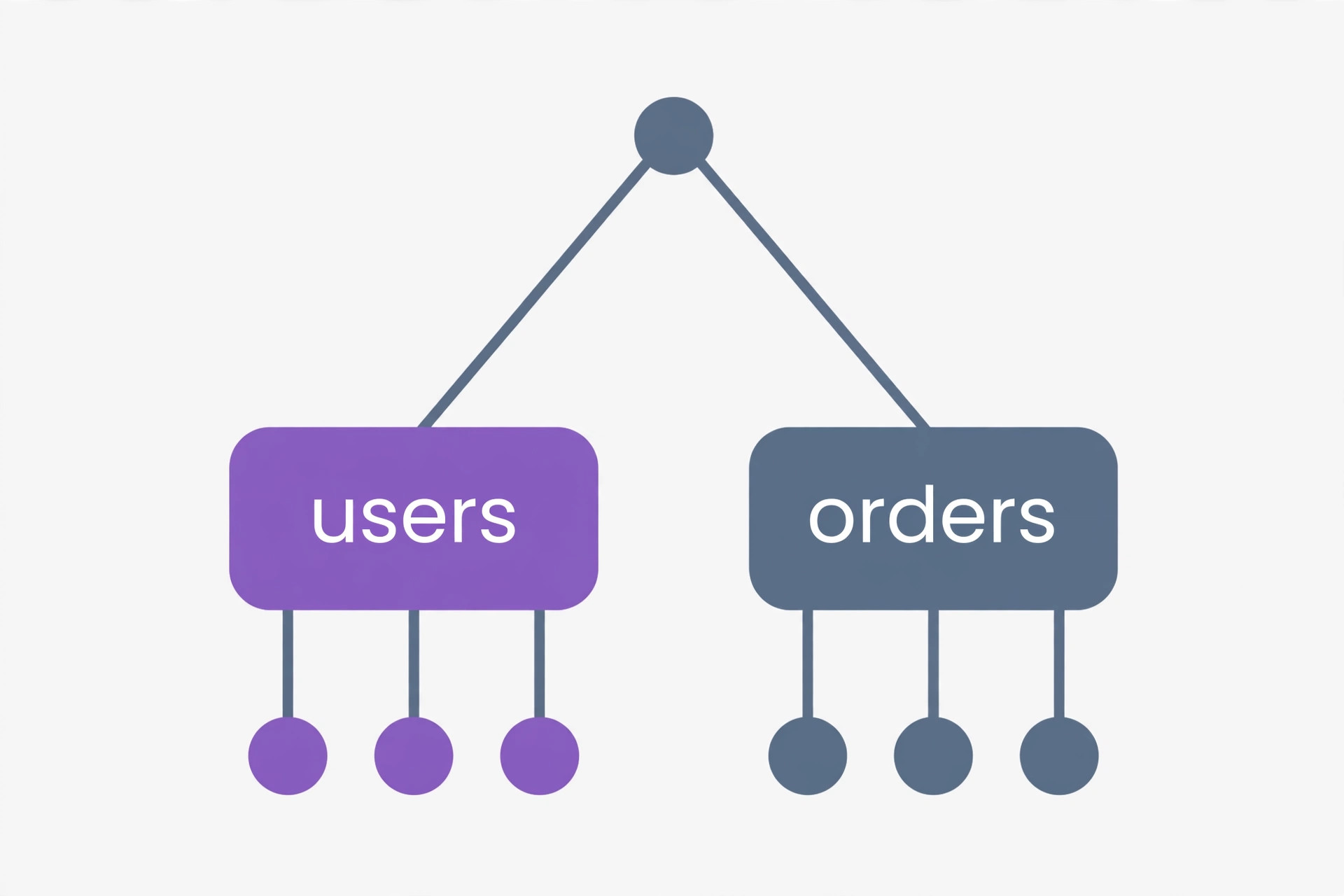
In REST, the things you work with are called resources — and they're always nouns: users, orders, products, posts. Each resource is identified by a URI, and the URL you actually call is called an endpoint. The verb — what you want to do — never goes in the URL; it comes from the HTTP method:
/api/users— the collection of all users/api/users/1— one specific user, identified by ID/api/users/1/orders— the orders belonging to that user (nested resources stay hierarchical and readable)
By convention, the resource part of the path is plural (users, not user), which keeps nested paths simple to read. And notice there's no /getUsers or /deleteOrder — a URL like that is a giveaway that the API isn't really RESTful, because it smuggles the action into the address instead of using the HTTP method.
HTTP methods = CRUD: GET, POST, PUT, PATCH, DELETE
CRUD — Create, Read, Update, Delete — is what applications do with data, and REST maps each operation to a standard HTTP method. Learn this list and you can read almost any REST API's documentation:
GET— Read.GET /api/userslists users;GET /api/users/1fetches one. Carries no body and must not change anything on the server.POST— Create.POST /api/userscreates a user from the JSON body; the server generates the ID and typically answers201 Created.PUT— Replace. Send the resource's complete new representation;PUT /api/users/1swaps it in whole.PATCH— Partial update. Send only the fields that changed — e.g.{"email": "new@example.com"}updates just the email.DELETE— Remove.DELETE /api/users/1deletes that user; the server typically answers204 No Content.
GET is safe (it must not change server state); PUT and DELETE are idempotent — repeating them has the same effect as doing them once. Those status codes (200, 201, 204) are part of the shared vocabulary; see our HTTP status codes cheat sheet for the full list.

Anatomy of a request and a response
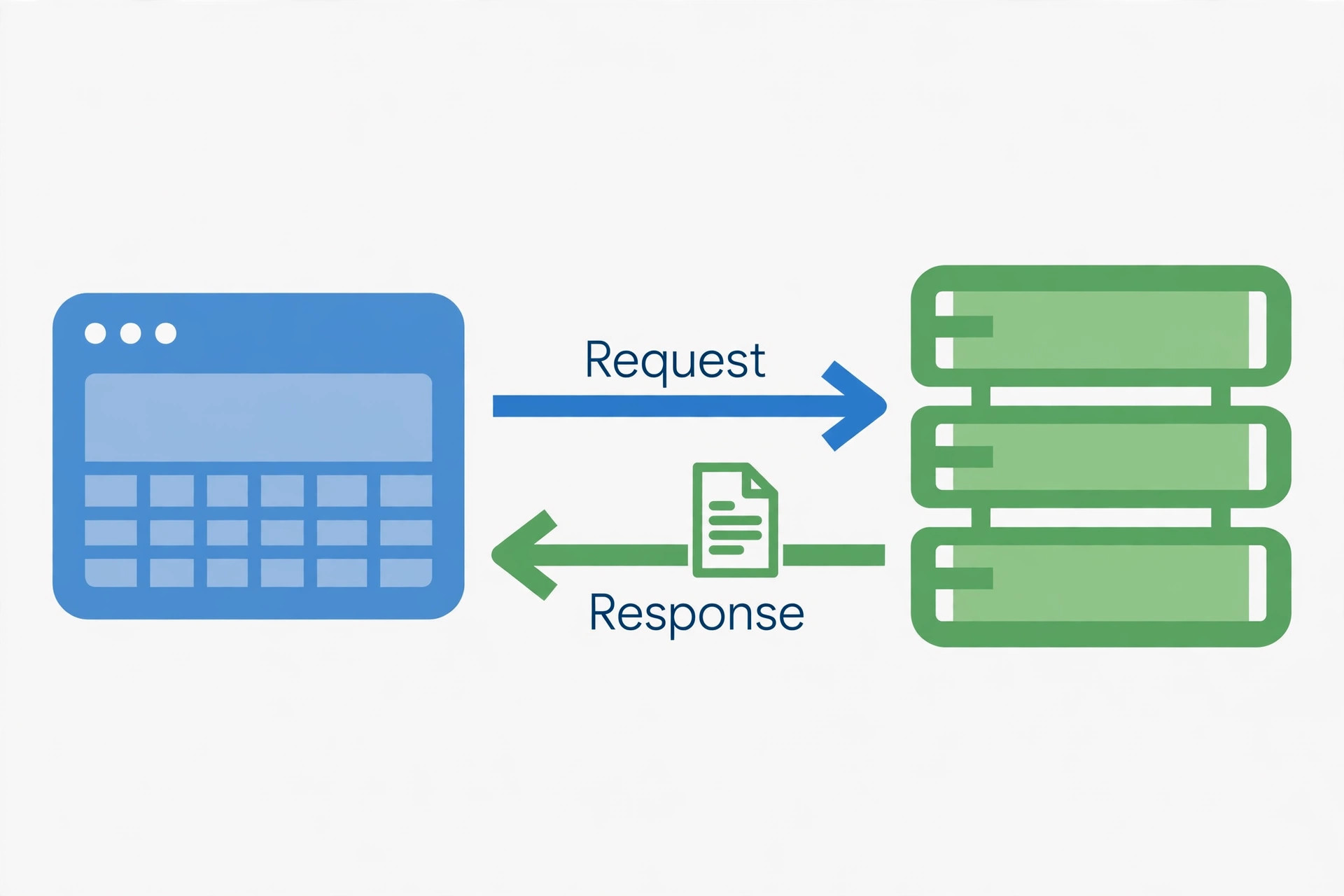
Every REST interaction is a plain HTTP exchange. Here's a request to fetch one user:
GET /api/users/1 HTTP/1.1
Host: api.example.com
Accept: application/json
Authorization: Bearer eyJhbGciOi...- Method + URL:
GETon the endpoint/api/users/1— the verb and the noun. - Headers: metadata about the request.
Acceptsays which format the client wants;Authorizationcarries the credential. Secrets in this header behave like API keys — keep them server-side and out of git. - Body (optional): GET has none;
POST/PUT/PATCHcarry the resource data as JSON, withContent-Type: application/jsondeclaring the format.
And the server's answer:
HTTP/1.1 200 OK
Content-Type: application/json

{
  "id": 1,
  "name": "Ada Lovelace",
  "email": "ada@example.com"
}- Status line:
200 OK— the outcome in one number.201 Createdmeans "made it,"404 Not Foundmeans "no such resource." - Headers:
Content-Typetells the client the body is JSON — the uniform interface keeps this shape predictable across endpoints. - Body: the resource's representation — the JSON your code actually works with.
This request-response skeleton is universal: it's the same shape webhooks use, just in reverse — with webhooks, the provider sends the POST to your URL when an event happens.
Inspect real API traffic: our free HTTP header checker shows any URL's status line and response headers — the same headers REST APIs use to declare content type and caching — and the JSON–CSV converter reshapes JSON response bodies for quick analysis.
Statelessness: why it matters
Stateless means the server keeps no memory of you between requests. No "logged-in session" lives on the server; instead, every request carries everything the server needs — the auth token, the resource ID, the parameters. Each request is handled in isolation, as if the server had never seen you before.
This is the constraint that lets REST APIs scale:
- Any server can handle any request. With no session tied to one machine, a load balancer can spread traffic across a hundred servers freely.
- Failures are cheap. If a server crashes, no session data dies with it — the next request just goes to a healthy server.
- Caching becomes simple. A self-contained GET request can be cached by the client, a proxy, or a CDN without hidden session state.
The trade-off: requests get slightly bigger (the token rides along every time), and "log me out everywhere" is solved with token expiry rather than a server-side session.
REST vs SOAP vs GraphQL: the honest comparison
REST won the mainstream, but it's not the only option:
- REST: an architectural style over HTTP — simple, cacheable, built on verbs and status codes every developer already knows. The best default for standard CRUD services.
- SOAP: a strict protocol with XML message envelopes and machine-readable contracts. Heavier and more rigid, still found in enterprise systems where formal contracts matter.
- GraphQL: a query language over a single endpoint where clients request exactly the fields they need — great for complex nested data, but harder to cache and learn.
Rule of thumb: reach for REST when your API is resource-shaped CRUD, GraphQL when clients need flexible nested queries, and SOAP when you're integrating with a system that mandates it.
A real walkthrough: read, create, update, delete with curl
Let's put it together against JSONPlaceholder, a free test API for practice (its data is fake and changes aren't really saved — it's a sandbox, not a database):
1. Read — GET one resource:
curl https://jsonplaceholder.typicode.com/users/1The server answers 200 OK with the user as JSON: id, name ("Leanne Graham"), username, email, and nested address and company objects.
2. Create — POST a new resource:
curl -X POST https://jsonplaceholder.typicode.com/posts \
  -H "Content-Type: application/json" \
  -d '{"title": "Write the release notes", "body": "Cover the new API endpoints.", "userId": 1}'
The server answers 201 Created and echoes the object back with a new id.
3. Replace — PUT the full resource:
curl -X PUT https://jsonplaceholder.typicode.com/posts/1 \
  -H "Content-Type: application/json" \
  -d '{"id": 1, "title": "Updated title", "body": "Full replacement body.", "userId": 1}'
4. Delete — remove it:
curl -X DELETE https://jsonplaceholder.typicode.com/posts/1Four commands, one consistent pattern: method + endpoint + (sometimes) a JSON body. That pattern is the whole of REST.
Try it yourself
Paste these into a terminal — they hit JSONPlaceholder's free test API, so everything runs for real. Watch the -i output: the HTTP/1.1 201 Created status line and the Content-Type: application/json header are the anatomy from the section above, happening live.
# List every user (GET a collection)
curl https://jsonplaceholder.typicode.com/users

# Fetch one post (GET a single resource)
curl https://jsonplaceholder.typicode.com/posts/1

# Create a post and SEE the response headers (-i) — test only, nothing is saved
curl -i -X POST https://jsonplaceholder.typicode.com/posts \
  -H "Content-Type: application/json" \
  -d '{"title": "My first API post", "body": "Hello, REST!", "userId": 1}'

# Delete it again
curl -X DELETE https://jsonplaceholder.typicode.com/posts/1
A REST API is the web's shared language for programs: resources as nouns at predictable URLs, the five HTTP verbs as the complete vocabulary, stateless requests, and JSON answers. If you can read an endpoint, pick the right method, and parse a JSON body, you can work with nearly any REST API in existence. For deeper reference, see Codecademy's What is a REST API? article and MDN's Third-party APIs guide.
Frequently asked questions
- What does REST API stand for?
- REST API stands for Representational State Transfer Application Programming Interface. "Representational State Transfer" is the name of the architectural style defined by Roy Fielding in his 2000 doctoral dissertation, and "API" is the interface one program exposes for another program to use. A REST API is simply an API built according to that style: resources identified by URLs, manipulated with standard HTTP methods, over stateless request-response exchanges.
- What's the difference between an API and a REST API?
- An API is the general concept: any defined way for one piece of software to talk to another — a JavaScript library function, an operating-system call, or a web service. A REST API is one specific kind of web API: it follows REST's architectural constraints (client-server, stateless, cacheable, uniform interface) and communicates over HTTP. All REST APIs are APIs, but not all APIs are REST APIs.
- Is REST a protocol or a language?
- Neither — REST is an architectural style, a set of design constraints for building web services. It is not a wire protocol like SOAP and not a programming language. REST APIs normally run on top of HTTP, borrowing HTTP's methods (GET, POST, PUT, PATCH, DELETE), status codes, and headers, but the REST constraints themselves are language- and platform-agnostic.
- What are the six REST constraints?
- The six constraints from Fielding's dissertation are: (1) client-server separation, (2) statelessness — no client session stored on the server, (3) cacheability — responses declare whether they can be cached, (4) a uniform interface — resources are identified by URIs and manipulated through representations, (5) a layered system — intermediaries like proxies and load balancers are invisible to the client, and (6) code on demand, the only optional one, letting servers extend clients by sending executable code.
- What's the difference between PUT and PATCH?
- PUT replaces an entire resource: you send the complete new representation, and the server swaps it in. PATCH applies a partial modification: you send only the fields that changed. Use PUT when the client holds the full new state of the resource (e.g. an edited profile form), and PATCH when it only has a few fields to update (e.g. flipping one setting).
- What data format does a REST API return?
- Most modern REST APIs return JSON (application/json) because it is lightweight, human-readable, and natively supported by every major language. XML is still common in enterprise and legacy systems. The format is negotiated through the Accept request header and declared in the response's Content-Type header, so the shape stays predictable either way.
- What does RESTful mean?
- "RESTful" just means the API actually follows the REST constraints: resources addressed by URLs, standard HTTP methods mapping to CRUD operations, stateless requests, and predictable JSON (or XML) responses. A web service that exposes URLs but requires server-side sessions or uses only POST for everything would be an HTTP API, but not a RESTful one.
- Do REST API requests need authentication?
- Most production REST APIs require authentication — commonly an API key, a bearer token (often a JWT), or OAuth — sent in the Authorization request header. Statelessness doesn't mean "no identity": it means the server doesn't remember you between calls, so each request must carry its own credentials. Public test APIs like JSONPlaceholder skip this step so you can experiment freely.
Related articles
What Is DNS? How DNS Works in 8 Steps (With Examples)
What is DNS? Learn how DNS works in 8 steps — the 4 server types, DNS record types, caching and TTL, public DNS servers, and DNSSEC — with examples.
Web DevelopmentWhat Is a Webhook? How Push-Based APIs Work (With Examples)
What is a webhook? Learn how webhooks work: events trigger instant HTTP POSTs to your URL. Includes a real JSON payload, Stripe example, and security tips.
Web DevelopmentHow Does a URL Shortener Work? 7 Steps From Long URL to Short Link
How does a URL shortener work? The 7 steps from long URL to short link — key generation, database lookup, redirects, click tracking, and security risks.
Try the free tool
JSON ⇄ CSV Converter
Convert between JSON and CSV in either direction, with no file-size cap.
Runs entirely in your browser Server & Deployment ToolsHTTP Header Checker
See a URL's response headers and which common security headers are missing.
Checked server-side — nothing is stored