JSON vs CSV: 7 Questions That Decide Which Format to Use
September 28, 2026 · Web Development
Short answer: use JSON when your data is nested, typed, or consumed by code (APIs, configs, document databases); use CSV when your data is flat rows and columns consumed by humans or spreadsheets (reports, exports, data cleaning). That's the whole decision in two sentences — the rest of this article is the json vs csv framework for when to use json vs csv in the edge cases, where most people get burned.
What is JSON?
JSON (JavaScript Object Notation) is a text format for structured, hierarchical data: objects (name–value pairs), arrays, strings, numbers, booleans, and null, nested freely. Every record carries its own key names, so a reader needs no external schema to interpret it. It's formally standardized in RFC 8259, which is why parsers in every language agree on what valid JSON looks like.
{
  "name": "Layla Haddad",
  "active": true,
  "orders": 14,
  "address": {
    "city": "Riyadh",
    "zip": "12213"
  },
  "tags": ["vip", "newsletter"]
}
Notice what's happening here: a boolean, a number, a nested object, and an array all live in one record. Try expressing that in a flat grid and you immediately feel JSON's reason to exist. MDN's JSON reference is the best next stop if the syntax itself is new to you.
What is CSV?
CSV (comma-separated values) is a text format for flat tabular data: rows separated by line breaks, fields separated by commas (sometimes semicolons or tabs, depending on locale), with an optional header row. No nesting, no types, no metadata — every field is text, and interpretation is the reader's job. The closest thing to a spec is RFC 4180, which documents common practice while admitting tools interpret details differently.
name,active,orders,city,zip,tags
Layla Haddad,true,14,Riyadh,12213,"vip;newsletter"
CSV's superpower is universality: every spreadsheet, database loader, and data tool on earth reads it. Its weakness is everything it leaves unsaid — types, structure, encoding — which becomes your problem the moment data gets interesting.

JSON vs CSV: side-by-side comparison
| JSON | CSV | |
|---|---|---|
| Structure | Hierarchical: nested objects and arrays | Flat: rows and columns only |
| Data types | String, number, boolean, null — explicit | Everything is text; types are guessed by the reader |
| Self-describing | Yes — key names travel with every record | Only if a header row is present (and honored) |
| File size | Generally larger — key names repeat per record | Generally smaller for flat data — header written once |
| Human readability | Good for developers; noisy for non-technical readers | Excellent — opens directly in any spreadsheet |
| Parsing | Standardized (RFC 8259); parsers agree | Dialects vary: delimiters, quoting, encodings differ by tool |
| Streaming huge files | Possible but awkward (streaming parsers needed) | Natural — process line by line with constant memory |
| Comments / metadata | Not supported by the spec | Not supported either — both are pure data formats |
The table tells you what differs in this csv vs json comparison. The framework below tells you what to do about it when you're deciding between json or csv.
The 7-question decision framework
Walk these in order. The first question whose answer clearly points one way usually ends the debate — that's the point of a decision framework rather than a pros-and-cons list.
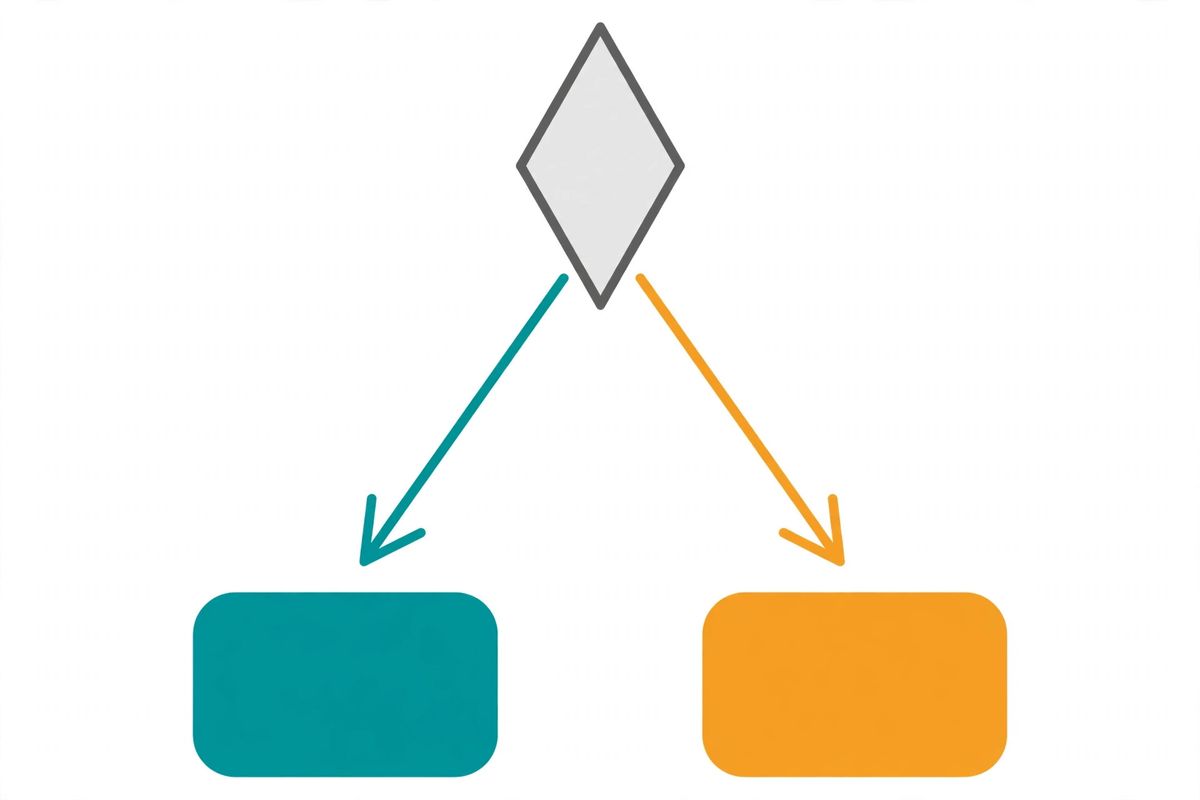
1. Is the data nested or hierarchical?
If records contain objects inside objects, arrays of items, or fields that appear in some records but not others — that's JSON territory, full stop. Flattening that into CSV columns produces a sparse, unreadable mess. JSON was designed for exactly this shape.
2. Does the data type of each value matter?
Prices, quantities, true/false flags, explicit nulls: if your consumer must distinguish 42 the number from "42" the string, JSON preserves that. CSV hands everything over as text and hopes the parser guesses right — and parsers guess wrong often enough that this question alone decides many cases.

3. Who consumes it — code or humans?
Code (APIs, apps, scripts) almost always prefers JSON: unambiguous, parsed natively in every language. Humans — analysts, accountants, clients — prefer CSV because it opens in Excel and Google Sheets with zero ceremony. When both consume the same data, pick for the primary consumer and convert for the other (see the converter section below).
4. Is this an API or a file exchange?
APIs speak JSON: it's the default request/response format of the modern web, it's what API clients expect, and self-describing records mean clients need no separate schema. CSV appears in APIs only as a download endpoint ("export report as CSV"). Designing an API payload in CSV? Don't.
5. Is the data a simple flat table?
If every record has exactly the same fields, no nesting, and a human or a spreadsheet is involved — CSV is the honest answer. Monthly sales exports, mailing lists, bulk import files for relational databases: this is CSV's home turf, and using JSON here just adds key-name bulk for zero benefit.
6. How big is the file, and how is it processed?
For large flat datasets processed row by row, CSV streams beautifully with constant memory — read a line, handle it, move on. JSON can be streamed too, but it needs a dedicated streaming parser. For nested data at scale, the format question is already answered; the question becomes how to parse it efficiently.
7. Does the toolchain have a strong opinion?
Sometimes the decision is made for you: a database's bulk loader expects CSV, a document database expects JSON, a client's ancient ERP imports only CSV. Fighting the toolchain costs more than any format's theoretical advantages. Check the destination first — the best format is often the one you don't have to convert.
Need to switch formats? Our free JSON ⇄ CSV Converter converts in either direction entirely in your browser — no uploads, no size cap. Handy when the API gave you JSON but the spreadsheet wants CSV.
5 cases where the "obvious" choice is wrong
These are the scenarios that trip people up — where instinct says one format but the right answer is the other.
1. "It's tabular, so CSV" — but columns contain lists
A customer export where each row's tags column holds "vip,newsletter,wholesale". It looks flat until someone filters by one tag — then you're parsing commas inside commas, with quoting nightmares when a value contains one. A column that routinely holds multiple values is nesting in disguise: use JSON.
2. "It's an API, so JSON" — but it's a bulk report download
A /reports/monthly-sales endpoint returning 200,000 flat rows as JSON repeats 15 key names per row — megabytes of overhead the client flattens into a spreadsheet anyway. For bulk flat downloads, a CSV endpoint is smaller and opens directly in the tool the user wants. JSON for interactive endpoints; CSV for the firehose.
3. "CSV is simpler" — but the data has no fixed schema
Event logs where each event type carries different fields. In CSV you must union every possible column (a sparse, mostly-empty grid) or maintain separate files per event type. JSON handles ragged, varying records naturally — each record carries only the fields it has. "Simpler format" isn't simpler when the data fights it.
4. "JSON is modern, so JSON everywhere" — but a human maintains the file
A price list edited by hand in a text editor. Non-developers break JSON constantly — a missing comma or quote kills the entire file, and the error messages are cryptic. A CSV opens in a spreadsheet where mistakes are visible and the structure is forgiving. Match the format to the editor's skill, not to fashion.
5. "Numbers are numbers" — but CSV ate your data
The classic: SKUs like 00123 or dates like 03/04/2026 round-tripped through a spreadsheet that "helpfully" converted them. CSV has no reliable way to say "this is text, don't touch it" that every tool honors. If exact values must survive tools you don't control, JSON's explicit string type is safer — or validate the CSV after every handoff. (Related: our UTF-8 explainer covers the other classic CSV corruption, mojibake.)
Converting between JSON and CSV
You'll often need both: JSON from the API, CSV for the spreadsheet. Conversion is straightforward when the JSON is already flat — each object becomes a row, each key a column. Two caveats:
- JSON → CSV loses nesting. Nested objects and arrays must be flattened (dotted keys like
address.city) or serialized as JSON strings in a single cell. Either way, the CSV is a projection of the data, not a lossless copy. - CSV → JSON must guess types. Since CSV stores everything as text, the converter decides: is
14a number? Istruea boolean? Good converters guess numbers and booleans; edge cases like zero-padded codes need a human eye afterward.
For one-off conversions, do it in the browser: our JSON ⇄ CSV Converter handles both directions with no file-size cap and nothing uploaded. For recurring pipelines, use a proper library (Python's csv + json modules, for example) rather than hand-rolled string splitting — CSV's quoting rules punish naive parsing. And if you're encoding binary data into either format along the way, our Base64 explainer covers the standard trick.
The difference between json and csv isn't which format is "better" — it's which shape your data already has and who needs to read it. Nested, typed, or machine-consumed: JSON. Flat, tabular, human-facing: CSV. Run the seven questions when it's ambiguous, watch for the five traps above, and you'll pick right every time.
Frequently asked questions
- Can CSV store nested data like JSON can?
- No — CSV is inherently flat: rows and columns, nothing deeper. The workarounds are flattening nested keys into dotted column names (address.city becomes address_city) or embedding a JSON string inside a single cell. The first gets unwieldy with deep nesting; the second defeats CSV's simplicity. If your data is genuinely nested, JSON is the honest choice.
- Is JSON always bigger than CSV?
- Not always, but usually for the same flat dataset. JSON repeats every key name in every record, while CSV writes the header row once. Pretty-printed JSON (with indentation) is bulkier still. For deeply nested data the comparison flips: CSV can't represent nesting at all, so size stops being the deciding factor.
- Why do APIs return JSON instead of CSV?
- Because API responses are rarely flat tables. A single response can include nested objects, arrays, mixed types, and optional fields that differ per record — all things JSON handles natively and CSV cannot. JSON is also self-describing: each record carries its key names, so a client needs no separate schema. CSV appears in APIs too, but almost always as a downloadable report endpoint, not the primary format.
- Does CSV support data types?
- No. Every CSV field is just text — the format has no concept of numbers, booleans, dates, or null. Whether 42 becomes a number is entirely up to the parser, and different tools guess differently. That's why a spreadsheet can silently turn the product code 00123 into the number 123. JSON distinguishes strings, numbers, booleans, and null explicitly, so types survive the round trip.
- Can I open a JSON file in Excel or Google Sheets?
- Not directly the way you can with CSV. Excel has Power Query (Get & Transform) and Google Sheets has add-ons that import JSON, but it's a deliberate step. If a spreadsheet is the destination, converting to CSV first is almost always easier — our <a href="/tools/json-csv-converter">JSON to CSV converter</a> does exactly that in your browser.
- Is there an official CSV specification?
- Sort of. <a href="https://www.rfc-editor.org/rfc/rfc4180.html" target="_blank" rel="noopener">RFC 4180</a> (2005) documents the common CSV format and registers the text/csv MIME type — but it's informational, not a strict standard, and it admits implementations interpret the format differently. Delimiters, quoting rules, and encodings all vary between tools. JSON, by contrast, has a tight formal standard in <a href="https://www.rfc-editor.org/rfc/rfc8259" target="_blank" rel="noopener">RFC 8259</a> that parsers follow closely.
- Should I use JSON or CSV for a database import?
- It depends on the database and the data's shape. For bulk-loading flat rows into a relational database (PostgreSQL COPY, MySQL LOAD DATA), CSV is the traditional choice. For document databases like MongoDB, or records that are nested or have varying fields, JSON is natural. For a one-off human task like cleaning data in a spreadsheet, CSV wins again. Match the format to the destination, not to habit.
Related articles
Base64 Encoding Explained: How It Works & When to Use It
What base64 really does, why it inflates data by 33%, base64 vs base64url, and when to reach for it — and when not to.
Web DevelopmentUUID v4 vs v7: Which Version Should You Use?
Random vs time-ordered UUIDs: how v7 fixes database index fragmentation, and when v4 is still the right call.
Web DevelopmentURL Encoding (Percent-Encoding) Explained
Why spaces become %20, when to encode (and what never to encode), plus the classic + vs %20 and double-encoding traps.