What Is a DNS Record? 9 Record Types Explained (With a Real dig Demo)
November 16, 2026 · Web Development
Every website, email and app you use is routed by a handful of text lines you never see. What is a DNS record? It is one line of instructions in a domain's DNS zone — a single answer to a single kind of question about a single name. This guide explains the nine record types that do nearly all the work, shows them on a real live domain with verified dig output, and the five mistakes that break sites and email.
What is a DNS record?
A DNS record is the smallest unit of the Domain Name System: one entry in a zone file that maps a name to an answer. RFC 1035 defined the format in 1987, and every record still has the same four parts. The name says which part of the domain the line is about (@ means the root, www means the www subdomain). The type says which question the line answers. The value is the answer itself. And the TTL (time to live) says how many seconds a resolver may cache that answer before asking again.
Together, a domain's records form its zone — the complete routing table for that name. Our DNS guide explains how resolvers read these lines; this guide is about the lines themselves.
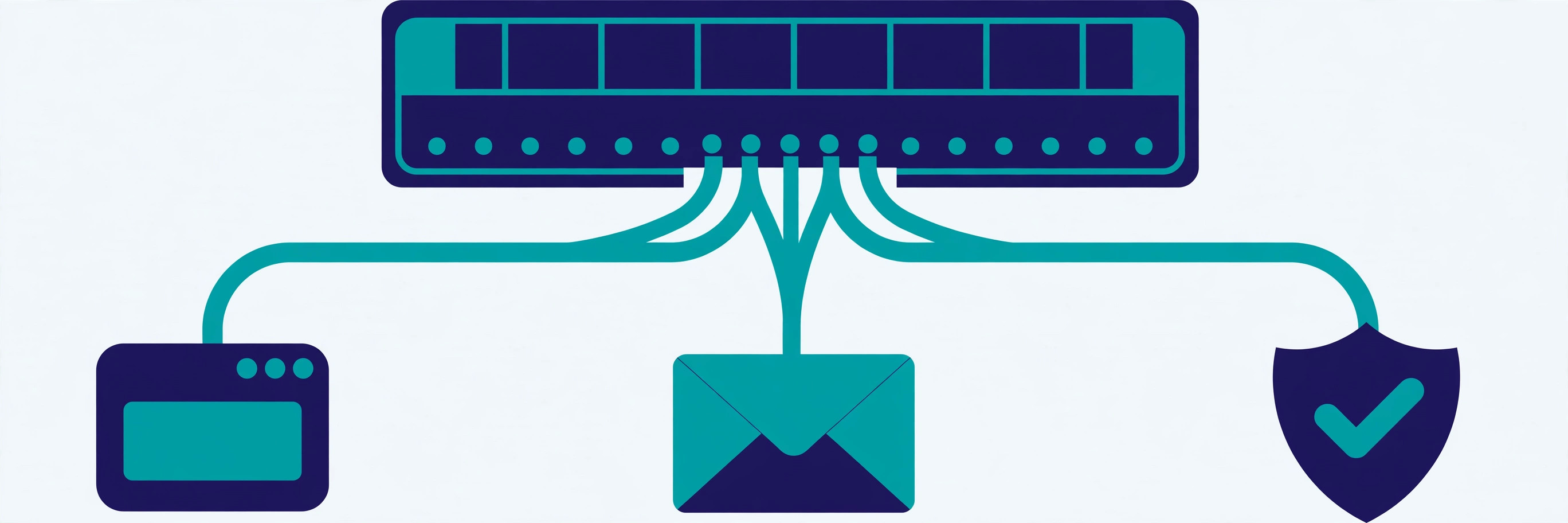
The four parts of every record
Every record carries these four fields:
| Part | What it is | Example |
|---|---|---|
| Name | Which name the record is about; @ is the zone root | www, @, mail |
| Type | Which question the record answers | A, MX, TXT |
| Value | The answer — an address, a name, or a piece of text | 77.37.34.131, 10 smtp.google.com. |
| TTL | Seconds a resolver may cache the answer | 300 (5 min), 86400 (1 day) |
Two details matter. Names in a zone file end with a dot in full form (example.com.) — the dot marks the DNS root, and leaving it off makes the server append the zone name, creating names like mail.example.com.example.com. And TTL runs from 0 to 2,147,483,647 seconds — in practice, 60 seconds for records that move often to 86400 for records that almost never change.

The 9 record types, one by one
Dozens exist, but nine cover nearly every job on a normal domain:
| Type | Answers | Example value |
|---|---|---|
| A | Which IPv4 address? | 77.37.34.131 |
| AAAA | Which IPv6 address? | 2a02:4780:a:1476:0:33a2:1fc9:4 |
| CNAME | Which other name is this, really? | zentotoolshub.com. |
| MX | Which server takes our mail? | 10 smtp.google.com. |
| TXT | What text should machines read here? | v=spf1 include:_spf.google.com ~all |
| NS | Which servers are authoritative for this zone? | ns1.dns-parking.com. |
| SOA | Who manages this zone, and how do secondaries sync? | ns1.dns-parking.com. dns.hostinger.com. 2026111201 … |
| PTR | Which name belongs to this IP? (reverse) | mail.example.com. |
| CAA | Which certificate authorities may issue for us? | 0 issue "letsencrypt.org" |
A and AAAA — the address records
The A record is the one most people mean when they say "DNS record": it points a name at an IPv4 address, and it is the record the browser needs before it can open a single connection. AAAA is the same job for IPv6, defined by RFC 3596. A name can hold both at once — dual-stack — and modern clients race the two and use whichever connects first. But an A record points at an address that can change: if your host moves your site, the record must move too — one reason CDNs prefer CNAMEs. Our IP address guide explains the two address families.
CNAME — the alias
A CNAME says "this name is really that other name — go look it up". It points at a name, never at an IP, and the resolver chases it with one extra lookup. That extra hop buys flexibility: when the target's address changes, only its A record needs updating. The hard rule is that a CNAME cannot share its name with any other record — the standard forbids it. That is why you cannot put a CNAME on the bare domain: the root must also hold NS and SOA records. Providers that appear to allow it use a non-standard ALIAS or ANAME record instead.
MX — the mail router
The MX record tells sending mail servers which host accepts mail for your domain — and, through its priority number, in which order to try them. Lower numbers are tried first, so 10 smtp.google.com. is tried before a 20 backup. The backup only receives mail when the primary is unreachable. With no MX records at all, a sender falls back to the domain's A record — and if nothing answers on port 25, the mail bounces. This site has no MX records by design — it never receives email.
TXT — the text drawer
TXT holds free-form text that other systems read. SPF, DKIM and DMARC email-authentication policies all live in TXT records; so do domain-ownership proofs — the demo below shows this site's Google verification token in one. One limit: a single TXT character-string cannot exceed 255 bytes, so long values (DKIM public keys are the classic case) must be split into multiple strings that resolvers join back together. TXT never affects where traffic goes; it only tells machines facts about the domain.
NS and SOA — the zone's own paperwork
NS records name the authoritative servers for the zone. They appear both at the parent (your registrar points the world at them) and inside the zone. The SOA (Start of Authority) record at the apex carries the zone's administration: the primary nameserver, the administrator's contact, a serial number secondaries use to tell whether their copy is stale, and the refresh, retry, expire and minimum timers. The serial is usually written as YYYYMMDDNN — this site's is 2026111201 — but that is a convention; the only requirement is that it increases with each change.
PTR and CAA — reverse lookups and certificate control
PTR is DNS in reverse: given an IP, which name does it belong to? IPv4 PTR records live under in-addr.arpa, IPv6 under ip6.arpa, and the IP owner — usually the hosting provider — controls them. Mail servers check PTR as an anti-spam signal — a mismatch with the forward name lands mail in spam. CAA (RFC 8659), the newest of the nine, declares which certificate authorities may issue for the domain — a CA seeing 0 issue "letsencrypt.org" must refuse anyone else. It pairs with the checks in our SSL/TLS certificate guide. Beyond the nine: SRV publishes a host and port (RFC 2782); DS, DNSKEY and RRSIG carry DNSSEC signatures — see our DNSSEC guide.
Verified demo: reading a real zone with dig
I read this very site's zone while writing this guide, using dig. One note on method: this machine blocks outbound UDP port 53, so the queries went over DNS-over-HTTPS to Cloudflare's resolver (1.1.1.1) — the live published answers, copied verbatim below:
$ dig zentotoolshub.com A
;; ANSWER SECTION:
zentotoolshub.com.  1800  IN  A  77.37.34.131

$ dig zentotoolshub.com AAAA
;; ANSWER SECTION:
zentotoolshub.com.  1800  IN  AAAA  2a02:4780:a:1476:0:33a2:1fc9:4

$ dig www.zentotoolshub.com CNAME
;; ANSWER SECTION:
www.zentotoolshub.com.  300  IN  CNAME  zentotoolshub.com.

$ dig zentotoolshub.com TXT
;; ANSWER SECTION:
zentotoolshub.com.  14400  IN  TXT  "google-site-verification=wdQoiTQs-lYB3AAVt_5Ek9hZrz_OypTyCxWsHRDS37A"

$ dig zentotoolshub.com NS
;; ANSWER SECTION:
zentotoolshub.com.  86400  IN  NS  ns1.dns-parking.com.
zentotoolshub.com.  86400  IN  NS  ns2.dns-parking.com.

$ dig zentotoolshub.com MX
;; No answer — this domain has no MX records.
;; (The response carries only the SOA record in its authority section.)

$ dig google.com MX
;; ANSWER SECTION:
google.com.  105  IN  MX  10 smtp.google.com.
The A and AAAA records point the bare domain at the host (TTL 1800). The www subdomain is a CNAME to the bare domain with a short 300-second TTL, so it follows wherever the A record moves. The TXT record is the Google Search Console verification token. The NS records delegate the zone to Hostinger's DNS parking nameservers. And the MX query returns nothing — no mail server is configured, a deliberate choice. Try it: dig +short gives the same answers without the commentary.
How a lookup uses these records
A record type is also a step in the lookup. Your resolver asks the root servers for the TLD's NS records, then the TLD servers for your domain's NS records, then your authoritative servers for the record it needs — usually an A or AAAA record. Each answer is cached for its TTL, so the next visitor skips the chain. A CNAME adds one hop: the resolver follows the alias and asks again for the target's A record. And when the zone changes, nothing downstream knows until the old TTL expires — why TTL is the first thing to check when a change "hasn't worked yet".

TTL and propagation: the waiting game
"DNS propagation" is not one event — it is thousands of caches expiring on their own schedules. A resolver that cached the old value keeps serving it until its TTL runs out; one that never cached it sees the new value at once. That is why the same site can load at the new host from your phone and the old host from your laptop for hours. Before any migration, lower the TTL to 300 a day in advance, so no stale answer lives longer than five minutes; raise it back to 3600 or 86400 once the move is stable. A TTL of 0 means "do not cache at all", but most public resolvers enforce a minimum floor.
5 mistakes that break DNS
Most DNS outages are not attacks or server failures — they are zone edits that looked harmless:
- A CNAME at the apex. The root must hold NS and SOA records, and a CNAME forbids siblings. Use an ALIAS/ANAME record if your provider offers one, or an A record.
- A CNAME sharing its name with another record. Adding an MX or TXT record on a name that already has a CNAME violates the same rule — give it its own subdomain.
- MX priorities backwards. A backup listed at 10 and the real server at 20 means the backup takes all the mail — and usually rejects it.
- TXT values over 255 bytes in one string. Long DKIM keys must be split into multiple quoted strings — one over-long string is rejected or truncated, and verification silently fails.
- Changing a record without lowering the TTL first. With a 24-hour TTL, a day of visitors and mail can go to the old destination. Lower the TTL to 300 the day before, then raise it again.

What is a DNS record? One line in a zone file: a name, a type, a value and a TTL. Nine types route your website, your email, your verification checks and your certificates — and every one is readable with a single dig command. Next time a site will not load or an email bounces, start here: ask the zone what it actually says, and check the TTL. For the authoritative definitions, read RFC 1035 and Cloudflare's DNS record types reference; our CDN guide shows where CNAMEs meet caching in practice.
Frequently asked questions
- What is a DNS record in simple terms?
- A DNS record is one line of instructions in a domain's DNS zone: it says "for this name, this type of question gets this answer". An A record answers "which IPv4 address?", an MX record answers "which server takes our email?", and a TXT record answers "here is a piece of text machines should read". Every time you visit a site or send an email, resolvers read these lines to route you correctly.
- What is the difference between an A record and a CNAME record?
- An A record points a name directly at an IPv4 address (blog.example.com → 93.184.216.34). A CNAME points a name at another name (www.example.com → example.com), and the resolver then looks up that second name's A record. Use A when you know the address; use CNAME when the target address changes often — for example, pointing a subdomain at a CDN or a hosted platform whose IPs move.
- How many DNS record types are there?
- Dozens are defined, but nine do almost all the work on a normal domain: A, AAAA, CNAME, MX, TXT, NS, SOA, PTR and CAA. Beyond those, SRV publishes a host and port for a service, and DS, DNSKEY and RRSIG carry DNSSEC signatures. You will rarely need to touch anything outside the nine — and on most small sites, only A, CNAME, MX and TXT ever change.
- What does TTL mean in DNS?
- TTL (time to live) is the number of seconds a resolver may cache a record before asking the authoritative server again. A TTL of 300 means five minutes; 86400 means one day. Short TTLs make changes take effect fast but add lookup traffic; long TTLs make lookups fast but leave stale answers in caches for longer. The standard allows anything from 0 up to 2,147,483,647 seconds.
- Can I put a CNAME at the root of my domain?
- No — not a plain CNAME. The DNS standard forbids any other record sharing a name with a CNAME, and the root of a zone must hold NS and SOA records, so a CNAME there would break the zone. Providers that seem to allow it are using a non-standard alias (ALIAS or ANAME), which behaves like a CNAME but is resolved by the provider's own servers and published as A/AAAA records.
- How long does a DNS change take to take effect?
- Roughly as long as the old record's TTL, for resolvers that already cached it — plus the time your provider takes to publish the change. With a TTL of 300 seconds, most of the world sees the new value within about five minutes; with a TTL of 86400, some resolvers keep the old value for up to a day. That is why the standard migration move is to lower the TTL to 300 about a day before the change, then raise it again afterwards.
- Do I need an MX record if I do not use email on my domain?
- No — and this very site proves it: zentotoolshub.com has no MX records at all, so mail addressed to it has nowhere to go and senders get a bounce. The absence is a valid choice for a domain that never receives email. What you must not do is add a wrong MX record: mail will be delivered to a server that does not expect it, and it will vanish instead of bouncing back to the sender.
Related articles
What Are Server-Sent Events? 7 Things Every Developer Should Know (With Examples)
What are server-sent events? Learn how SSE streams live updates over plain HTTP — event format, EventSource, reconnection, SSE vs WebSocket and a verified demo.
Web DevelopmentWhat Is a URL Slug? 7 Things Every Developer Should Know (With Examples)
What is a URL slug? Learn how slugs work — anatomy, Google's hyphen rule, a verified slugify demo, non-ASCII handling, and when never to rename one. Read on.
Web DevelopmentWhat Is a Service Mesh? 7 Things Every Developer Should Know (With Examples)
What is a service mesh? Learn how service meshes work — sidecars, data plane vs control plane, mTLS, traffic splitting — with a verified demo and examples.