What Is an IP Address? 7 Things Every Developer Should Know (With Examples)
October 25, 2026 · Web Development
Every packet on the internet carries a return address: an IP address. What is an IP address exactly? It is a numerical label for a device's network interface, doing two jobs at once: identifying that interface, and giving it a location so routers know where to deliver packets. This guide explains IPv4 vs IPv6, private vs public addresses, NAT, and CIDR subnets — with worked examples and code.

1. What an IP address actually is
An IP address is not a name, and it is not a device. It is a label for a network interface — the point where a device connects to a network. A laptop with Wi-Fi and Ethernet has two interfaces and can hold two addresses at once. Every packet header carries a source and a destination address; routers read the destination and forward the packet one hop closer until it arrives. Names sit on top: DNS resolves a domain to an IP address before a connection opens.
Two confusions are worth clearing up early. An IP address is not a MAC address: the MAC address identifies the physical interface on a local link and rarely changes, while the IP address identifies where that interface sits on a network and changes when you move networks. Nor is an IP address a precise location: it can suggest a rough area via the ISP that owns the block, but it is not a coordinate or a person's identity — NAT, shared addresses, and VPNs all break the "one IP, one person" assumption (section 4).
2. IPv4: four octets, 32 bits, and a shortage
IPv4, in widespread use since 1983, defines addresses as 32-bit numbers, usually written in dotted-decimal notation: four numbers, each 0 to 255, separated by dots. Each number is one octet — eight bits. So 203.0.113.42 is 11001011.00000000.01110001.00101010 in binary, and it comes from a documentation block (TEST-NET-3), so it will never be a real user's address.
Thirty-two bits gives 232 addresses — 4,294,967,296, roughly 4.3 billion. Enormous in the early 1980s, exhausted in practice during the 2010s as devices multiplied. Private addresses, NAT (section 4), and CIDR (section 5) papered over the shortage; the permanent fix is IPv6.
One IPv4 special case to memorise: 127.0.0.1, the loopback address. Traffic sent there never leaves your own machine — it is how you test a server running locally. The whole 127.0.0.0/8 block is reserved for loopback, though only 127.0.0.1 is used in practice. Our localhost guide covers loopback and connection-refused errors.
3. IPv6: 128 bits and a different way of writing addresses
IPv6 addresses are 128 bits long — 2128 possible addresses, about 3.4 × 1038 — written as eight groups of four hexadecimal digits separated by colons. The documentation example in full is 2001:0db8:85a3:0000:0000:8a2e:0370:7334; in compressed form, which is what you will actually see, it is 2001:db8:85a3::8a2e:370:7334. Two rules produce the shorter form: leading zeros in each group are dropped, and one single run of all-zero groups is replaced by :: — which may appear only once, or the length would be ambiguous.
A few IPv6 ranges are worth recognising on sight. ::1 is loopback, the IPv6 equivalent of 127.0.0.1. fe80:: addresses are link-local: they work only on the attached link and are never forwarded elsewhere. fc00::/7 are unique local addresses, IPv6's private equivalent. Global unicast addresses — the ones routed on the internet — currently come from 2000::/3. IPv6 has no broadcast: where IPv4 would broadcast, IPv6 uses multicast.
IPv6 also changes URLs: because colons already separate host from port, an IPv6 literal goes in square brackets, http://[2001:db8::1]:8080/ — forgetting them is a classic bug. Both versions run side by side today in dual-stack networks, using whichever the other end supports, with the transport protocols on top unchanged.
4. Public vs private: why your laptop's address is not the internet's address
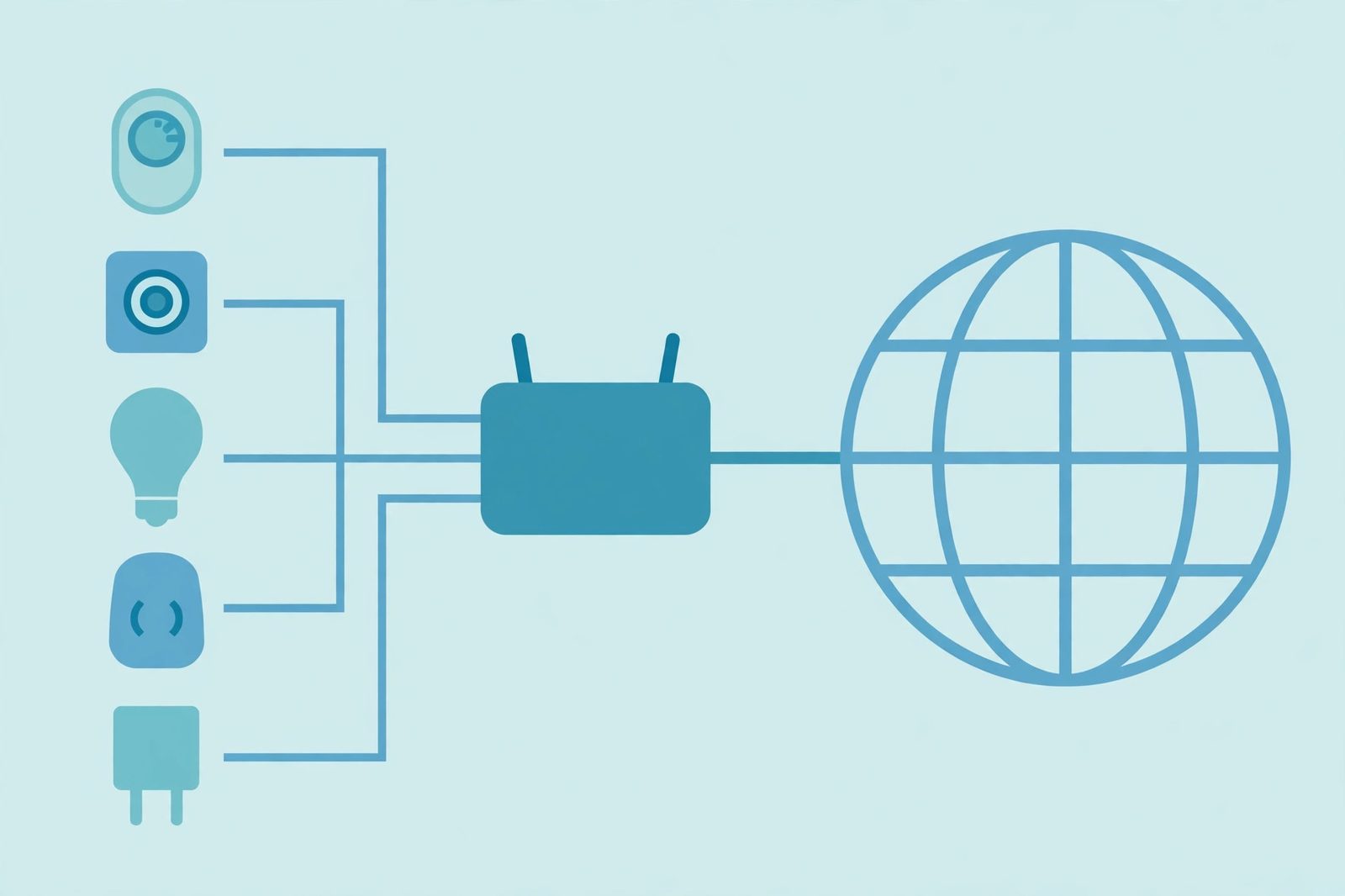
Most homes and offices use two kinds of address. Inside the network, each device gets a private address from a block reserved by RFC 1918. Outside, the whole network presents a single public address assigned by the ISP. The router translates between them with NAT, which is why a website sees your public address and never your private one.
| Block | Range | Addresses in block |
|---|---|---|
10.0.0.0/8 | 10.0.0.0 – 10.255.255.255 | 16,777,216 |
172.16.0.0/12 | 172.16.0.0 – 172.31.255.255 | 1,048,576 |
192.168.0.0/16 | 192.168.0.0 – 192.168.255.255 | 65,536 |
Watch the middle row's boundary: the block ends at 172.31.255.255, so 172.32.0.1 is public, not private — an off-by-one that breaks loosely written firewall rules. Private addresses are not routed on the public internet, which is why they can be reused in every home.
NAT rewrites addresses (and, in the usual home-router form called PAT, port numbers too) as packets cross the router, remembering the mapping so replies reach the right device. It conserved IPv4 but broke end-to-end reachability: a device behind NAT cannot simply be reached from the internet, hence port forwarding for self-hosted servers. Where IPv4 is scarcest, ISPs add carrier-grade NAT, sharing one public address among many customers via 100.64.0.0/10 — neither private (RFC 1918) nor public, so treat it as its own category in allowlists.
5. Subnets and CIDR: the slash that splits an address in two
Every IP address is really two parts: a network prefix and a host identifier. CIDR notation says where the split falls: the number after the slash is how many leading bits are the network part. 203.0.113.0/24 means the first 24 bits are the network and the last 8 identify hosts — the same network written the old way as 203.0.113.0 with mask 255.255.255.0.
Work it through once and the arithmetic sticks. A /24 has 32 − 24 = 8 host bits, so 28 = 256 addresses. The first, 203.0.113.0, is the network address; the last, 203.0.113.255, is broadcast; neither can be assigned to a host, leaving 254 usable hosts (203.0.113.1–203.0.113.254). The rule generalises: a /16 has 65,536 addresses, a /8 has 16,777,216, always minus two for network and broadcast (IPv4 only — IPv6 has no broadcast).
In IPv6, the prefix marks a place in the hierarchy rather than a host count. A /64 — the conventional segment size — already contains 264 addresses, more than the entire IPv4 space. IPv6 subnetting carves an effectively inexhaustible space by site, then by link.
6. How an address is assigned: DHCP, static, and the chain above them
Most devices get their address dynamically, usually via DHCP: the device asks, the server (often the router) offers an address with a lease, and the device renews it or gets a new one later — hence a laptop's private address changing after a restart. Servers and routers usually get static addresses configured by hand. IPv6 adds stateless autoconfiguration (SLAAC), building an address from the advertised prefix, alongside DHCPv6.
Above the local network sits a global chain: IANA allocates large blocks to the five regional registries (RIRs), which assign smaller blocks to ISPs and organisations, which assign addresses to customers. That chain is why ownership can be looked up — but not why an address identifies a person: blocks change hands, addresses are shared behind NAT, and one address can represent a whole household or mobile network.
A 169.254.x.x address is a debugging clue: the device failed to reach a DHCP server and fell back to link-local autoconfiguration — same-link neighbours only, no routing elsewhere. No address at all means the interface is down or unconfigured.
7. Reading an IP address in code (without the usual bugs)
Never parse IP addresses with string splitting and hand-written regular expressions. Every major language ships a library that already handles IPv4, IPv6, CIDR, and the special ranges — and the edge cases you will forget. Python's standard library is the clearest example:
import ipaddress

net = ipaddress.ip_network('203.0.113.0/24')
print(net.network_address)   # 203.0.113.0
print(net.broadcast_address) # 203.0.113.255
print(net.num_addresses)     # 256

addr = ipaddress.ip_address('2001:db8:85a3::8a2e:370:7334')
print(addr.compressed)  # 2001:db8:85a3::8a2e:370:7334
print(addr.exploded)    # 2001:0db8:85a3:0000:0000:8a2e:0370:7334
In Node.js, net.isIP() returns 4 for IPv4, 6 for IPv6, and 0 otherwise — a one-line version check. Watch three traps. First, Python's is_private means "not globally reachable", not "in an RFC 1918 block": documentation addresses like 203.0.113.42 report as private too. Second, never assume four octets: dot-splitting breaks on every IPv6 address. Third, never treat one IP as one user in rate limiting — NAT means one public address can hide a whole building.
Common mistakes to avoid
- Treating a private address as a public identity. A
192.168.x.xlog entry describes a local network, not an internet user. - Memorising the 172.16 block wrong. It ends at
172.31.255.255;172.32.0.0and above is public. - Validating IPs with a hand-written regex. It will reject valid IPv6, accept invalid IPv4, or both. Use a real IP library.
- Storing addresses in a 32-bit integer column. It works until the first IPv6 address arrives. Store text or a network-address type.
- Assuming an IP is an exact location or a person. It is a rough, shared, changeable label — for routing and coarse analytics, not identification.
- Using a real-looking address in examples. Use documentation blocks instead:
192.0.2.0/24,198.51.100.0/24,203.0.113.0/24, and2001:db8::/32.
Once you can picture it — a label for an interface, split by CIDR into network and host, translated by NAT at the edge, written in two formats — IP addresses stop being mysterious log strings. A CDN routes by them, a client finds its server through them, and every TCP or UDP packet is delivered by them. Reference: Wikipedia's IP address article and the IETF's RFC 3330.
Frequently asked questions
- What is an IP address in simple terms?
- An IP address is a numerical label assigned to a network interface, so packets know where to go and where to come back to. It does two jobs at once: it identifies an interface on a network, and it gives that interface a location in the network so routers can deliver packets to it.
- What is the difference between IPv4 and IPv6?
- IPv4 addresses are 32 bits long, written as four decimal octets (for example 203.0.113.42), giving about 4.3 billion addresses in total. IPv6 addresses are 128 bits long, written as eight hexadecimal groups (for example 2001:db8::1), giving a vastly larger address space. The two versions run side by side today; most networks are dual-stack.
- What is a private IP address?
- A private IP address comes from one of the three blocks reserved by RFC 1918 for private networks: 10.0.0.0/8, 172.16.0.0/12, and 192.168.0.0/16. Private addresses are not globally unique and are not routed on the public internet, so the same private address can be reused in millions of homes and offices. A router using NAT translates them to a public address for internet traffic.
- Why does my device have a different IP at home and at work?
- Because an IP address belongs to a connection on a network, not permanently to a device. Your home router and your office network each assign you an address from their own ranges, usually dynamically via DHCP. Move networks, and you get a new address — while your hardware MAC address, which identifies the physical interface on the local link, stays the same.
- What does /24 mean in an IP address?
- The /24 is CIDR notation: it says the first 24 bits of the address are the network prefix and the remaining bits identify hosts. In a /24 IPv4 network there are 256 addresses in total — the network address itself and the broadcast address cannot be assigned to hosts, leaving 254 usable host addresses.
- Does an IP address reveal my exact location?
- No. An IP address can suggest a rough area — typically a city or region, as seen by the ISP or network that owns the block — but it is not a GPS coordinate and it does not identify a person or a street address. Geolocation databases are estimates, and shared addresses behind NAT or a VPN can be many kilometres from the actual user.
- Is 127.0.0.1 the same as localhost?
- Effectively, yes for IPv4: 127.0.0.1 is the loopback address, and the name localhost normally resolves to it. Traffic sent to 127.0.0.1 never leaves your machine — it loops back inside the host. Our <a href="/blog/what-is-localhost">localhost explainer</a> covers the loopback interface, ports, and connection-refused errors in detail.
- Should I store IP addresses as numbers in a database?
- Only if you are certain you will never see IPv6 — and that is a bet you will lose. An IPv4 address fits in 32 bits, but an IPv6 address needs 128 bits, so a 32-bit integer column silently breaks on IPv6 input. Store addresses as text, or use a database type built for network addresses, and always parse them with a proper IP library instead of hand-rolled string splitting.
Related articles
What Is a Proxy Server? 7 Things Every Developer Should Know (With Examples)
What is a proxy server? Learn how proxy servers work for developers — forward vs reverse, HTTP vs SOCKS, CONNECT tunneling, and proxy vs VPN. With examples.
Web DevelopmentWhat Is an API Gateway? 7 Things Every Developer Should Know (With Examples)
What is an API gateway? Learn how API gateways work for developers — routing, auth, rate limiting, aggregation, and when not to use one, with code examples.
Web DevelopmentWhat Is a Load Balancer? 7 Things Every Developer Should Know (With Examples)
What is a load balancer? Learn how load balancers work — Layer 4 vs Layer 7, routing algorithms, health checks, and sticky sessions, with config examples.