TCP vs UDP: 7 Key Differences Every Developer Must Know (With Examples)
October 20, 2026 · Web Development
Every byte your app sends travels over one of two transport protocols: TCP or UDP. They both sit at Layer 4 of the OSI model, they both hand data to IP for delivery, and they both address applications with port numbers — but they make opposite promises about what happens next. TCP vs UDP: which should you use, and why? This guide covers the 7 key differences — connection model, reliability, ordering, error recovery, header overhead, flow and congestion control, and broadcast support — plus the three-way handshake, real protocols that use each, the head-of-line blocking trap, and how QUIC changed the game for HTTP/3.
What is TCP?
TCP (Transmission Control Protocol) is the connection-oriented, reliable transport protocol defined by the IETF in RFC 9293. Before a single byte of your data moves, the two hosts establish a connection, agree on sequence numbers, and set up state on both ends. Then every segment is numbered, acknowledged by the receiver, and retransmitted if it goes missing — and the receiver reassembles everything in the exact order it was sent. Your application sees a clean, continuous byte stream and never thinks about the network's chaos.
That machinery is why a web page, an email, or a downloaded file arrives complete and correct — and it's also why TCP carries more overhead. TCP is the default choice whenever correctness beats speed: if a missing or reordered byte would corrupt the result, you want TCP.
What is UDP?
UDP (User Datagram Protocol) is the connectionless transport protocol specified in RFC 768 — one of the oldest protocols still in daily use. There is no handshake, no acknowledgements, no sequence tracking, and no automatic retransmission. UDP wraps your data in a tiny fixed 8-byte header and fires it at the destination. If a datagram is lost, UDP doesn't notice or care.
That sounds reckless until you realize it's exactly what some applications need: a live voice call, a game, or a DNS lookup would rather lose a packet than wait for it. When speed matters more than perfection, UDP is the right tool.
How TCP connects: the 3-way handshake
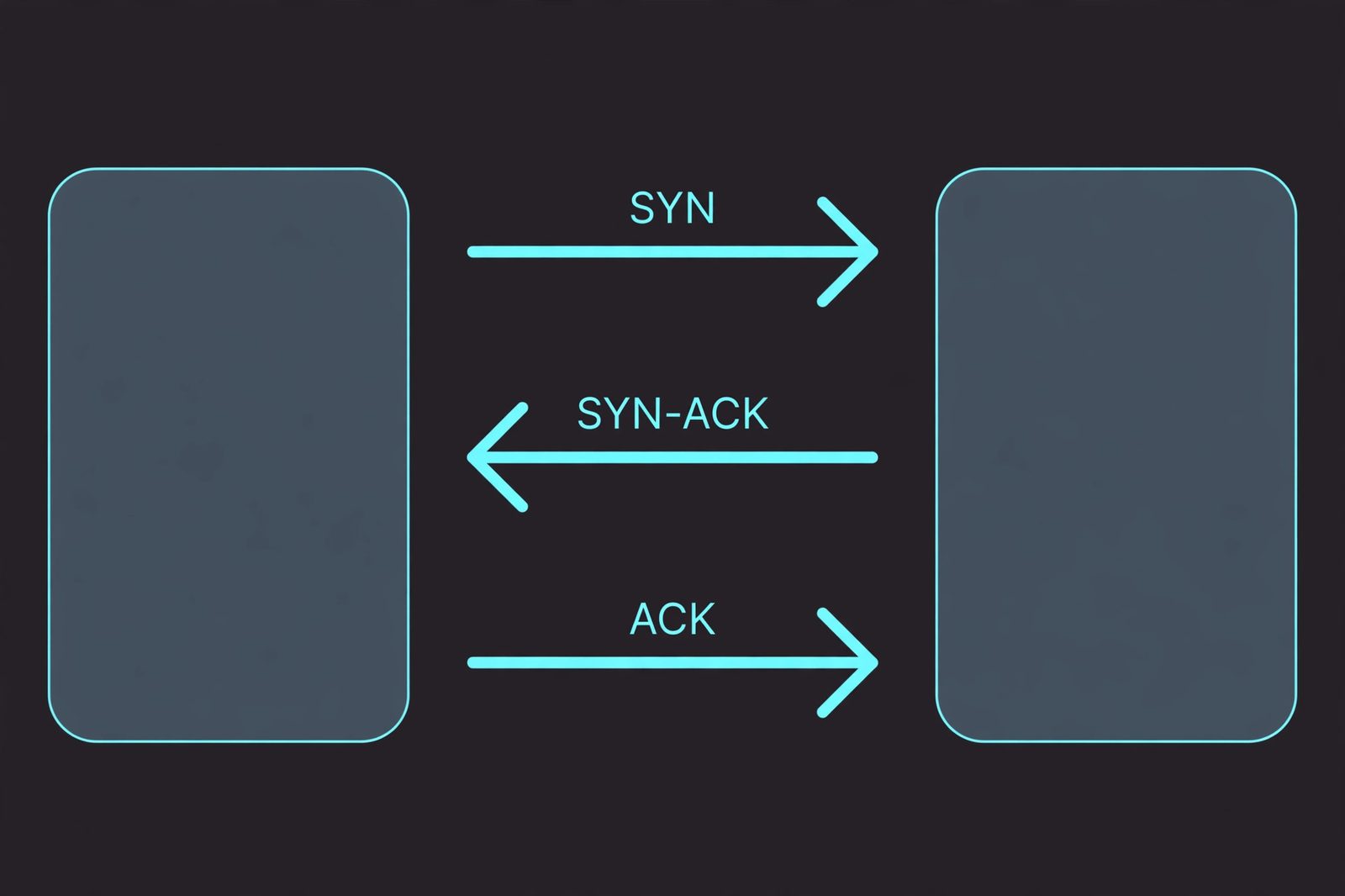
Before any data flows over TCP, the two endpoints must establish a connection. This is the three-way handshake:
- SYN. The client sends a SYN (synchronize) packet with a random sequence number to the server.
- SYN-ACK. The server replies with SYN-ACK: it acknowledges the client's SYN and includes its own sequence number.
- ACK. The client sends a final ACK acknowledging the server's SYN.
Only now is the connection established and data can flow. The handshake costs one full round trip (RTT) of latency before the first byte of your data moves — and when the session ends, TCP uses a FIN/ACK exchange to close gracefully. UDP skips all of this: the first packet is the first data packet, which is why a DNS query over UDP completes in a single round trip.
TCP vs UDP: the 7 key differences
Here is the full side-by-side comparison:
| Difference | TCP | UDP |
|---|---|---|
| 1. Connection model | Connection-oriented — 3-way handshake before data | Connectionless — just send |
| 2. Reliability | Guaranteed delivery via ACKs + retransmission | Best-effort — no delivery guarantee |
| 3. Ordering | In-order delivery (sequence numbers) | No ordering guarantee |
| 4. Error recovery | Checksum + automatic retransmission | Checksum only — lost data stays lost |
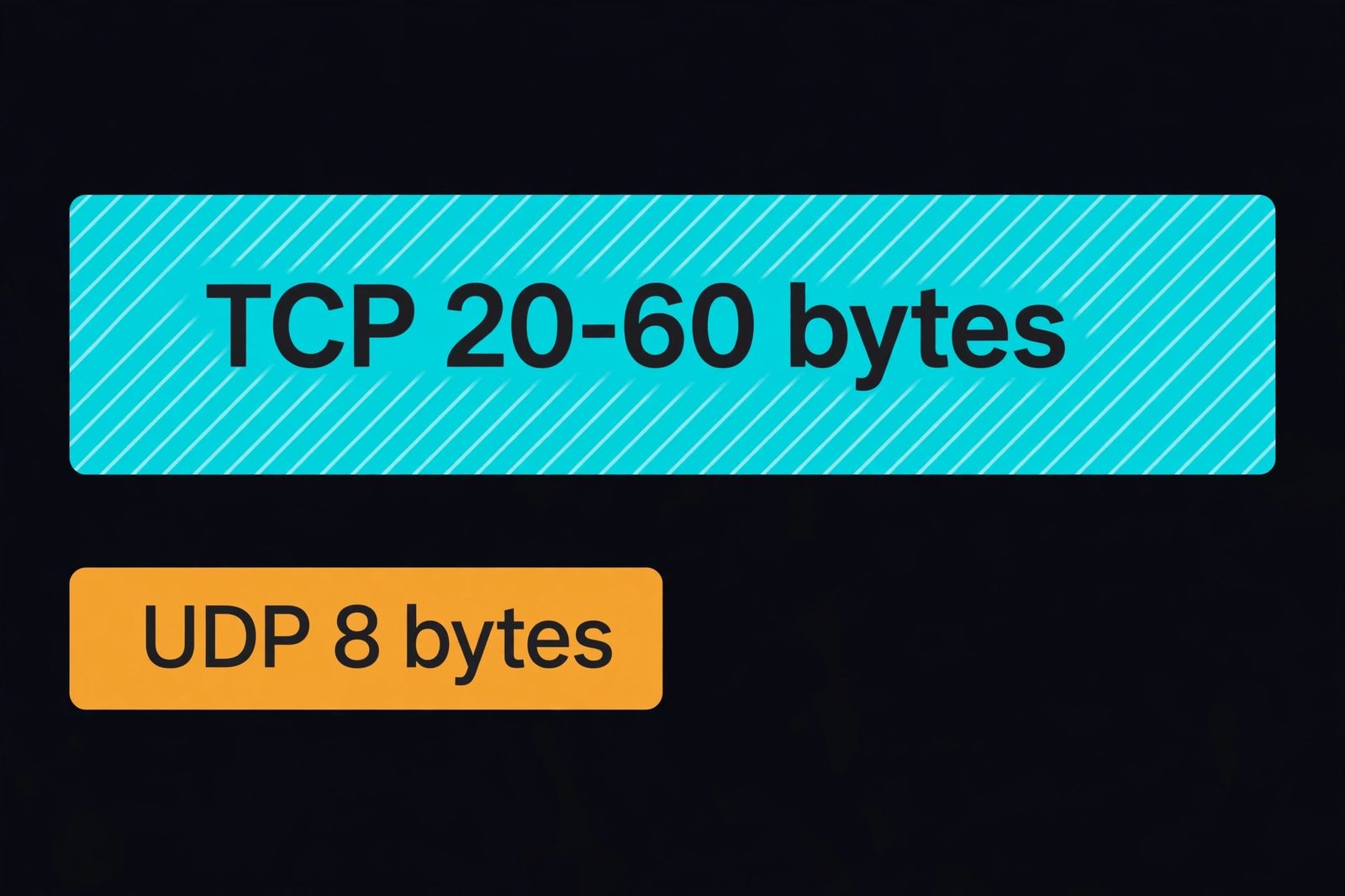
| 5. Header overhead | 20 bytes minimum, up to 60 with options | Fixed 8 bytes |
| 6. Flow & congestion control | Yes — sliding window, slow start | None — the application must handle it |
| 7. Broadcast / multicast | Unicast only | Unicast, broadcast, and multicast |
Two details worth internalizing from that table. First, the header: TCP's minimum 20 bytes carry sequence numbers, ACK numbers, flags, and window sizes — the machinery of reliability. UDP's fixed 8 bytes carry only source port, destination port, length, and checksum. Second, flow and congestion control: TCP actively adapts its sending rate to what the network can handle (that's the slow-start ramp you may have seen in waterfall charts); UDP has no such machinery, so a careless UDP sender can flood a network — congestion handling becomes the application's job.
When to use TCP vs UDP: real protocols
The decision rule is one sentence: if losing data corrupts the result, use TCP; if delay hurts more than loss, use UDP. Here's what the real world chose:
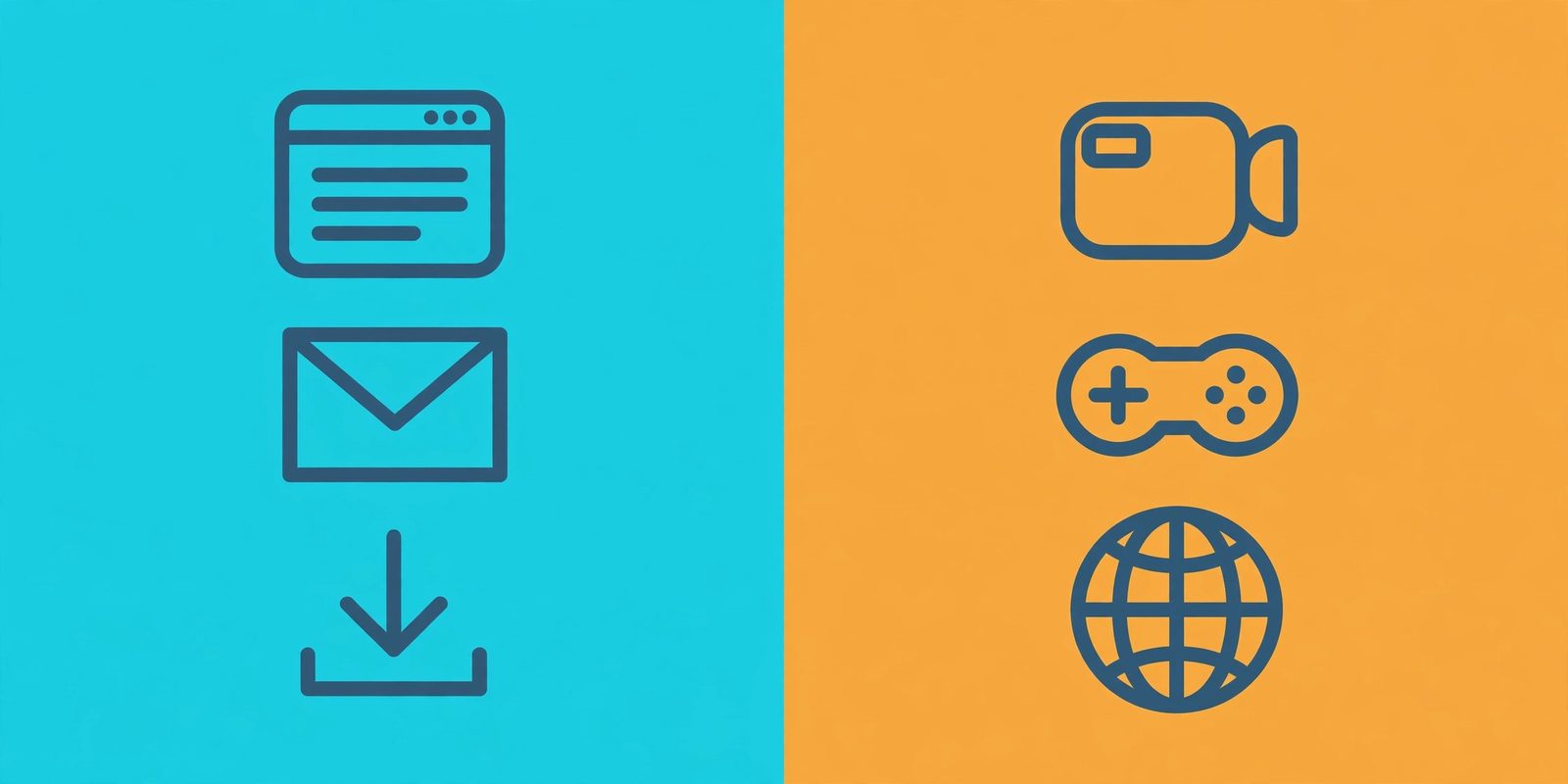
- TCP: web browsing — HTTP/1.1 and HTTP/2 (ports 80, 443); email — SMTP, IMAP (25, 143); SSH (22); FTP (21); databases — PostgreSQL, MySQL; anything where every byte must arrive in order.
- UDP: DNS lookups (53) — one question, one answer, single round trip; DHCP address assignment (67, 68); time sync — NTP (123); voice and video — VoIP, RTP; online gaming; streaming; QUIC/HTTP/3.
Notice the nuance in DNS: it's UDP by default for speed, but when the answer is too big for one datagram the server sets the truncated flag and the client retries over TCP. And note that "streaming uses UDP" is mostly a legacy line now — modern video streaming (YouTube, Netflix) buffers over TCP/HTTPS, while live low-latency streaming still favors UDP-based protocols. For more on how the web's own protocols layer on top of TCP, see our client vs server and HTTP vs HTTPS guides — TLS encryption, the S in HTTPS, runs on top of TCP.
The real cost of TCP: head-of-line blocking
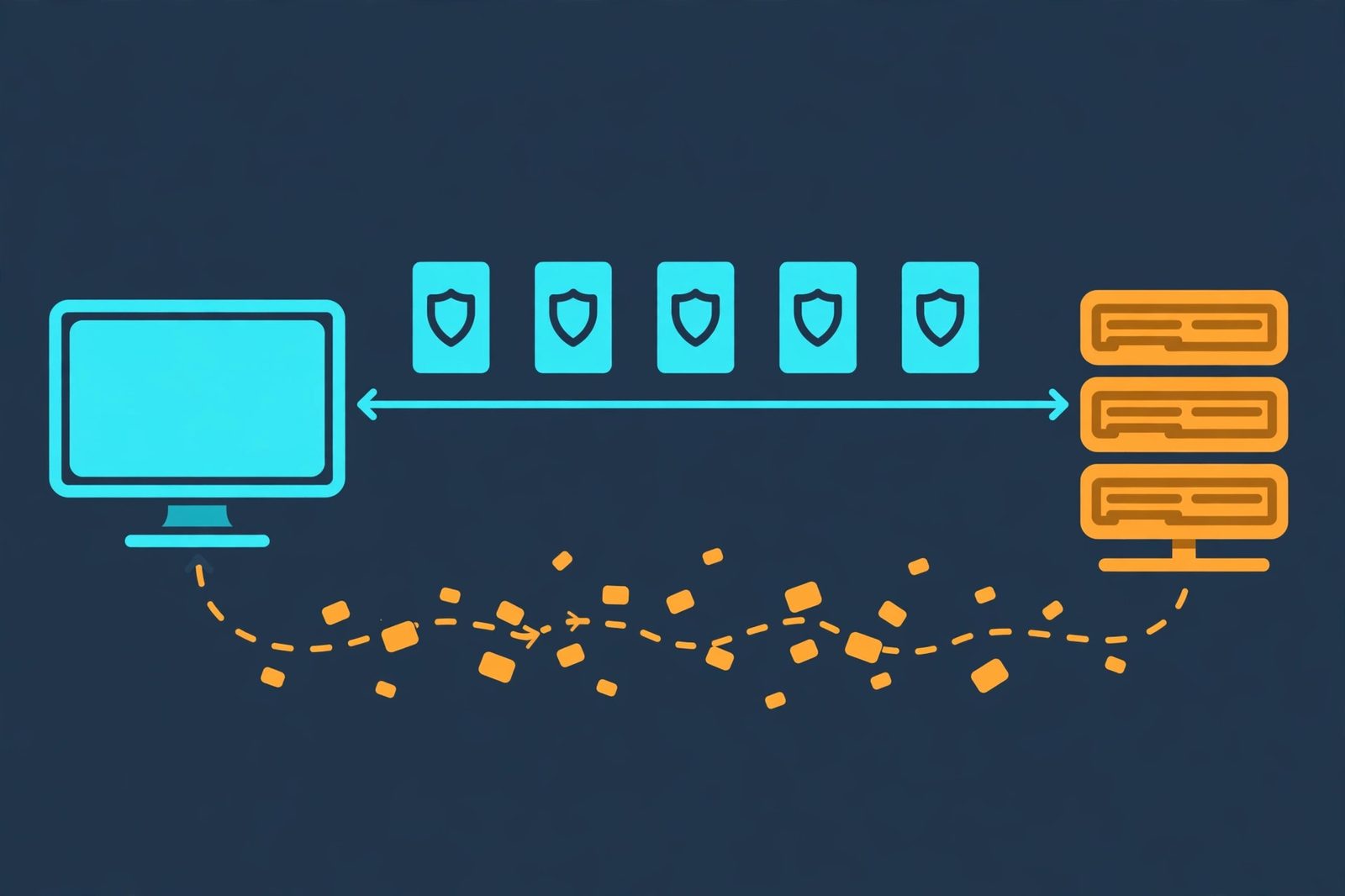
Here is the mechanism that actually decides most TCP-vs-UDP arguments. Because TCP guarantees in-order delivery, one lost packet stalls everything behind it: packets 5, 6, and 7 may have arrived fine, but your application can't see them until packet 4 is retransmitted and the gap is filled. This is head-of-line blocking — the queue freezes behind the missing piece.
For a file download, that's correct behavior: you'd rather wait than get a corrupted file. For a video call, it's catastrophic: the retransmitted frame arrives 300ms late, long after its moment has passed, and the whole call froze waiting for it. UDP hands each packet to your application the instant it arrives — a dropped frame is a tiny glitch, not a frozen screen.
QUIC: reliable, but built on UDP
The most interesting development in transport protocols doesn't pick a side — it builds on UDP. QUIC (standardized by the IETF in RFC 9000, originally "Quick UDP Internet Connections" from Google) runs on top of UDP but adds TCP's reliability features: ordered delivery, congestion control, and retransmission — plus built-in TLS 1.3 encryption and much faster connection setup (it can resume a connection in zero round trips — 0-RTT).
The key innovation: QUIC multiplexes independent streams, so a lost packet stalls only its own stream — no connection-wide head-of-line blocking. HTTP/3 runs over QUIC, and it's why the modern web is quietly moving its heaviest traffic onto a UDP foundation. Reliability, it turns out, doesn't have to mean TCP.
See QUIC in the wild: our free HTTP header checker shows any site's response headers — look for the alt-svc header advertising h3, which means the server speaks HTTP/3 over QUIC/UDP. And if you're debugging requests themselves, our GET vs POST guide covers what rides on top of these connections.
3 myths that trip developers up
- "TCP is secure." No — reliable is not encrypted. TCP's handshake and checksums fight packet loss, not eavesdroppers. Security comes from TLS on top (HTTPS), or DTLS over UDP.
- "UDP is always faster." Per packet, yes. But an app that needs complete data must reinvent retransmission on top of UDP — and a hand-rolled version rarely beats TCP's decades-tuned machinery. UDP wins where loss is acceptable, not everywhere.
- "My UDP service works, so the network is fine." UDP's fire-and-forget nature hides packet loss: a 5% loss rate is invisible in a DNS lookup (just retry) but devastating to a naive UDP file transfer. When UDP behaves "randomly," suspect loss first — capture with
tcpdump -i any udp port 53or Wireshark'sudpfilter and watch for gaps.
TCP vs UDP is one trade-off wearing seven costumes: TCP's handshake, acknowledgements, ordering, and retransmission buy you guaranteed, in-order delivery at the cost of latency and overhead; UDP's 8-byte header and zero setup buy you speed at the cost of all guarantees. Choose by asking what your application fears more — a missing byte or a late one. And when the answer is "both," know that QUIC exists: reliability rebuilt on a UDP foundation, already carrying HTTP/3 traffic across the modern web. For the authoritative references, see MDN's TCP glossary and UDP glossary entries.
Frequently asked questions
- What is the main difference between TCP and UDP?
- TCP is connection-oriented and reliable: it opens a connection with a three-way handshake, then numbers every segment, acknowledges receipt, and retransmits anything lost — so all data arrives, in order. UDP is connectionless and best-effort: it fires datagrams at the destination with no handshake, no acknowledgements, and no retransmission. TCP trades speed for guarantees; UDP trades guarantees for speed.
- Is TCP or UDP faster?
- UDP is faster per packet because it skips the three-way handshake (one full round trip before any data moves) and has no acknowledgement traffic or retransmission machinery. But "faster" only holds on clean networks: on a lossy network, an application that needs complete data must add its own retransmission on top of UDP — and at that point TCP's built-in machinery often wins. Speed vs reliability is the core trade-off, not a universal winner.
- Why does DNS use UDP?
- A typical DNS query is one tiny question and one tiny answer — the classic request/response lookup where a lost packet is cheap to retry. Over UDP, a query completes in a single round trip with no handshake, which keeps lookups fast. When the answer is too big for a single datagram, the server sets the truncated (TC) flag and the client retries over TCP. DNSSEC-signed answers, which are larger, use TCP more often.
- Does TCP guarantee data arrives in order?
- Yes. TCP numbers every byte with sequence numbers, and the receiver buffers out-of-order segments and reassembles them before handing data to the application. Your application always sees a continuous, in-order byte stream — it never has to think about reordering. UDP offers no such guarantee: datagrams arrive whenever the network delivers them, in any order, and duplicates are possible.
- Is TCP more secure than UDP?
- No — reliability is not security. TCP's handshake, checksums, and retransmissions protect against packet loss and corruption, not against eavesdropping or tampering. Both TCP and UDP carry data in the clear unless you add encryption on top: TLS runs over TCP (that's what the S in HTTPS is — see our HTTP vs HTTPS guide), and DTLS is the datagram-oriented TLS variant used over UDP.
- What is QUIC, and does it replace TCP vs UDP?
- QUIC is a modern transport protocol, standardized by the IETF in RFC 9000, built on top of UDP. It borrows TCP's best ideas — reliable, ordered delivery, congestion control — and adds built-in TLS 1.3 encryption, faster connection setup, and independent streams that avoid TCP's head-of-line blocking. HTTP/3 runs over QUIC. It doesn't replace the TCP/UDP choice so much as show what you can build when UDP is your foundation.
- Can UDP be used for file transfer?
- The raw UDP socket won't do it safely — there's no retransmission, so a lost datagram means a corrupted file. But protocols built on UDP do reliable file transfer by adding their own acknowledgements on top (TFTP does this simply; QUIC does it at industrial scale). The rule of thumb stands: if correctness matters and you don't want to build reliability yourself, use TCP.
- Why do video calls use UDP instead of TCP?
- Because in real-time media, a late packet is worse than a lost one. If a video frame arrives 300ms late, the moment it belongs to has already passed — retransmitting it is pointless. TCP would also hold every packet behind the lost one (head-of-line blocking), freezing the whole call. UDP hands each packet to the app the instant it arrives, so a dropped frame is just a tiny glitch instead of a frozen screen.
Related articles
What Is a Proxy Server? 7 Things Every Developer Should Know (With Examples)
What is a proxy server? Learn how proxy servers work for developers — forward vs reverse, HTTP vs SOCKS, CONNECT tunneling, and proxy vs VPN. With examples.
Web DevelopmentWhat Is an API Gateway? 7 Things Every Developer Should Know (With Examples)
What is an API gateway? Learn how API gateways work for developers — routing, auth, rate limiting, aggregation, and when not to use one, with code examples.
Web DevelopmentWhat Is a Load Balancer? 7 Things Every Developer Should Know (With Examples)
What is a load balancer? Learn how load balancers work — Layer 4 vs Layer 7, routing algorithms, health checks, and sticky sessions, with config examples.