What Are Server-Sent Events? 7 Things Every Developer Should Know (With Examples)
November 14, 2026 · Web Development
You open a dashboard and the numbers move by themselves. A build finishes and the progress bar advances without a refresh. An AI answer appears word by word as it is generated. Behind all three sits the same quiet mechanism: what are server-sent events? They are a way for a server to push updates to a browser over one long-lived HTTP connection — no polling, no new protocol, no special client library. This guide covers the definition, the four-field event format, a demo I ran while writing it, the WebSocket comparison, reconnection and replay, the four limits that catch developers out, and when to reach for SSE instead.
What are server-sent events?
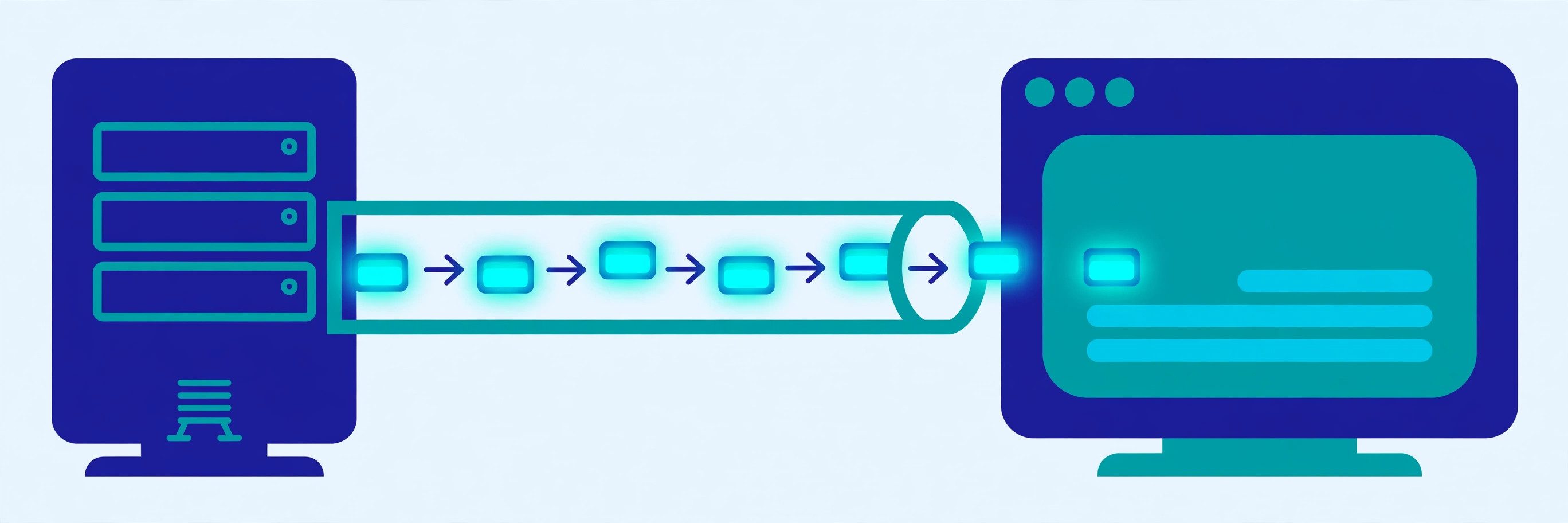
Server-sent events (SSE) let a server send a stream of text events to a browser over a single HTTP connection. The browser opens an ordinary GET request. Instead of answering with one complete document and closing the connection, the server responds with the media type text/event-stream and keeps the response open, writing each new event into it as it happens. The browser receives each event the moment it is written.
That is the whole trick, and it is why SSE feels almost suspiciously simple next to its rivals: no handshake upgrade, no frame protocol, no client library — the browser already ships the EventSource API, and any server that can hold a response open can serve a stream. The specification became a W3C Recommendation on 20 January 2015 and now lives in the WHATWG HTML standard — settled, decade-old technology, not a new fad.
The mental model that keeps everything straight is a radio broadcast. The server is the station, the browser tunes in once, and the station talks for as long as the connection lasts. The listener cannot talk back on the same channel — if the browser needs to say something, it makes a separate ordinary request. One direction, one connection, plain HTTP.
The event-stream format: four fields and a blank line
An SSE stream is human-readable text, always UTF-8 — the specification is explicit that there is no way to declare another encoding. Each event is a few lines, and a blank line dispatches it. Four fields do all the work:
| Field | What it does | Example |
|---|---|---|
data: | The payload, one or more lines of text | data: {"job": "render", "pct": 25} |
event: | Names the event type; the client listens for it by name | event: progress |
id: | Sets the event ID, used for reconnection and replay | id: 42 |
retry: | Sets the browser's reconnection delay, in milliseconds | retry: 3000 |
Two details complete the picture. Lines starting with a colon are comments — the server can send : keep-alive as a heartbeat the browser ignores, which keeps idle connections alive through proxies. And an event with no event: field is not an error: it fires the generic message event, the default type. The demo below shows all of this on the wire.
Because the payload is text, JSON is the usual choice for structured data — the client parses e.data with JSON.parse. Plain text works too, for log lines or stock ticks.

Verified demo: a working SSE server and client
I ran every line below while writing this guide, using only Python's standard library — no framework, no extra package. The server answers /events with the stream headers, writes a comment, sets a 3-second retry, then sends two progress events and a done event:
from http.server import BaseHTTPRequestHandler, ThreadingHTTPServer

class Handler(BaseHTTPRequestHandler):
    def do_GET(self):
        self.send_response(200)
        self.send_header('Content-Type', 'text/event-stream')
        self.send_header('Cache-Control', 'no-cache')
        self.send_header('Connection', 'keep-alive')
        self.end_headers()
        self.wfile.write(b': connected\n\n')
        self.wfile.write(b'retry: 3000\n\n')
        self.wfile.write(b'event: progress\nid: 1\ndata: {"job": "render", "pct": 25}\n\n')
        self.wfile.write(b'event: progress\nid: 2\ndata: {"job": "render", "pct": 50}\n\n')
        self.wfile.write(b'event: done\nid: 3\ndata: done\n\n')
        self.wfile.flush()

ThreadingHTTPServer(('127.0.0.1', 8765), Handler).serve_forever()
The curl output is the real response, captured live — note the server reading back the Last-Event-ID header I sent, and curl timing out after four seconds because the stream never closes. An SSE response has no natural end.
$ curl -s -m 4 -H "Last-Event-ID: 2" http://127.0.0.1:8765/events
HTTP/1.0 200 OK
Content-Type: text/event-stream
Cache-Control: no-cache
Connection: keep-alive

: connected, last seen id = 2

retry: 3000

event: progress
id: 1
data: {"job": "render", "pct": 25}

event: progress
id: 2
data: {"job": "render", "pct": 50}

event: done
id: 3
data: done
On the browser side, the client is a few lines:
const source = new EventSource('/events');

source.addEventListener('progress', (e) => {
  const update = JSON.parse(e.data);
  console.log(update.pct); // 25, then 50
});

source.addEventListener('done', () => source.close());
source.onerror = () => console.log('reconnecting…', source.readyState);
Three headers do real work. Content-Type: text/event-stream is what makes the browser treat the response as a stream at all. Cache-Control: no-cache stops intermediaries caching a response still being written. Connection: keep-alive states the obvious — this connection is meant to stay open. Check your own stream with our HTTP header checker: text/event-stream is the one header that must be there.
SSE vs WebSocket vs long polling
Polling asks the server again and again; long polling asks once and waits; SSE connects once and listens; a WebSocket connects once and talks both ways.
| Polling | Long polling | Server-sent events | WebSocket | |
|---|---|---|---|---|
| Direction | Client asks, server answers | Client asks, server waits, then answers | Server pushes, client listens | Both ways, same connection |
| Transport | Plain HTTP | Plain HTTP | Plain HTTP | Upgraded ws:// / wss:// protocol |
| Data | Text or binary | Text or binary | Text only (UTF-8) | Text and binary frames |
| Reconnect | Manual, every request | Manual, every request | Automatic, with event IDs | Manual — you write it |
| Latency | Up to one poll interval late | Near-instant, one event per request | Near-instant, many events per connection | Near-instant, both directions |
| Overhead | High — a request per check | Medium — a request per event | Low — one connection | Low — one connection |
Polling fits updates that change slowly and where a few seconds of delay is fine. Long polling is the fallback when a stream cannot be held open. SSE fits everything where the server talks and the browser listens: notifications, dashboards, job progress, news feeds, and streaming AI responses — OpenAI's own streaming guide describes its HTTP streaming as running "over server-sent events (SSE)". WebSockets fit the rest: chat, multiplayer games, collaborative editing — anywhere the client must also send messages on the same connection. See our REST API guide for the request-response side and our webhook guide for server-to-server push.
Reconnection and replay: Last-Event-ID
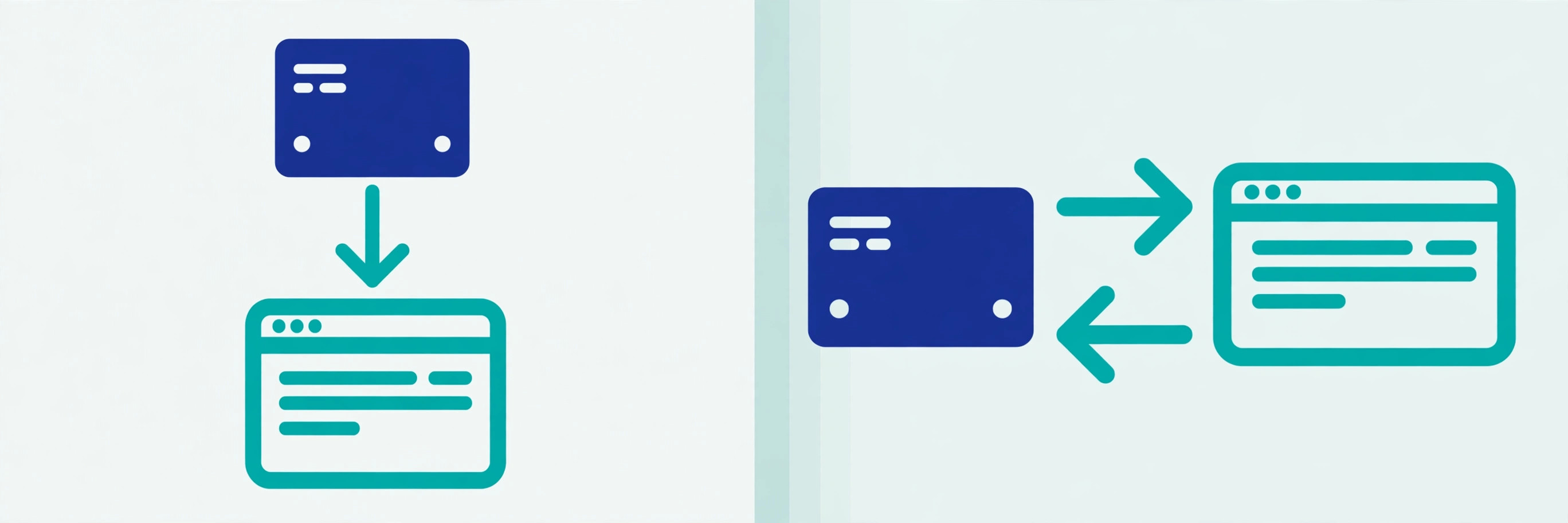
SSE's most underrated feature is that reconnection is not your problem. When the connection drops, the browser waits the retry: delay — a few seconds by default — and reconnects on its own. No retry loops, backoff timers, or reconnect buttons; EventSource does it, and readyState reports the state: 0 connecting, 1 open, 2 closed.
Replay is the second half. Every event can carry an id:, and the browser remembers the last one it received. On reconnect it sends a Last-Event-ID header with that value, and the server can resume the stream from the next event instead of replaying everything or starting over. The demo above proved this on the wire: I sent Last-Event-ID: 2 and the server's comment line echoed it back — : connected, last seen id = 2.
Two honest caveats. First, replay only works if the server keeps enough history to resume from an ID — a server that forgets old events cannot honour the header, and the client silently starts from the latest. Second, delivery is at-least-once, not exactly-once: an event sent just before a drop can arrive twice. Design handlers to be idempotent — keyed on the event ID — and the duplicate is harmless.
One more control: answering with HTTP 204 No Content tells the browser to stop reconnecting entirely — the polite way to end a stream. Redirects, by contrast, are followed like any normal request: 301 and 307 both work.

The 4 limits every developer hits
SSE is simple, and its simplicity has sharp edges:
- One-way only. The stream carries server-to-client events and nothing else.
EventSourcemakes GET requests and offers no way to set custom headers or send a body — the constructor takes a URL and an optionalwithCredentialsflag, and that is all. Authentication usually means a cookie, or a token in the URL query string (which then appears in server logs, so think twice). If the client must send data, it uses a separate request. - Text only. The stream is UTF-8 text, always. Binary data must be encoded first — base64 is the usual answer, at roughly a third extra size. That rules SSE out for binary protocols and makes it a poor fit for anything where the payload is naturally binary.
- The six-connection limit. Over HTTP/1.1, browsers cap open connections at about six per browser per domain — shared across tabs, so six streams in one tab can starve every other tab on the same site. MDN documents the limit and notes Chrome and Firefox have both marked it "Won't fix". Over HTTP/2 the limit becomes a negotiated number of streams instead, 100 by default — serving SSE over HTTP/2 is the single most effective scaling fix. Our HTTP vs HTTPS guide explains the version differences, and our client vs server guide covers the connection model underneath.
- Buffering in the middle. A proxy, load balancer, or CDN that buffers responses will hold your events until its buffer fills, then deliver them in a burst — your "live" stream arrives minutes late in chunks. The fix is to disable buffering for the stream endpoint and to send a periodic comment line as a heartbeat, so the connection is never idle long enough for a middlebox to close it. Test this with a real proxy in front, not just against the server directly.
When to use SSE — and when not to
Use SSE when the flow is one-way and the data is text: live dashboards, notifications, activity feeds, job and build progress, sports scores, and streaming AI responses. Built-in reconnection and replay remove whole categories of code you would otherwise write, and plain HTTP passes through firewalls, proxies, and load balancers that a WebSocket upgrade sometimes does not.
Do not use SSE when the client needs to send messages on the same connection, when the payload is binary, or when you need more than about six concurrent streams per browser over HTTP/1.1. Chat, multiplayer, and collaborative editing belong to WebSockets; heavy binary transfer belongs to a dedicated protocol.
What are server-sent events? A server-to-client text stream over one long-lived HTTP connection — text/event-stream, four fields, automatic reconnection, and replay by event ID. They are the lightest way to push live updates to a browser, and the demo in this guide proves the whole mechanism runs on a standard-library server in under thirty lines. For the authoritative details, read MDN's EventSource reference and the W3C Server-Sent Events Recommendation.
Frequently asked questions
- What are server-sent events in simple terms?
- Server-sent events are a way for a server to push updates to a browser over one long-lived HTTP connection. The browser opens a normal GET request, the server answers with Content-Type: text/event-stream and keeps the response open, then sends each update as a small block of text. No polling, no new protocol — just HTTP that does not end.
- Are server-sent events better than WebSockets?
- Neither is better in general — they solve different problems. SSE is simpler: plain HTTP, automatic reconnection, and built-in event IDs for replay. WebSockets are bidirectional and carry binary data. If the server only needs to talk and the browser only needs to listen, SSE is the lighter choice; if the client must also send messages on the same connection, use WebSockets.
- Can SSE send data from the client to the server?
- Not over the event stream itself — it is one-way, server to client. The browser's EventSource API only makes GET requests and cannot set custom headers or a request body. When the client needs to send something back, it makes a separate ordinary HTTP request, such as a POST, alongside the stream.
- Does SSE work with HTTP/2?
- Yes, and HTTP/2 removes SSE's best-known limitation. Over HTTP/1.1 browsers cap open connections at about six per domain, so six SSE streams use up the whole allowance. Over HTTP/2 the limit is a negotiated number of streams instead — 100 by default — so many tabs can each hold a stream without starving ordinary requests.
- What is the EventSource API?
- EventSource is the browser API for consuming server-sent events. You create one with new EventSource('/events'), listen with onmessage or addEventListener for named event types, and close it with close(). It tracks the connection state in readyState (0 connecting, 1 open, 2 closed) and reconnects automatically when the connection drops.
- How does SSE reconnect after a dropped connection?
- The browser reconnects on its own, after a delay the server can set with the retry: field (in milliseconds). On reconnect it sends a Last-Event-ID header carrying the id: of the last event it received, so the server can resume the stream from the next event instead of starting over. If the server answers 204 No Content, the browser stops reconnecting.
- Can SSE send binary data?
- No — an event stream is always UTF-8 text, and there is no way to declare another encoding. Binary payloads must be encoded as text first, usually base64, which adds about a third to the size. If binary frames matter, WebSockets are the right tool.
- Do I need a special server for SSE?
- No. Any server that can hold a response open and flush text as it is written can serve SSE — the demo in this guide uses Python's standard library only. The one operational requirement is that nothing between the server and the browser buffers the response: a proxy that holds output until it has a full buffer will delay every event.
Related articles
What Is a DNS Record? 9 Record Types Explained (With a Real dig Demo)
What is a DNS record? 9 types — A, AAAA, CNAME, MX, TXT, NS, SOA, PTR, CAA — explained with dig output from a live domain and the mistakes that break sites.
Web DevelopmentWhat Is a URL Slug? 7 Things Every Developer Should Know (With Examples)
What is a URL slug? Learn how slugs work — anatomy, Google's hyphen rule, a verified slugify demo, non-ASCII handling, and when never to rename one. Read on.
Web DevelopmentWhat Is a Service Mesh? 7 Things Every Developer Should Know (With Examples)
What is a service mesh? Learn how service meshes work — sidecars, data plane vs control plane, mTLS, traffic splitting — with a verified demo and examples.