What Is a WebSocket? 7 Things Every Developer Should Know (With Examples)
October 23, 2026 · Web Development
When a page needs live updates — a chat message, a price tick, a teammate's cursor moving — plain HTTP makes the browser ask again and again: send a request, get a response, wait, repeat. A WebSocket breaks that loop. It is a protocol that keeps one persistent, full-duplex connection open between a browser and a server, so either side can send messages the instant it has them — no repeated requests, no taking turns. This guide answers what is a WebSocket from the wire up: the 101 upgrade handshake, ws:// vs wss://, how frames carry data, the browser API with a working example, and — just as important — when you should honestly pick something else.
1. What a WebSocket actually is
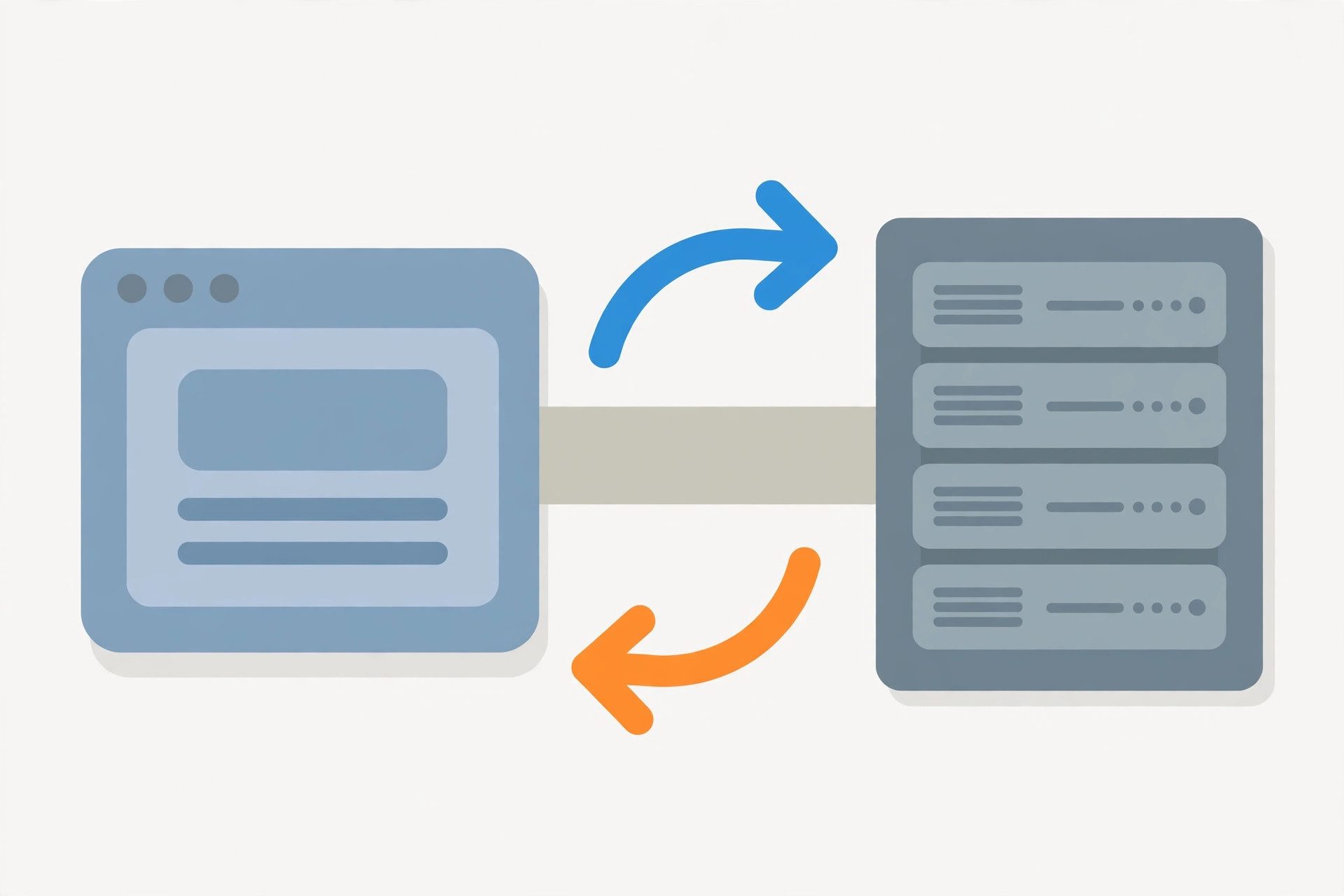
WebSocket is a standardized network protocol — RFC 6455, published by the IETF in December 2011 — that provides full-duplex communication over a single TCP connection. Both directions are live at once: the client can send while the server is also sending, with no turn-taking. And after setup, all traffic flows over one long-lived socket instead of a new connection per message.
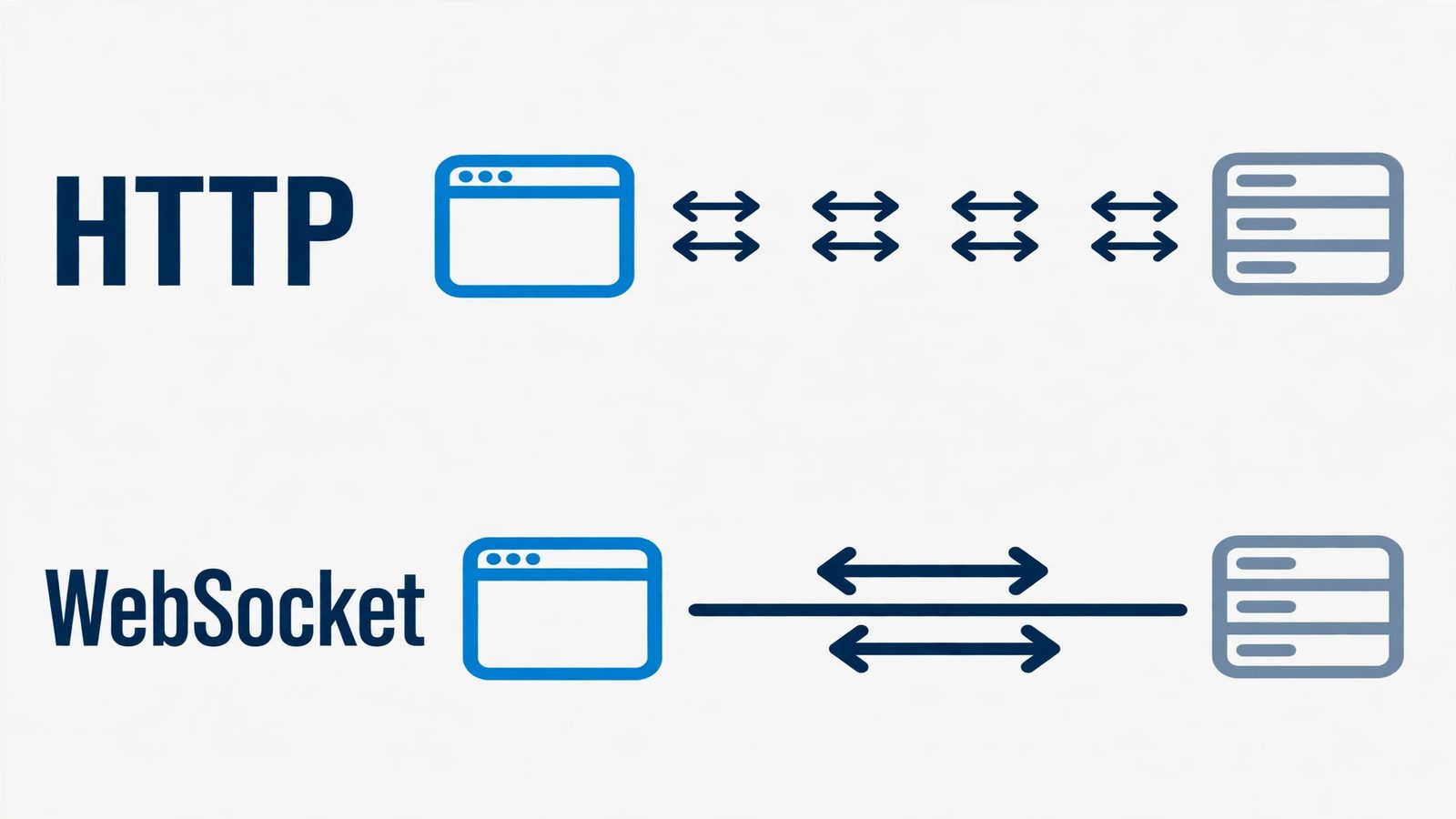
The contrast with HTTP is the whole story:
- HTTP: the client always speaks first — the server can never initiate. Live features were historically built on polling: repeated requests on a timer, most answering "nothing new."
- WebSocket: the server can push. The connection stays open, so when something happens on the server, it sends immediately.
Under the hood it is still TCP doing the reliable, ordered delivery — WebSocket adds the persistent two-way messaging layer on top. If TCP itself is fuzzy, our TCP vs UDP explainer covers the foundation.
2. The HTTP upgrade handshake: how the connection starts
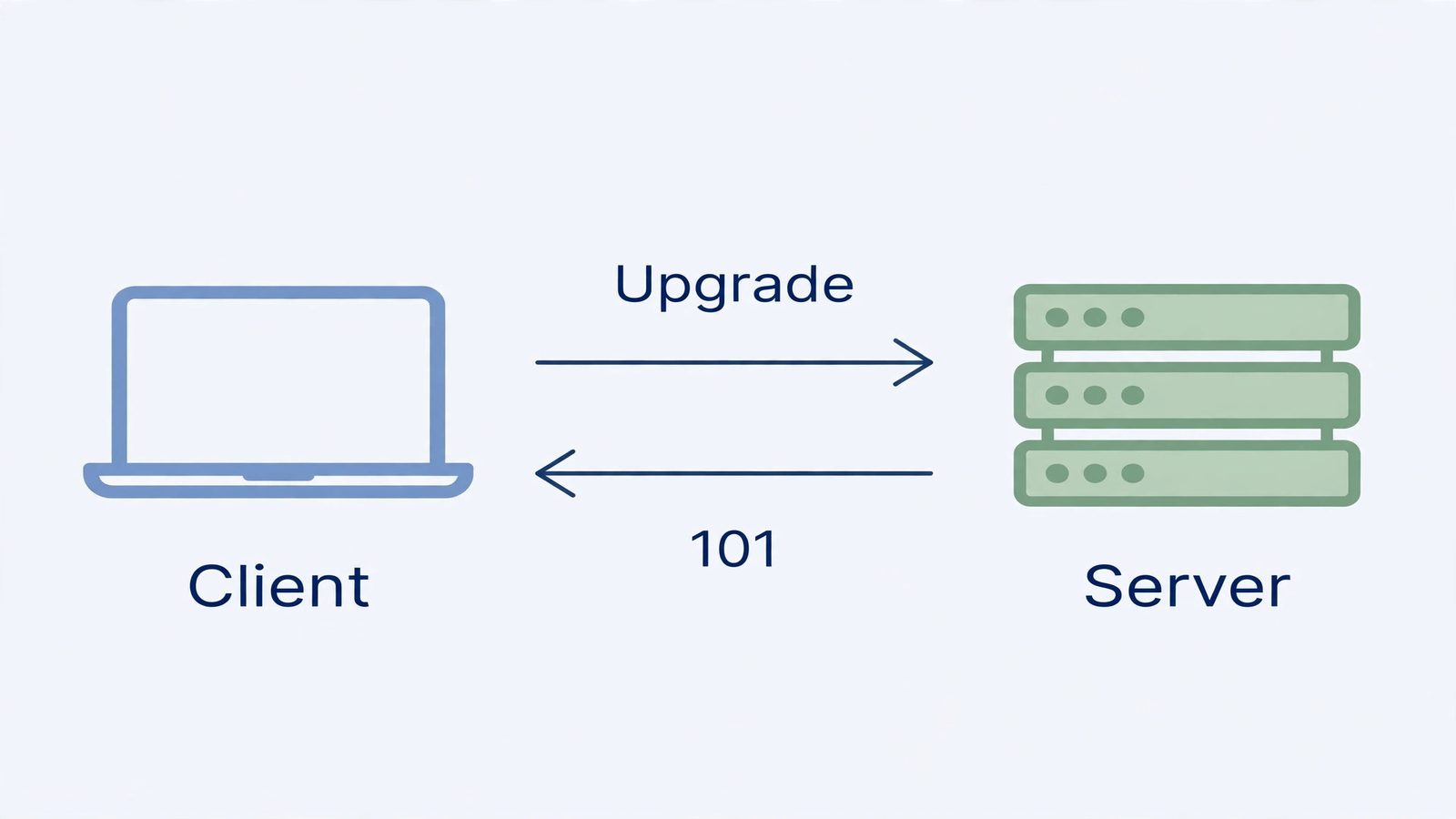
Here is the clever part: a WebSocket connection begins as an ordinary HTTP request — a normal GET with two special headers:
GET /chat HTTP/1.1
Host: server.example.com
Upgrade: websocket
Connection: Upgrade
Sec-WebSocket-Key: dGhlIHNhbXBsZSBub25jZQ==
Origin: https://example.com
Sec-WebSocket-Version: 13
The Upgrade: websocket line asks, "can we stop speaking HTTP and switch to WebSocket on this connection?" Sec-WebSocket-Key is a random 16-byte nonce, base64-encoded, generated fresh for every connection.
The server proves it understands WebSocket by answering 101 Switching Protocols (see our HTTP status codes cheat sheet) with a matching Upgrade header and a derived value:
HTTP/1.1 101 Switching Protocols
Upgrade: websocket
Connection: Upgrade
Sec-WebSocket-Accept: s3pPLMBiTxaQ9kYGzzhZRbK+xOo=
Sec-WebSocket-Accept is base64(SHA-1(key + "258EAFA5-E914-47DA-95CA-C5AB0DC85B11")) — the client's key plus a fixed GUID from the spec, hashed and base64-encoded. A server that just echoes the key, or a proxy replaying an old response, cannot produce the right value — so the client knows it reached a real WebSocket endpoint. This is not authentication (anyone can run the computation); it exists to catch misbehaving proxies, not attackers. The moment the 101 goes out, HTTP's job is done: the same TCP connection is now a WebSocket connection, speaking frames instead of requests.
3. ws:// vs wss://: the encrypted twin
WebSocket has two URL schemes that mirror HTTP's pair:
| Scheme | Encryption | Default port |
|---|---|---|
ws:// | None — frames travel in the clear | 80 |
wss:// | TLS, like HTTPS | 443 |
With wss://, the client performs the TLS handshake before the WebSocket handshake, and everything after travels inside the encrypted tunnel. Three practical consequences:
- Always use wss:// in production. Plain
ws://exposes every message to the network path. - Browsers block ws:// from HTTPS pages. Mixed-content rules refuse unencrypted sockets from secure pages — so HTTPS sites must use wss://. Our HTTP vs HTTPS explainer covers the TLS side.
- wss:// sails through proxies. A middleman sees only an opaque TLS stream and cannot meddle with the frames inside.
4. What travels inside: frames
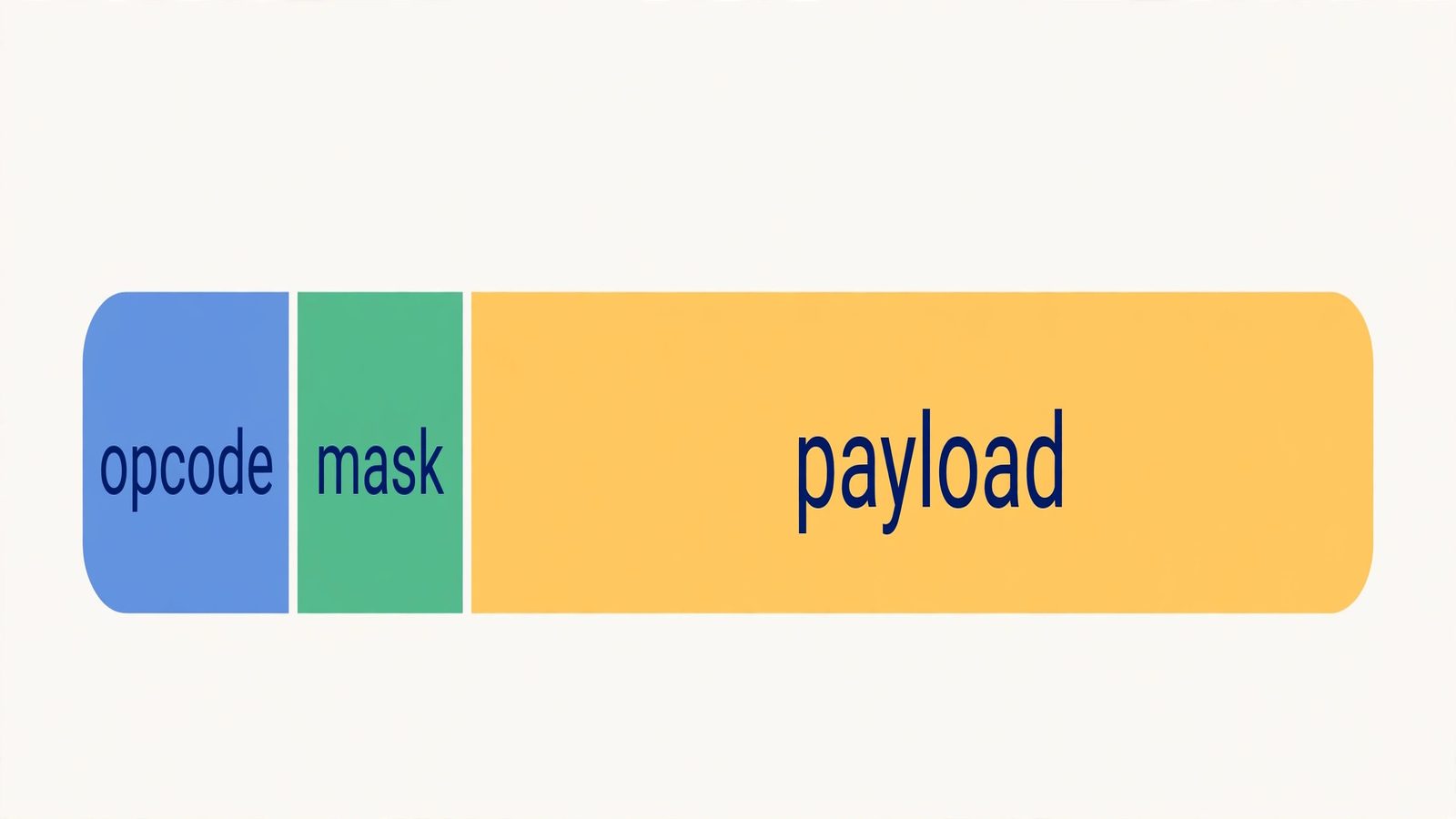
Once the handshake completes, data moves in frames — small envelopes with a compact binary header. Each frame starts with a FIN bit (is this the final fragment of the message?) and a 4-bit opcode saying what the frame carries:
| Opcode | Meaning |
|---|---|
0x0 | Continuation — another fragment of the previous message |
0x1 | Text — payload is UTF-8 text |
0x2 | Binary — arbitrary bytes |
0x8 | Close — start the closing handshake |
0x9 | Ping — "are you there?" |
0xA | Pong — the reply to a ping |
Two details matter in practice. First, client frames must be masked: the client XORs the payload with a random 4-byte masking key in the frame header. Masking is not encryption — it defends against hostile caching proxies that could misinterpret the traffic, and servers reject unmasked client frames. Second, messages can be fragmented: a large message is split across frames (first carries the real opcode, the rest carry 0x0 continuation, the last sets FIN), so neither side buffers an entire huge message before reading. The payoff: after the handshake, each message costs a few bytes of framing instead of a full HTTP header exchange — and zero round trips of setup.
5. The browser WebSocket API
Every modern browser ships a built-in WebSocket API — no library needed. Opening a connection, sending, and receiving takes a handful of lines:
const socket = new WebSocket('wss://example.com/chat');

socket.onopen = () => {
  console.log('Connected');
  socket.send('Hello, server!');
};

socket.onmessage = (event) => {
  console.log('Received:', event.data);
};

socket.onerror = (error) => {
  console.error('WebSocket error:', error);
};

socket.onclose = () => {
  console.log('Connection closed');
};
That is the whole client surface: new WebSocket(url) to connect, onopen / onmessage / onerror / onclose handlers, send() for text or binary, and close() to start the closing handshake. (The wss://example.com/chat URL is a placeholder — you need a real WebSocket server on the other end.) One thing the API does not do: reconnect. If the network drops, the socket closes and stays closed — detect onclose and reopen with backoff. Libraries exist largely because everyone ends up writing that same reconnect loop.
6. Keeping connections alive in the real world
A WebSocket that works on your laptop can silently die in production. NATs, proxies, and load balancers drop connections they consider idle — so apps send a ping/pong heartbeat: either side may send a ping frame (opcode 0x9) at any time, and the other side must answer with a pong. A ping every few tens of seconds keeps idle connections alive and tells you quickly when one has actually died.
Scaling brings a second reality check. Each open connection is server-side state — memory and a file descriptor per client — so one server holds only so many. Behind a load balancer you typically need sticky sessions (reconnects return to the same server) plus a shared message bus between servers, so a message arriving at server A can still reach a client on server B.
Connections end two ways: the graceful closing handshake (a 0x8 close frame, echoed back, then TCP teardown) or an abnormal closure — the network just goes quiet. Your app must handle both: heartbeats detect the quiet ones, reconnect logic recovers from them.
7. WebSocket vs the alternatives: when to use which
WebSocket is one tool in the real-time toolbox — and not always the right one:
| Approach | Direction | Connection | Best for |
|---|---|---|---|
| Short polling (REST) | Client asks, server answers | New request each time | Rare updates, simple clients, cacheable data — see our REST API explainer |
| Long-polling | Client asks, server waits to answer | Request held open until data arrives | Near-real-time without WebSocket support |
| SSE (Server-Sent Events) | Server → client only | One long-lived HTTP stream | Feeds and notifications — automatic reconnect built in |
| Webhooks | Server → your server | Server calls your URL per event | Server-to-server events — see our webhook explainer |
| WebSocket | Both directions, anytime | One persistent connection | Interactive two-way real-time: chat, games, collaboration |
The rule of thumb: if the server mostly talks and the client mostly listens, SSE is simpler. If events are rare, polling is fine. Reach for WebSocket when the conversation is genuinely two-way — both sides initiating, both sides reacting, in real time.
Where WebSockets actually get used
The pattern shows up wherever waiting is unacceptable: live chat, multiplayer games, collaborative editing, and live dashboards and tickers — data flowing both directions at human speed, not just refreshed on a timer.
Common mistakes to avoid
- Using WebSocket for plain request-response. If the client asks and the server answers, that is REST's job — and REST responses are cacheable and retryable in ways sockets are not.
- Skipping reconnect logic. Networks drop, laptops sleep, phones switch towers.
onclosefires in production; plan for it with exponential backoff. - No heartbeats. Without ping/pong, a dead connection can look alive for hours while messages vanish into it.
- Shipping ws:// to production. Unencrypted sockets leak every message — and HTTPS pages will not open them.
Once you can picture it — one HTTP request asking to upgrade, a 101 saying yes, then frames flowing both ways over a single TCP connection — real-time web development clicks into place. For the full API reference, read MDN's WebSocket API docs; for the wire protocol itself, the source of truth is RFC 6455.
Frequently asked questions
- Can the server send data to the client without the client asking first?
- Yes — that is the whole point. Once the WebSocket handshake completes, the connection is full-duplex: either side can send a message at any moment, with no request required. That is what makes WebSockets the right fit for live chat and multiplayer games, where the server must push events the instant they happen.
- What is the difference between ws:// and wss://?
- ws:// is the plain, unencrypted WebSocket scheme; wss:// runs the exact same protocol through a TLS tunnel, exactly like the difference between http:// and https://. Always use wss:// in production: it prevents eavesdropping and tampering, and browsers refuse ws:// connections from pages served over HTTPS (mixed-content rules). See our <a href="/blog/http-vs-https">HTTP vs HTTPS explainer</a> for the TLS side.
- Do WebSockets work through firewalls and proxies?
- Usually, yes — by design. The handshake starts as ordinary HTTP traffic on ports 80 or 443, so most firewalls and proxies let it through. That is exactly why RFC 6455 built WebSocket on top of the HTTP handshake instead of inventing a new port. Corporate proxies can still interfere with the Upgrade request, which is one more reason to use wss://: the proxy only sees an opaque TLS tunnel and cannot meddle with the frames inside.
- Which port does WebSocket use?
- By default, ws:// uses port 80 and wss:// uses port 443 — the same defaults as HTTP and HTTPS. Those are just defaults: like any URL scheme, you can specify an explicit port (for example, wss://example.com:8443/chat) when the server listens elsewhere.
- How does a WebSocket connection close?
- Gracefully, both sides perform a closing handshake: one side sends a close frame (opcode 0x8), the other echoes a close frame in reply, and then the underlying TCP connection is closed. Either side can also just drop the TCP connection, which the peer discovers via a failed heartbeat or a socket error — that is the "abnormal closure" case, and it is why production apps always add reconnect logic.
- Is Socket.IO the same thing as WebSocket?
- No. WebSocket is the standardized protocol (RFC 6455); Socket.IO is a library that can use WebSocket as one of its transports and falls back to techniques like long-polling when WebSocket is unavailable. If you only need plain WebSocket, the browser's built-in WebSocket API is enough — reach for Socket.IO (or a similar library) when you want its extras like automatic reconnection, rooms, and fallbacks handled for you.
- Can you upload files over WebSocket?
- Yes. WebSocket frames carry binary payloads (opcode 0x2), so a file can be split into chunks and sent as a series of binary frames — no form encoding or base64 needed, since binary goes over the wire as-is. The protocol does not define a file-upload format itself, so your app has to agree on its own chunking protocol (for example: send the filename and size first as text, then stream the chunks as binary).
- Does every real-time app need WebSockets?
- No — pick the tool that matches the traffic pattern. If updates flow one way, from server to browser (news feeds, notifications), Server-Sent Events are simpler. If events happen rarely, plain polling against a REST endpoint is fine. If your servers talk to each other about events, webhooks are the standard answer. WebSockets earn their complexity when communication is genuinely two-way and interactive.
Related articles
What Is a Proxy Server? 7 Things Every Developer Should Know (With Examples)
What is a proxy server? Learn how proxy servers work for developers — forward vs reverse, HTTP vs SOCKS, CONNECT tunneling, and proxy vs VPN. With examples.
Web DevelopmentWhat Is an API Gateway? 7 Things Every Developer Should Know (With Examples)
What is an API gateway? Learn how API gateways work for developers — routing, auth, rate limiting, aggregation, and when not to use one, with code examples.
Web DevelopmentWhat Is a Load Balancer? 7 Things Every Developer Should Know (With Examples)
What is a load balancer? Learn how load balancers work — Layer 4 vs Layer 7, routing algorithms, health checks, and sticky sessions, with config examples.