301 vs 302 Redirect: 7 Rules That Decide Which One to Use (With a Verified Demo)
November 17, 2026 · Web Development
A visitor clicks an old link and lands on the right page anyway. Nothing on the screen says which redirect fired — but the browser, Google and your analytics all saw it. A 301 vs 302 redirect is not a coin toss: a 301 says the page has moved for good, a 302 says it is only away for a while, and choosing the wrong one can keep the wrong URL in Google's index for months. This guide explains what each code does, shows both firing in a verified demo, and covers the caching and form traps most comparisons skip.
What is a redirect?
A redirect is an HTTP response with a 3xx status code and a Location header. The server answers the request with something like HTTP/1.1 301 Moved Permanently plus Location: https://example.com/new-page, and the browser immediately requests the new address. No page body is ever shown; the redirect happens before any content loads. The status code is the semantics — permanent or temporary, method-preserving or not — and the Location header is the address. Both codes are defined in RFC 9110, the current HTTP standard. Our HTTP status codes guide covers the full 3xx family.
There are weaker ways to move a visitor — a meta refresh tag in the HTML, or JavaScript setting window.location — but Google ranks server-side redirects first in its own documentation, because they are the type it is most likely to interpret correctly. Use a real HTTP redirect whenever you have server access.

What a 301 redirect does
A 301, "Moved Permanently", tells everyone the old address is retired. Google's own documentation puts it plainly: with a permanent redirect, the indexing pipeline uses it as a signal that the redirect target should be canonical — and search results show the new URL. Over successive crawls, the old URL drops out and signals consolidate onto the destination. Google's Gary Illyes said in 2016 that 30x redirects no longer lose PageRank — the old "15% loss" folklore does not describe how Google handles redirects today. What a 301 costs is time: consolidation happens crawl by crawl, not overnight.
Use a 301 when the old URL is never coming back: a renamed page or slug, a move from HTTP to HTTPS, a domain change, merging two pages into one, or picking one version of a URL (www or bare domain) as the canonical one. This site's own move to HTTPS is a live example — requesting http://zentotoolshub.com/blog/what-is-a-dns-record returns a 301 to the https:// address. When in doubt, ask whether the old URL should ever load its own content again. If the answer is no, the move is permanent.
What a 302 redirect does
A 302, "Found", says the move is temporary and the original URL is still the real one. Google follows the redirect so users reach the temporary page, but its indexing pipeline does not use it as a canonical signal — search results keep showing the source URL, and the destination may never rank on its own. That is the correct behaviour for a genuine detour: a maintenance window, a seasonal landing page that reverts after a sale, a page under A/B testing, or routing by country or login state.
The expensive error runs one direction: a site migration built on 302s leaves every old URL sitting in the index competing with its own replacement, sometimes for months. Google has said a 302 left in place for a long time can end up treated as permanent — but that is Google cleaning up after a mistake, not a plan you should rely on. If the destination is the new permanent home, say so with a 301 from day one.
301 vs 302 at a glance
The two codes agree on the mechanics and disagree on the meaning:
| 301 — Moved Permanently | 302 — Found | |
|---|---|---|
| Meaning | The page has moved for good | The page is temporarily elsewhere |
| Google shows | The new target URL | The original source URL |
| Canonical signal | Strong — target becomes canonical | Weak — target is not treated as canonical |
| Browser caching | Cached by default, possibly for a very long time | Not cached unless headers say so |
| POST form data | May be dropped (POST becomes GET) | May be dropped (POST becomes GET) |
| Method-preserving twin | 308 Permanent Redirect | 307 Temporary Redirect |
| Use for | Renamed page, HTTPS move, domain change, merged pages | Maintenance, seasonal page, A/B test, short detour |
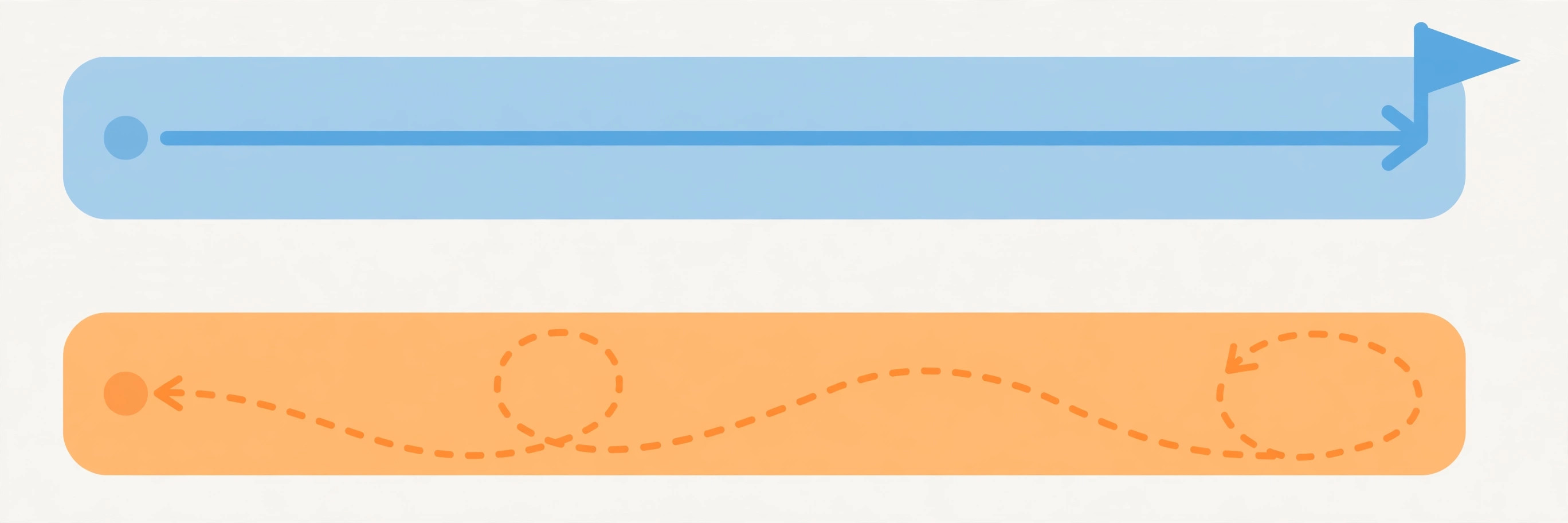
Verified demo: real 301, 302, 307 and 308 responses
Rather than quote the definitions, I ran them. A small local server answered four URLs with the four redirect codes, and curl -i captured the exact responses — the body of every redirect is empty; the status line and Location header do all the work:
$ curl -s -i http://127.0.0.1:8891/old-permanent
HTTP/1.0 301 Moved Permanently
Location: /new-home

$ curl -s -i http://127.0.0.1:8891/old-temporary
HTTP/1.0 302 Found
Location: /new-home

$ curl -s -i http://127.0.0.1:8891/old-307
HTTP/1.0 307 Temporary Redirect
Location: /new-home

$ curl -s -i http://127.0.0.1:8891/old-308
HTTP/1.0 308 Permanent Redirect
Location: /new-home
Four responses, four status lines, one identical Location header — and a visitor would see exactly the same page in all four cases. The difference is invisible to humans and decisive to machines. That is why you cannot judge a redirect by clicking it: check the headers.
The caching trap: browsers remember a 301
The HTTP standard marks a 301 as cacheable by default, and browsers take that seriously — sometimes keeping it for a very long time. That is a feature when the move is real: repeat visitors skip the old URL entirely. It becomes a trap the moment the 301 is wrong. Point a page at the wrong destination, fix it on the server, and your own browser can keep jumping to the old destination for days, because it never asks the server again. The fix is on your side — clear the cache, or test in a fresh profile — but your visitors have no reason to do either, so a wrong 301 can outlive the mistake that made it.
A 302 has no such trap: it is not cached unless the server explicitly says so with cache headers, so you can change or remove it at any time and every visitor sees the change on the next request. A 301 is a promise you should only make when you are sure, and a 302 is the safe choice while you are still deciding. Test every redirect in a private window before you commit to it — our CDN guide explains where caching lives once a CDN sits in front of your site.

The form trap: a 301 or 302 can turn a POST into a GET
Redirects predate modern web forms, and it shows. When a browser follows a 301 or a 302 after a POST request — a login, a payment, a form submission — it is allowed to resend the follow-up as a GET, dropping the method and the body with it. MDN states it directly: on a POST that receives a 301, the user agent uses GET for the next request, and the fix is to use a 308 instead. I verified the same behaviour with curl: a POST to a 301 endpoint arrived at the destination as a plain GET, while the same POST to a 307 endpoint arrived with its method intact:
$ curl -s -d "name=test" -L http://127.0.0.1:8891/submit-301
You arrived at the new home page.

$ curl -s -d "name=test" -L http://127.0.0.1:8891/submit-307
Method received at final URL: POST
The 301 reply ends with a bare page load — the form data is gone. The 307 reply proves the POST survived the hop. So: a page that moved permanently gets a 301, but a form or API endpoint that moved gets a 308 (permanent) or a 307 (temporary). One more code in the family: a 303, "See Other", deliberately turns a POST into a GET — the right code after a form is processed, when the browser should land on a result page it can safely refresh.

How to set up each one
The syntax depends on your server, but the pattern is the same everywhere: status code plus destination, server-side, before any page loads. These examples come from Google's own redirects documentation. On Apache, the simplest form uses mod_alias in .htaccess:
# Permanent redirect:
Redirect permanent "/old" "https://example.com/new"
# Temporary redirect:
Redirect temp "/two-old" "https://example.com/two-new"
For pattern-based rules on Apache, mod_rewrite takes over — RewriteRule "^/service$" "/about/service" [R=301] is permanent, and [R] on its own is a temporary 302. On NGINX the equivalent is a return inside a location block: return 301 $scheme://example.com/about/service for permanent, return 302 ... for temporary. In PHP, set the headers before anything is sent to the screen and stop execution immediately after — header('HTTP/1.1 301 Moved Permanently'); header('Location: https://www.example.com/newurl'); exit(); — changing the first line to 302 Found for the temporary version. Whichever server you run, point the redirect straight at the final URL, with no chains in between.
5 mistakes that cost rankings and logins
Most redirect damage comes from five repeatable errors:
- A 302 for a permanent move. The new page never becomes canonical and the old URL keeps competing with it.
- A 301 for a temporary page. Browsers cache it, Google starts showing the destination, and undoing it takes far longer than setting it up did.
- Redirecting everything to the homepage. Google treats a redirect to an unrelated page as a soft 404, and visitors land somewhere useless. Map each old URL to its closest equivalent.
- Redirect chains. Old → middle → final wastes crawl budget and adds a round trip on every visit. Point the old rule straight at the final page.
- Redirecting a form or API endpoint with 301 or 302. The POST can silently become a GET and the submission is lost. Moved endpoints get 308 or 307 — never the plain pair.
301 vs 302 redirect? Ask one question: should the old URL ever serve its own content again? If no, use a 301 — Google shows the new URL and browsers remember it. If yes, use a 302 — Google keeps the old URL and browsers check back. And when the request carries a form submission, reach for the strict twins: 308 for permanent, 307 for temporary. For the authoritative definitions, read Google Search Central's redirects documentation and MDN's 301 reference; our DNS guide explains the layer underneath, where names become addresses.
Frequently asked questions
- What is the difference between a 301 and a 302 redirect?
- A 301 redirect says a page has moved permanently: browsers may cache it, and Google treats it as a signal that the new URL should be the canonical one shown in search results. A 302 redirect says the move is temporary: Google keeps the original URL in its index, and browsers check the old URL again on the next visit. The deciding question is not how long the redirect will last, but whether the old URL should ever serve its own content again.
- Does a 301 redirect pass ranking signals to the new URL?
- Yes — Google uses a permanent redirect as a signal that the destination should become the canonical URL, and ranking signals consolidate onto it. Google's Gary Illyes said in 2016 that 30x redirects no longer lose PageRank. The old "15% loss" figure comes from an older era of search and does not describe how Google handles redirects today. What a 301 does not do is work instantly: consolidation happens over successive crawls, so expect weeks, not hours.
- Can I use a 302 redirect for a permanent move?
- You can, but you should not. With a 302, Google keeps the old URL in its index and does not treat the destination as canonical, so the new page may never rank on its own while the old URL keeps competing with it. Google has also said that a 302 left in place for a long time can end up treated as permanent — but that is Google cleaning up after a mistake, not a strategy. If the move is permanent, use a 301 (or a 308 for form endpoints).
- What is the difference between 301 and 308?
- Both are permanent redirects, and Google treats them identically: the destination becomes canonical. The difference is the HTTP method. After a 301, a browser may turn a POST request into a GET when it follows the redirect, which drops the form data. A 308 forbids that: the method and body are preserved. For ordinary pages fetched with GET, the two behave the same; for a form or API endpoint that moved permanently, use 308.
- What is the difference between 302 and 307?
- Both are temporary redirects, and Google treats them identically: the original URL stays canonical. The difference is again the HTTP method. A 302 may turn a POST into a GET; a 307 preserves the method and body. Use 307 for a temporary move of a form or API endpoint, and 302 for a temporary move of an ordinary page.
- Do browsers cache 301 redirects?
- Yes — the HTTP standard marks a 301 as cacheable by default, and browsers may keep it for a very long time, sometimes indefinitely. That is why a wrong 301 is hard to undo: even after you fix it on the server, your own browser can keep jumping to the old destination until its cache is cleared. A 302 is not cached unless the server explicitly says so with cache headers, so it is safe to change or remove at any time.
- How long should I keep a redirect in place?
- Google's site-move guidance says to keep redirects in place for as long as possible, generally at least a year. Search engines and browsers both need time to learn the new address, and old links on other sites keep pointing at the old URL for years. Removing a redirect too early sends those visitors — and crawlers — to a 404. Keep the redirect until the old URL has stopped appearing in your logs and search results.
- How do I check which redirect a URL uses?
- Run curl -I followed by the URL in a terminal: the first line shows the status code (301, 302, 307 or 308) and the Location header shows the destination. Add -L to follow the redirect and see the final page. Our free HTTP header checker tool on this site does the same check in the browser: paste the URL and it shows the status code and headers without installing anything.
Related articles
What Is a DNS Record? 9 Record Types Explained (With a Real dig Demo)
What is a DNS record? 9 types — A, AAAA, CNAME, MX, TXT, NS, SOA, PTR, CAA — explained with dig output from a live domain and the mistakes that break sites.
Web DevelopmentWhat Are Server-Sent Events? 7 Things Every Developer Should Know (With Examples)
What are server-sent events? Learn how SSE streams live updates over plain HTTP — event format, EventSource, reconnection, SSE vs WebSocket and a verified demo.
Web DevelopmentWhat Is a URL Slug? 7 Things Every Developer Should Know (With Examples)
What is a URL slug? Learn how slugs work — anatomy, Google's hyphen rule, a verified slugify demo, non-ASCII handling, and when never to rename one. Read on.