What Is a Reverse Proxy? 7 Things Every Developer Should Know (With Examples)
November 4, 2026 · Web Development
When you visit a busy website, you almost certainly never talk to the server that generates the page. You talk to a middleman that takes your request, decides which server should handle it, and hands you the answer. That middleman is a reverse proxy. What is a reverse proxy, how is it different from a forward proxy or a load balancer, and why do nearly all large sites sit behind one? This guide answers in 7 parts: definition, request flow, routing, TLS, caching and balancing, NGINX configuration, and a working demo.
What is a reverse proxy?
A reverse proxy — also called a surrogate server — is a server that appears to visitors to be an ordinary web server, but in reality forwards their requests to one or more backend servers and returns the backends' responses. The backends can live on a private network behind a firewall, with only the proxy exposed to the internet. That single fact explains most of what a reverse proxy is for: one public front door, many private rooms behind it.
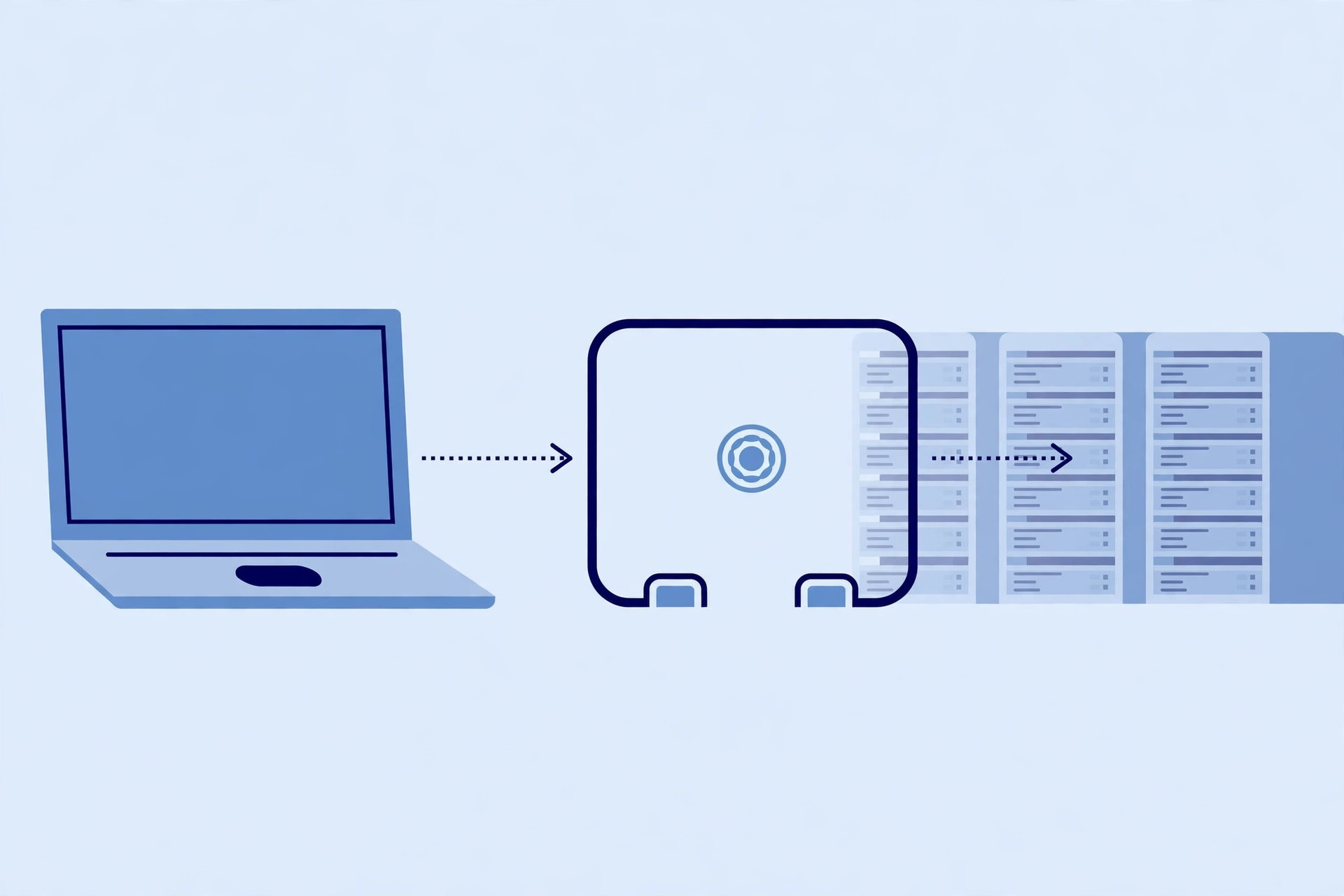
Forward proxy vs reverse proxy: which side of the connection
The two kinds of proxy are mirror images, and confusing them is the most common beginner mistake. A forward proxy sits on the client side: it fetches things from the internet on behalf of users, and the users know it is there — think of a company proxy that all employee browsing passes through. A reverse proxy sits on the server side: it receives requests on behalf of backend servers, and the visitors usually have no idea it exists. The memory trick is simple: forward proxy hides the client, reverse proxy hides the server. Our proxy server guide covers the forward side in depth; this guide stays on the reverse side.
How a request flows through a reverse proxy
Follow one request from browser to backend and back. Every job below is a variation on this flow: the proxy earns its place by doing something useful before the backend is involved.
- The visitor connects to the proxy. DNS points the domain at the proxy's address, so the request lands on the proxy, not on any application server.
- The proxy inspects the request. It reads the path, the Host header, and its routing rules, and decides which backend handles it — and whether to answer from cache, block it, or forward it.
- The proxy forwards the request. It opens its own connection to the chosen backend, passes the request along (adding
X-Forwarded-Forso the backend still learns the real client IP), and waits for the response. - The backend answers the proxy, and the proxy answers the visitor. The visitor never sees the backend's address, and the backend never sees the visitor's connection directly.
Job 1: route by path — many services, one domain
The most visible reverse-proxy job is path-based routing: one public domain, many backends. Requests to /api/ go to the API service, /blog/ to the blog service, everything else to the main site. Visitors see one coherent website; behind the proxy, three teams can deploy three services independently. The proxy inspects the URL and relays each request to the internal server that owns that path — the proxy relays each request to the internal server that owns that path.

Job 2: terminate TLS — one place for certificates
With a reverse proxy in front, the proxy can own the TLS certificate and handle encryption for all backends — this is TLS termination. The visitor's connection to the proxy is encrypted with HTTPS; the proxy decrypts it and talks to the backends over the private network. Certificates live in one place, and backends can run plain HTTP internally where the network is trusted. The honest trade-off: because the proxy must decrypt traffic to inspect, cache, or filter it, it holds the certificate's private key and becomes a high-value target — a risk Wikipedia states plainly. TLS termination concentrates both convenience and responsibility.

Job 3: cache, compress, and balance the load
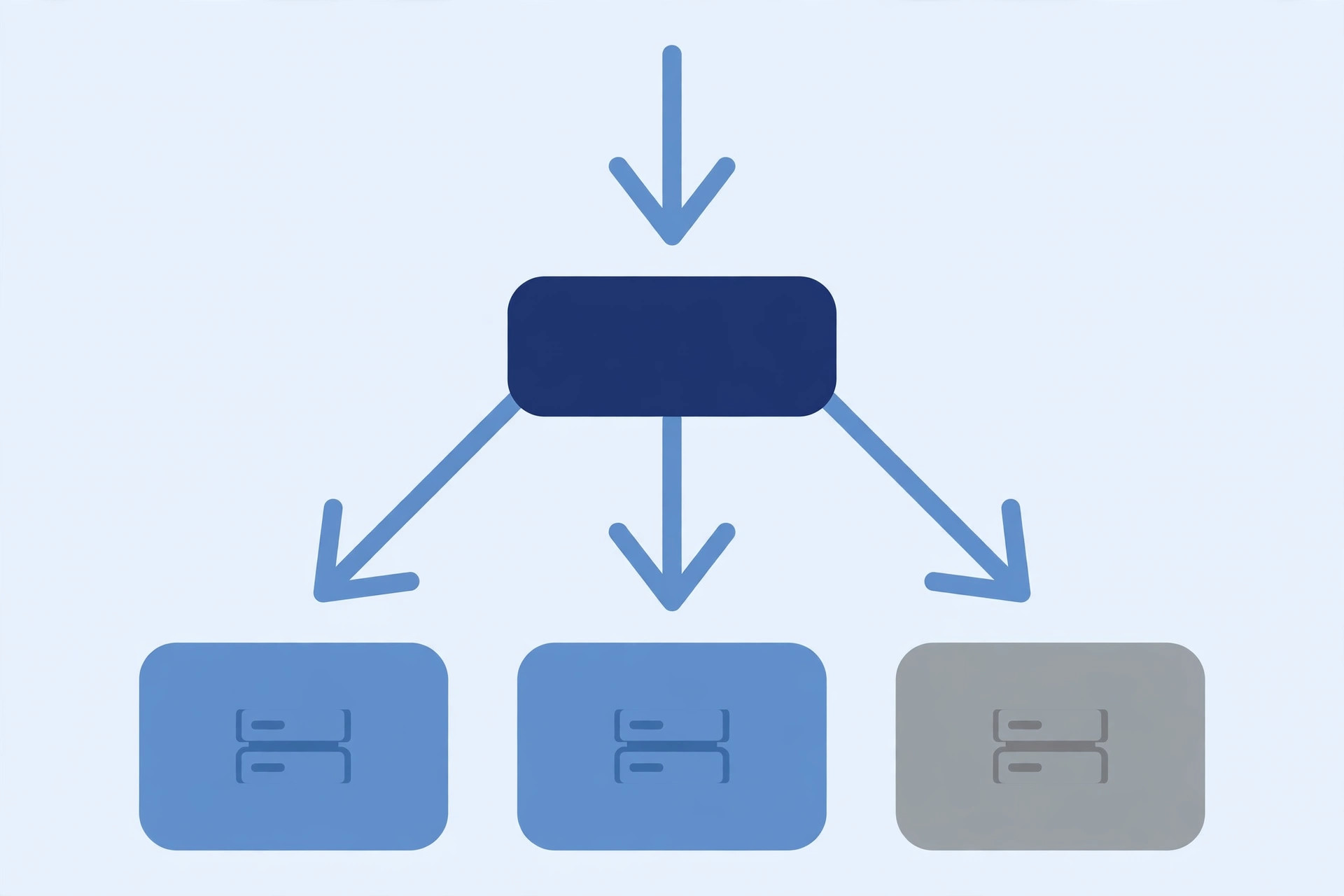
Three more jobs share one theme — keep work off the backends. Caching: the proxy can answer repeated requests for static content from its own cache, so those requests never reach an origin server at all. Compression: the proxy can compress responses on the way out, shrinking what travels over the internet. Load balancing: when several identical backends serve the same service, the proxy spreads requests across them, and can stop sending traffic to one that stops responding. Our load balancer guide covers distribution strategies; here the point is that balancing is one reverse-proxy job, not something separate.
Job 4: filter and protect the backends
Because every request passes through the proxy first, it is the natural place for a web application firewall: blocking attack patterns and absorbing denial-of-service traffic before it reaches the applications. It can also add authentication to a backend that has none of its own. The limit matters too: a reverse proxy is a single point of failure. If it goes down or is misconfigured, every service behind it goes dark even though the backends are healthy — Wikipedia cites a 2020 Cloudflare outage that briefly took down major sites relying on its edge. Keep the proxy configuration simple, test it before reloading, and monitor the proxy itself, not just the backends.
A real NGINX configuration, annotated
NGINX is the most common way developers meet reverse proxies, and its configuration shows every job above. This block fronts two backends — the API service on port 8080 and the main site on port 3000 — with the headers a backend needs to see the real visitor:
server {
    listen 80;
    server_name example.com;

    location /api/ {
        proxy_pass http://127.0.0.1:8080;
        proxy_set_header Host $host;
        proxy_set_header X-Real-IP $remote_addr;
        proxy_set_header X-Forwarded-For $proxy_add_x_forwarded_for;
        proxy_set_header X-Forwarded-Proto $scheme;
    }

    location / {
        proxy_pass http://127.0.0.1:3000;
        proxy_set_header Host $host;
        proxy_set_header X-Forwarded-For $proxy_add_x_forwarded_for;
    }
}
Three details in this block cause real production incidents, so they are worth learning properly:
- Headers are not automatic. By default NGINX rewrites the Host header to the upstream host and does not pass the client's IP along. The
proxy_set_headerlines restore what backends need: the original hostname, the client IP, the forwarding chain, and the original scheme (so the backend knows the visitor arrived over HTTPS). - The proxy_pass URI rule. When the
proxy_passaddress contains a URI, NGINX replaces the part of the request URI matching the location with that URI; when it contains no URI, the original request URI passes through unchanged. A trailing-slash mismatch rewrites paths in ways that surface as mysterious backend 404s — the single most common NGINX proxy bug. - Upstream groups for balancing. Instead of one address,
proxy_passcan point at a namedupstreamgroup of servers, and NGINX distributes requests among them — the load-balancing job from the previous section, configured with the same directive.
And one operational habit: always run nginx -t to test the configuration before reloading. A bad reload can take down the single front door for every service behind it.
A working demo: routing and header forwarding, verified locally
To prove the two core behaviours rather than assert them, I ran a small reverse proxy locally in Python: two backends (an "api" backend on port 8001, a "web" backend on port 8002) and a proxy on port 8000 routing /api/ paths to the api backend, everything else to the web backend, and stamping each forwarded request with X-Forwarded-For: 203.0.113.7. The backends echo what they received:
/api/users -> {"backend": "api", "path": "/api/users",
  "x_forwarded_for": "203.0.113.7", "host": "example.test"}
/about -> {"backend": "web", "path": "/about",
  "x_forwarded_for": "203.0.113.7", "host": "example.test"}
Both behaviours check out: the same public entry point reached two different backends purely by path, and both backends saw the forwarded client IP and the original Host even though neither ever saw the real visitor. That is the whole reverse-proxy pattern in miniature — NGINX, Caddy, HAProxy, and Cloudflare all implement this same flow at larger scale.
See the headers yourself: our free HTTP header checker shows any URL's status line and response headers — the same headers a reverse proxy reads and rewrites — and our HTTP vs HTTPS guide explains the encryption the proxy terminates.
Reverse proxy vs gateway vs load balancer vs CDN: the honest distinctions
The four neighbours overlap, so:
- A load balancer spreads traffic across copies of the same service. A reverse proxy can do that job, but it is only one of its jobs — it also routes, caches, terminates TLS, and filters.
- An API gateway is a reverse proxy specialised for API traffic, adding routing by path plus per-API policies like authentication and rate limits. See our API gateway guide for the specialised version of this same pattern.
- A CDN caches content at edge locations so requests never reach your origin servers at all. A proxy forwards requests; a CDN avoids them. Our CDN guide covers the edge-caching side, and many CDNs are themselves reverse proxies with caching built in.
- A forward proxy serves clients, not servers — the mirror image from the second section. If the proxy's user is a person browsing, it is forward; if its user is a visitor reaching your servers, it is reverse.
Rule of thumb: one public door for several services means a reverse proxy; API-specific policies mean a gateway; answering from the edge means a CDN.
A reverse proxy is the web's front desk: one public address that routes, protects, encrypts, caches, and balances for the servers behind it. If you can read a proxy_pass block, reason about which backend a path reaches, and trust forwarded headers only from your own proxy, you understand the pattern behind nearly every production deployment. For deeper reference, see Wikipedia's reverse proxy article and NGINX's reverse proxy documentation.
Frequently asked questions
- What is a reverse proxy in simple terms?
- A reverse proxy is a server that sits in front of one or more backend servers and handles incoming requests on their behalf. Visitors connect to the reverse proxy, which forwards each request to the right backend and returns that backend's response. To the visitor, the proxy looks like an ordinary web server; the real servers behind it stay hidden.
- What is the difference between a forward proxy and a reverse proxy?
- A forward proxy sits on the client side: it fetches things from the internet on behalf of users, and the users know it is there. A reverse proxy sits on the server side: it receives requests on behalf of backend servers, and the visitors usually have no idea it exists. Same middleman idea, opposite side of the connection.
- Is a reverse proxy the same as a load balancer?
- No, though a reverse proxy often does load balancing. A load balancer spreads traffic across copies of the same service. A reverse proxy is the broader job: it can also route different paths to different services, terminate TLS, cache responses, and filter requests. Load balancing is one of its jobs, not the whole job.
- Is Cloudflare a reverse proxy?
- Yes, in the architectural sense: Cloudflare sits in front of origin servers, receives visitor requests, and forwards them to the origin (or answers from its cache). It is a managed reverse-proxy service with caching, TLS, and attack filtering built in. Running your own NGINX reverse proxy gives you the same pattern with full control over the configuration.
- Does a reverse proxy hide my server's real IP address?
- From ordinary visitors, yes: they only ever see the proxy's address, and the origin can sit behind a firewall that accepts traffic only from the proxy. But it is not an absolute guarantee — the origin IP can leak through DNS history, emails sent directly from the origin, or headers the application itself emits. Treat hiding as a layer, not as proof of invisibility.
- What is X-Forwarded-For, and why should I only trust it from my proxy?
- X-Forwarded-For is a header a proxy adds carrying the original client IP, since the backend otherwise sees only the proxy's IP. The catch is that any client can send a fake X-Forwarded-For header of its own. A backend must therefore accept that header only from its own trusted proxy (and strip or overwrite client-supplied values), never from the open internet.
- Why does my backend return 404 after I put NGINX in front of it?
- The usual cause is the proxy_pass URI rule: when the proxy_pass address contains a URI, NGINX replaces the part of the request URI that matches the location with that URI. A mismatched trailing slash can rewrite the path into something the backend does not serve — for example, location /app with proxy_pass http://127.0.0.1:8080/ produces a doubled slash. Check what path the backend actually receives before changing backend routes.
- Do I need a reverse proxy for a small website?
- Often you already have one without realising it: many hosts and CDNs put a reverse proxy in front of your site by default. Setting up your own becomes worthwhile when you run several services behind one domain, want one place for TLS certificates, or need path-based routing, caching, or request filtering that your host does not provide.
Related articles
What Is API Pagination? 7 Things Every Developer Should Know (With Examples)
What is API pagination? Learn how APIs split big lists into pages — offset vs cursor, Link headers, and fetching every page safely, with code examples.
Web DevelopmentWhat Is Middleware? 7 Things Every Developer Should Know (With Examples)
What is middleware? Learn how middleware works in web apps — the request pipeline, next(), short-circuiting, error handling, and ordering — with code examples.
Web DevelopmentWhat Is a Message Queue? 7 Things Every Developer Should Know (With Examples)
What is a message queue? Learn how message queues work — producers, consumers, brokers, retries and dead-letter queues — with code examples.