What Is a Cookie? 7 Things Every Developer Should Know (With Examples)
October 19, 2026 · Web Development
You log in to a website, click to another page — and you're still logged in. Close the tab, come back tomorrow — the site remembers your dark-mode preference and the items in your cart. None of that is magic, and none of it lives in your account on the server by default. It's a cookie: a tiny piece of text your browser stores on a website's behalf and hands back with every request. What is a cookie, how do cookies work, and what do HttpOnly, Secure, and SameSite actually do? This guide answers in 7 steps: the Set-Cookie flow, the attributes, session vs persistent cookies, first-party vs third-party, and cookies vs localStorage — with real header and code examples.
What is a cookie?
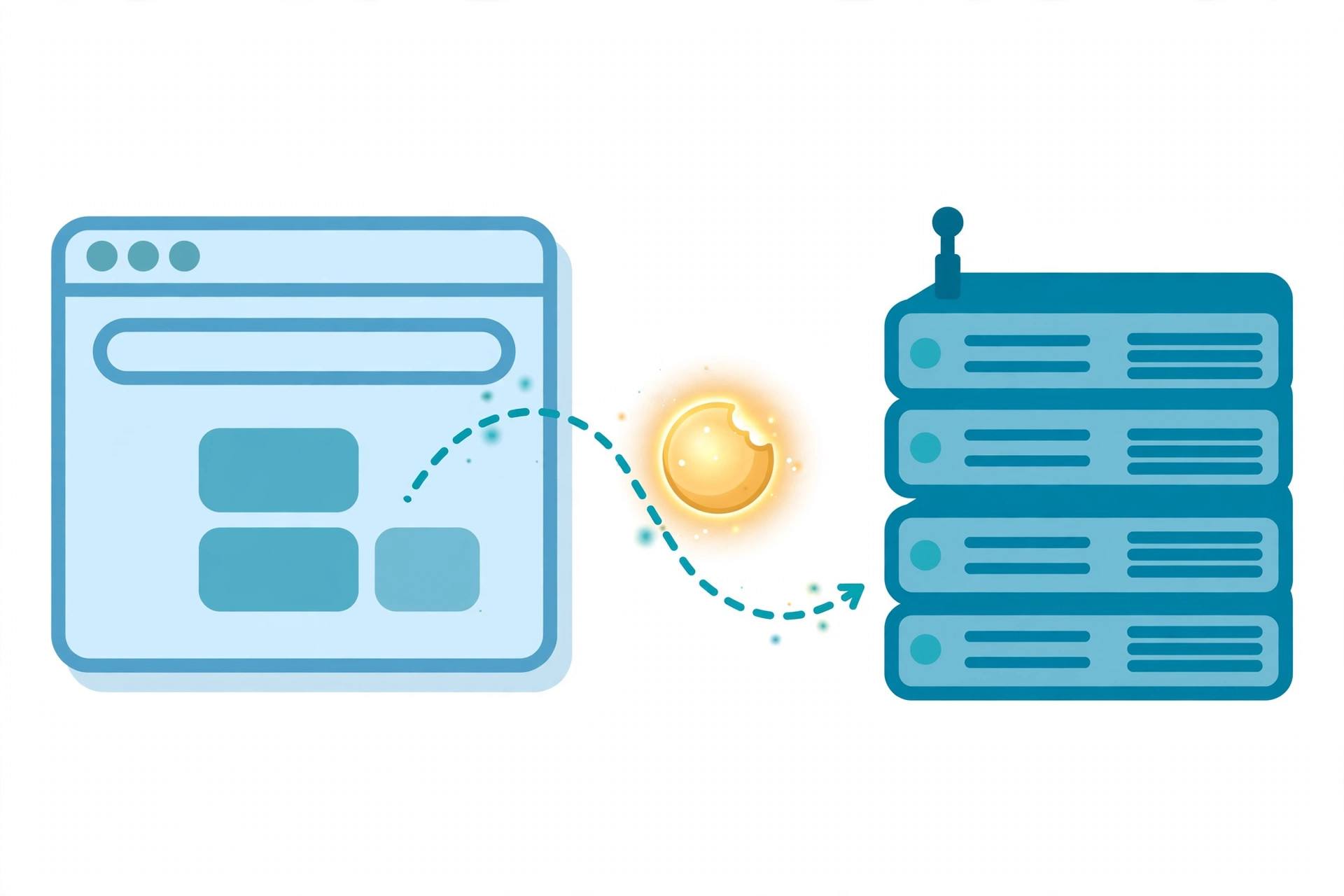
A cookie is a small chunk of data (a name=value pair, usually under 4KB) that a web server asks the browser to store, so the browser can send it back with later requests to that server. That's the entire mechanism: one header going down (Set-Cookie), one header coming back up (Cookie), and the browser does both automatically — your JavaScript never has to touch them.
MDN lists exactly three purposes cookies exist for:
- Session management — sign-in state, shopping carts, game scores: anything the server must remember about this visitor.
- Personalization — preferences like display language and UI theme.
- Tracking — recording and analyzing user behavior.
One hard limit to internalize early: because cookies are sent with every request to their domain, they are a terrible place for large data. Browsers generally allow a few hundred cookies per domain and ~4KB per cookie, and every extra byte costs you on slow mobile connections.
Why cookies exist: HTTP has no memory
HTTP is stateless — each request is handled in isolation, as if the server had never seen you before. That statelessness is what lets web APIs scale (it's the same constraint behind REST's design), but it creates a problem for anything interactive: how does the server know that the request for page 3 comes from the same person who logged in on page 1?
Cookies are the agreed-upon answer, invented at Netscape in 1994 to solve the shopping-cart problem for early e-commerce. Instead of the server remembering millions of visitors, it hands each visitor a tiny labeled token and lets the browser do the remembering. The server only needs to recognize the token when it comes back.
How a cookie travels: the 3-step flow
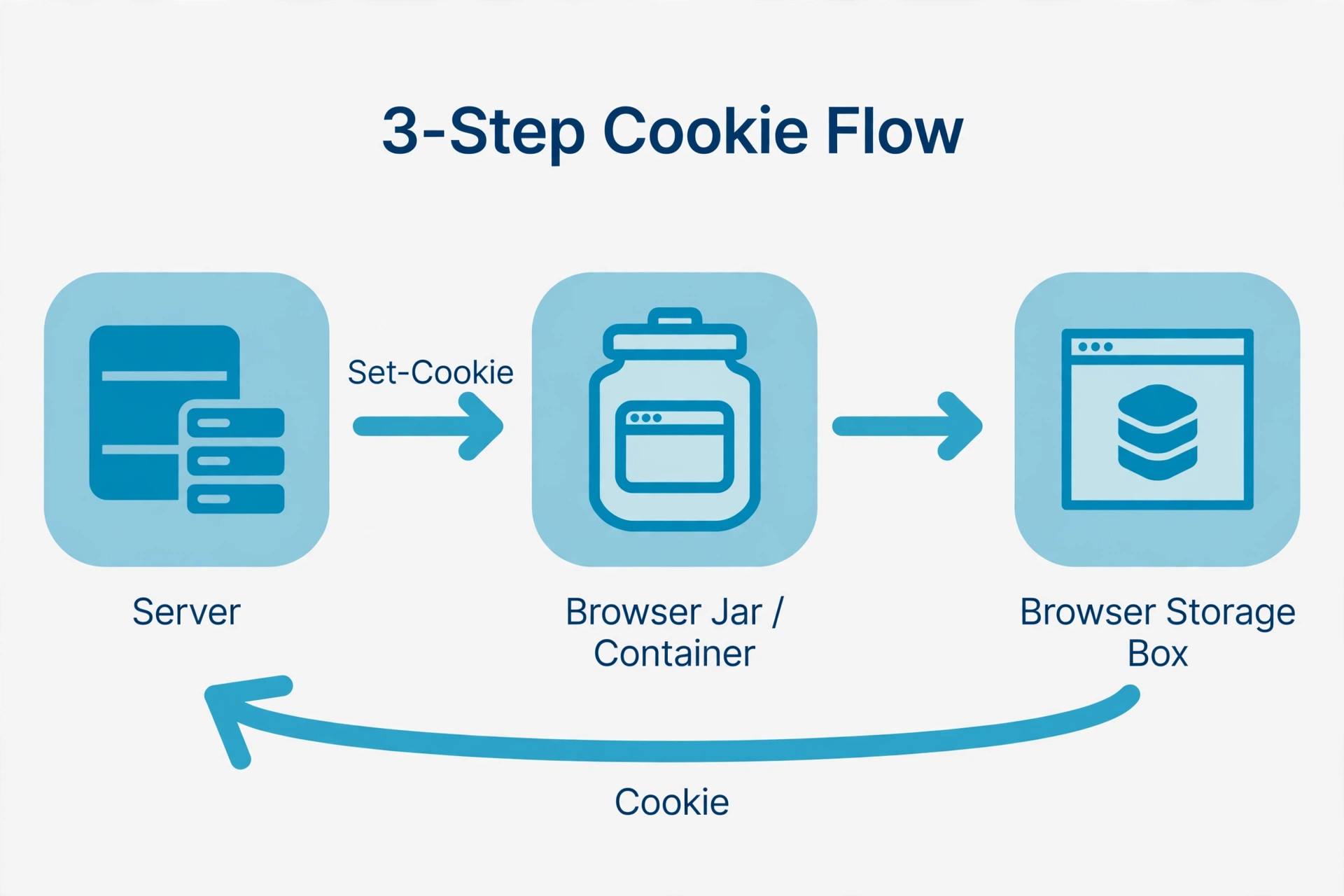
The whole lifecycle is three messages:
- Set. You visit a site for the first time. The server's response includes a
Set-Cookieheader, and the browser saves the name=value pair. - Store. The browser keeps the cookie until it expires (or the browser session ends for session cookies).
- Send. Every later request to that domain automatically carries the cookie in a
Cookieheader.
Here's what that looks like on the wire. First the response that plants the cookie:
HTTP/2 200 OK
Content-Type: text/html
Set-Cookie: session_id=a3fWa; HttpOnly; Secure; SameSite=Lax; Path=/
And the request the browser sends back on your next visit — note you never wrote any code for this:
GET /dashboard HTTP/2
Host: www.example.com
Cookie: session_id=a3fWa
The server reads session_id, looks it up, and knows it's you. The headers here are the same HTTP headers vocabulary every response carries — see our HTTP status codes cheat sheet for the status lines that accompany them.
Anatomy of a Set-Cookie header: the attributes
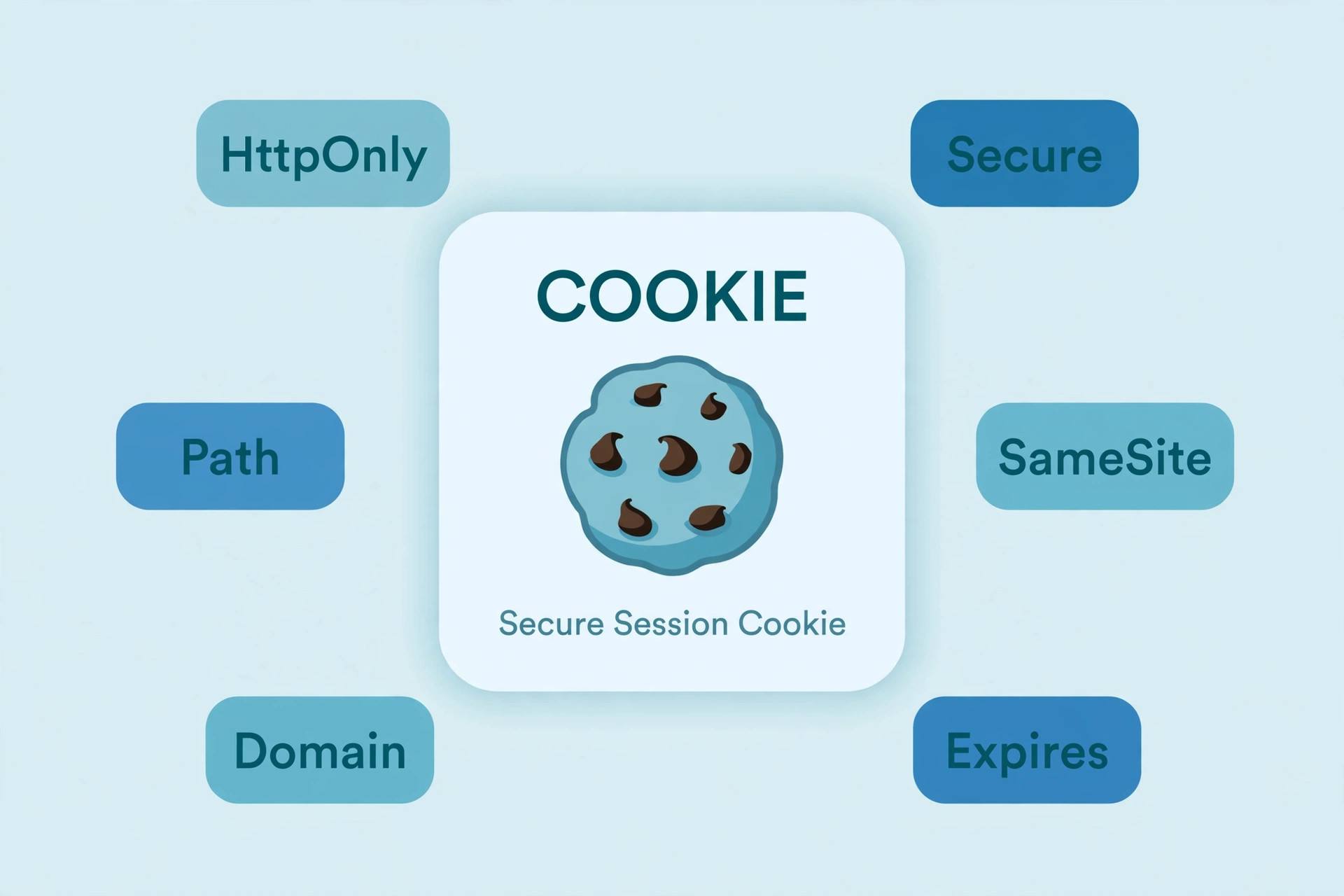
The name=value pair is the payload; everything after the semicolons is the attribute list that controls where the cookie lives, how long it lives, and who can see it. Per RFC 6265 (the spec that defines the Cookie and Set-Cookie headers), these are the ones that matter:
Expires/Max-Age— lifetime.Expires=Thu, 31 Dec 2026 23:59:59 GMTis an absolute date;Max-Age=2592000is a lifetime in seconds (30 days). MDN recommendsMax-Age: it's less error-prone and wins when both are set. A cookie with neither is a session cookie — it dies when the browser session ends.Domain— scope across subdomains. If the server setsDomain=example.com, the cookie goes toexample.comand every subdomain likeapp.example.com. IfDomainis omitted, the cookie is not sent to subdomains. A server can only set its own domain or a parent domain — never someone else's.Path— scope across URLs.Path=/docsmeans the cookie is sent for/docs,/docs/Web/, and anything below — but not/or/docsets. MDN is explicit:Pathis not a security measure; it doesn't stop another path on the same site from reading the cookie.Secure— HTTPS only. The cookie is sent only over encrypted HTTPS requests, never plain HTTP. Insecure (http:) sites can't even set aSecurecookie. (Why this matters: HTTP vs HTTPS.)HttpOnly— invisible to JavaScript.document.cookiecan't read or change it; the cookie travels in HTTP headers only. Session cookies should always beHttpOnly.SameSite— cross-site control.Strictsends the cookie only from the cookie's own site;Lax(the modern default) also sends it on top-level navigations from other sites;Nonesends it everywhere — andNonerequiresSecure.
To update a cookie, the server just sends Set-Cookie again with the same name and a new value. To delete one immediately, it re-sends the cookie with Max-Age=0 or an Expires date in the past.
Session cookies vs persistent cookies
The only thing separating these two is whether the cookie has a lifetime:
- Session cookies have no
ExpiresorMax-Age. The browser deletes them when the current session ends. Sign-in tokens usually live here. - Persistent cookies have an explicit expiry. A "remember me" cookie with
Max-Age=2592000survives browser restarts for 30 days.
Rule of thumb: sensitive things (session IDs) get short-lived session cookies; conveniences (theme, language) get persistent ones. And after a successful login, the server should regenerate and re-send the session cookie even if one already exists — MDN flags this as the standard defense against session fixation attacks, where an attacker plants a session ID on your browser before you log in.
First-party vs third-party cookies
First-party cookies are set by the domain you're actually visiting — example.com setting cookies while you browse example.com. Sessions, carts, and preferences are first-party, and nothing about them is going away.
Third-party cookies are set by a different domain than the one in your address bar — an ad network's tracker embedded in the page, or an analytics script from another domain. These are the cookies behind cross-site tracking, and the industry is dismantling them: Safari and Firefox already block them by default, and Chrome is phasing them out. That's also why you see cookie-consent banners everywhere — privacy regulations require sites to get your consent before setting non-essential cookies, and the banner is how they ask.
Cookies vs localStorage: which should you use?
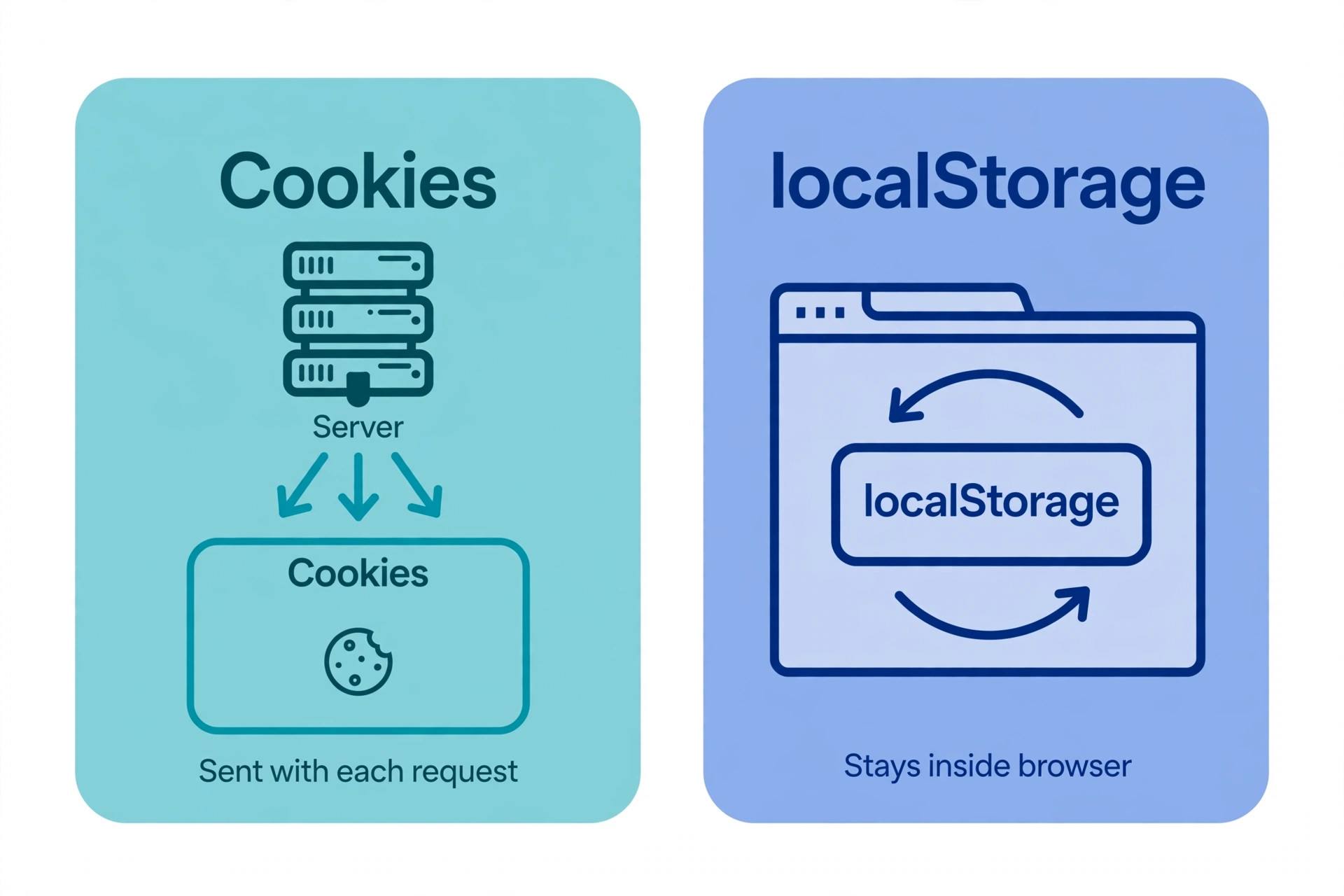
Cookies aren't the only browser storage. Modern browsers also offer the Web Storage APIs — localStorage and sessionStorage — plus IndexedDB. MDN now recommends these for general client-side storage, and here's the decision framework:
- Server needs it on every request? → Cookie. Session IDs and auth state are the classic case — the browser attaches them automatically.
- Only the page's JavaScript needs it? →
localStorage. It holds up to ~5MB (vs ~4KB per cookie), is simpler to use (localStorage.setItem('theme', 'dark')), and is never sent to the server, so it can't slow down requests. - Data only needed for this tab? →
sessionStorage. Cleared when the tab closes.
The classic mistake is storing large data in cookies "because it's easy" — every byte then rides every request. The other classic mistake is storing secrets in localStorage: unlike an HttpOnly cookie, localStorage is fully readable by any JavaScript on the page, so an XSS flaw exposes it instantly.
Cookies in authentication: the session-ID pattern
The most common real-world cookie is the session ID: the server generates a random, unguessable token at login, stores your user data against it on the server side, and hands you only the token in an HttpOnly; Secure; SameSite=Lax cookie. Every request carries the token; the server does the lookup. The cookie itself contains no personal data — just a key to the server's records.
JWTs often ride this same channel: the token goes in the cookie instead of an Authorization header, which lets the browser attach it automatically (at the cost of CSRF exposure, which is exactly what SameSite mitigates). Server-side secrets that mint these tokens — signing keys, session-store credentials — belong in environment variables, never in the code or in git.
On the client side, JavaScript can read and write cookies (unless they're HttpOnly) through document.cookie:
// Reading: returns a semicolon-separated string of visible cookies
console.log(document.cookie);
// "theme=dark; lang=en"

// Writing: each assignment sets ONE cookie
document.cookie = "theme=dark; Max-Age=31536000; Path=/";

// Updating: re-set the same name with a new value
document.cookie = "theme=light; Max-Age=31536000; Path=/";

// Deleting: expire it in the past
document.cookie = "theme=; Max-Age=0; Path=/";
Note the oddity: reading gives you all visible cookies at once, but writing sets only one at a time. That's just how the API works.
Cookie security in 4 rules
Cookies are visible to the user, travel constantly, and authenticate requests — so treat them as exposed by default:
- Mark auth cookies
HttpOnly. This closes the most common theft vector: XSS scripts reading the session ID fromdocument.cookie. - Set
Secureon anything sensitive. Cookies without it travel in cleartext on HTTP, readable by anyone on the network path. Your whole site should be HTTPS anyway — see HTTP vs HTTPS. - Use
SameSite=LaxorStrictby default. This is your built-in CSRF mitigation: it stops other sites' requests from carrying your users' session cookies. ReserveSameSite=None; Securefor embedded widgets that genuinely need cross-site cookies. - Never put secrets or trust in the cookie itself. Users can read and edit their cookies. Store an opaque random ID and keep the real data server-side — and since cookies ride along with
GETandPOSTalike (GET vs POST), validate everything on the server regardless of the method.
See cookies on a live site: our free HTTP header checker shows any URL's response headers — Set-Cookie lines included — so you can read a real site's cookie attributes yourself. And if you ever need to inspect a suspicious cookie value, the URL encoder/decoder reveals what's hiding behind the percent-encoding (query strings aren't the only place encoding shows up).
Debugging cookies yourself
Open Chrome DevTools → Application → Cookies (or Firefox → Storage Inspector) and you'll see every cookie for the current site: name, value, domain, path, expiry, and the Secure/HttpOnly/SameSite flags. Two things to check first when auth "randomly" breaks: is the Secure cookie being set on an http:// page (browsers reject it), and does SameSite=None lack Secure (browsers reject that too)? Those two rejections cause a large share of real-world "the cookie isn't being sent" debugging sessions.
A cookie is HTTP's memory: a small name=value token the server sets with Set-Cookie, the browser stores, and automatically returns in a Cookie header. The attributes are the whole craft — HttpOnly against XSS, Secure against network sniffing, SameSite against CSRF, Max-Age for lifetime, Domain and Path for scope. Keep session data server-side behind an opaque ID, keep large data in localStorage, and you'll use cookies the way they were designed to be used. For the authoritative reference, see MDN's Using HTTP cookies and RFC 6265.
Frequently asked questions
- What is a cookie in simple terms?
- A cookie is a small piece of text (a name=value pair) that a website asks your browser to store, which the browser then sends back with every request to that site. It gives the stateless HTTP protocol a memory: without cookies, a server could not tell that the visitor on page 3 is the same person who logged in on page 1.
- What is the difference between a cookie and a session?
- A cookie is the storage-and-transport mechanism: a small data packet the browser holds and sends back automatically. A session is the server-side state the cookie usually points to — typically the cookie carries only a random session ID, and the server keeps the actual user data (name, permissions, cart) in its own memory or database, keyed by that ID.
- How big can a cookie be?
- Per RFC 6265, servers should keep each cookie to at least 4096 bytes — in practice browsers allow roughly 4KB per cookie and cap the number of cookies per domain (usually in the hundreds). Because every cookie rides along with every request to its domain, large cookies directly slow down page loads, especially on slow mobile connections.
- What is the difference between Expires and Max-Age?
- Both set when a cookie dies. Expires gives an absolute date (e.g. Thu, 31 Dec 2026 23:59:59 GMT), while Max-Age gives a lifetime in seconds from now (e.g. Max-Age=2592000 for 30 days). MDN recommends Max-Age: it is less error-prone (no clock-skew issues between server and client) and takes precedence when both are set. A cookie with neither attribute is a session cookie — it dies when the browser session ends.
- What does HttpOnly mean?
- HttpOnly marks a cookie as inaccessible to JavaScript: document.cookie cannot read, change, or delete it; the cookie only travels inside HTTP headers. Session and authentication cookies should always be HttpOnly, because it neutralizes the most common attack against them — a cross-site scripting (XSS) payload stealing the session ID from the DOM.
- What is the SameSite cookie attribute?
- SameSite controls whether a cookie is sent with cross-site requests (requests from a different registrable domain than the cookie's origin). Strict sends it only from the cookie's own site, Lax (the default in modern browsers) also sends it on top-level navigations from other sites, and None sends it everywhere — which requires the Secure attribute too. SameSite is the main built-in defense against cross-site request forgery (CSRF).
- Should I use cookies or localStorage?
- Use cookies when the server needs the data on every request — authentication/session state is the classic case. Use localStorage (up to ~5MB, never sent to the server) for client-only data like UI theme or cached settings. Never put large or sensitive data in cookies: they are limited to ~4KB, travel on the wire constantly, and are visible to the user.
- Are cookies still used in 2026?
- First-party cookies are as central as ever — sessions, preferences, and carts still run on them. What is dying is the third-party cookie: Safari and Firefox already block them, and Chrome is phasing them out, so cross-site tracking and ad-tech flows built on third-party cookies are being rebuilt around partitioned storage and privacy-sandbox APIs.
Related articles
What Is a Proxy Server? 7 Things Every Developer Should Know (With Examples)
What is a proxy server? Learn how proxy servers work for developers — forward vs reverse, HTTP vs SOCKS, CONNECT tunneling, and proxy vs VPN. With examples.
Web DevelopmentWhat Is an API Gateway? 7 Things Every Developer Should Know (With Examples)
What is an API gateway? Learn how API gateways work for developers — routing, auth, rate limiting, aggregation, and when not to use one, with code examples.
Web DevelopmentWhat Is a Load Balancer? 7 Things Every Developer Should Know (With Examples)
What is a load balancer? Learn how load balancers work — Layer 4 vs Layer 7, routing algorithms, health checks, and sticky sessions, with config examples.
Try the free tool
HTTP Header Checker
See a URL's response headers and which common security headers are missing.
Checked server-side — nothing is stored Data & Format ConvertersURL Encoder/Decoder
Encode and decode URLs with correct UTF-8 handling, live conversion, and double-encoding warnings.
Runs entirely in your browser