What Is a Network Port? 7 Things Every Developer Should Know (With a Verified Demo)
November 18, 2026 · Web Development
Your browser, your mail client and your terminal are all talking to the same server right now — and none of them is getting the others' traffic. The trick is a network port: a 16-bit number that tells one IP address which program a packet belongs to. The IP address finds the building; the port finds the door. This guide explains what a port is, the three ranges every developer should know, why TCP and UDP ports are separate, and shows a real port listening, answering and refusing — verified on a live machine.
What is a network port?
A network port is a numbered endpoint that a transport protocol — TCP or UDP — uses to deliver data to a specific process on a machine. Every TCP and UDP packet carries two port numbers in its header: a destination port, saying which service should receive it, and a source port, saying which program sent it. The operating system reads the destination port and hands the packet to the process listening there. Without ports, a server could run exactly one network service; with them, one machine runs a web server on 443, an SSH server on 22 and a database on 5432 at the same time, all behind a single IP address.
A port is a software concept, not a physical socket. There is no hole in the case labelled 443. The number exists only in packet headers and in the operating system's tables of listening programs — which is also why a port can be "open" (a program is listening) or "closed" (nothing is) without any hardware changing. Our IP address guide covers the other half of the address — the part that picks the machine.
Why one IP address needs 65,536 ports
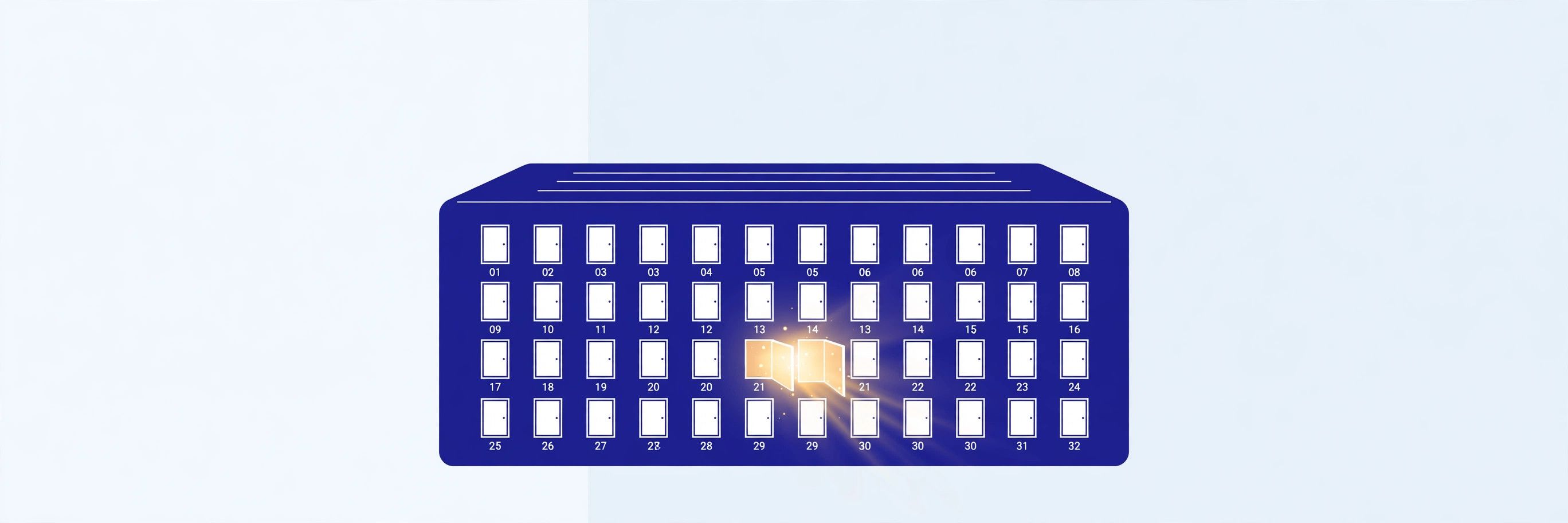
A port number is a 16-bit unsigned integer, so it runs from 0 to 65535 — 65,536 possible values per protocol. That range is not an accident of history: it is the size of the port field in the TCP and UDP headers, defined when the protocols were designed. Two to the power of sixteen gives 65,536, and every one of those numbers is a separate endpoint for TCP and a separate endpoint for UDP.
The range solves a multiplexing problem. A server has one IP address but runs many services, and a client has one IP address but opens many connections at once — your browser alone may hold dozens. Ports let the operating system sort the traffic: incoming packets are delivered by destination port, and replies are matched to the right program by the source port the client chose. That client-side port is picked at random from the high range and is called an ephemeral port; the demo below caught one in the act.
The three port ranges
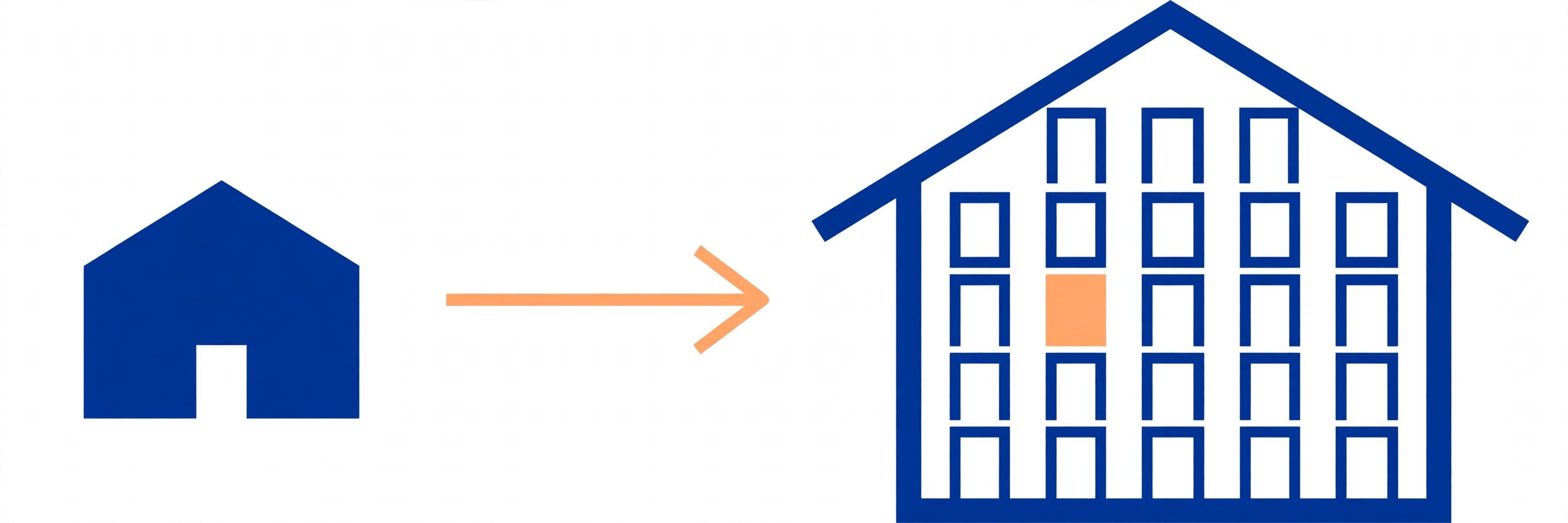
IANA, the Internet Assigned Numbers Authority, divides the range into three bands, and the split is defined in RFC 6335. The boundaries matter because they decide who may use a port and what it is for:
| Range | Name | Who uses it |
|---|---|---|
| 0–1023 | System ports (well-known) | Standard services: HTTP 80, HTTPS 443, SSH 22, DNS 53. Binding one usually needs administrator or root privileges. |
| 1024–49151 | User ports (registered) | Specific applications: MySQL 3306, PostgreSQL 5432, Redis 6379, MongoDB 27017, alternate HTTP 8080. Any user may bind one. |
| 49152–65535 | Dynamic / private ports | Never assigned to a service. Operating systems hand them out as temporary ephemeral ports for outgoing connections. |
Port 0 is reserved and is not used for ordinary services. The 1024 boundary is the one developers hit first: a program started as a normal user cannot bind port 80, which is why local development servers default to 3000, 8000 or 8080 instead — all inside the user range. And the dynamic range is where your own connections live: every time your browser opens a page, the operating system picks a free port above 49151 as the source port, uses it for that connection, and releases it when the connection closes.
Common ports every developer should know
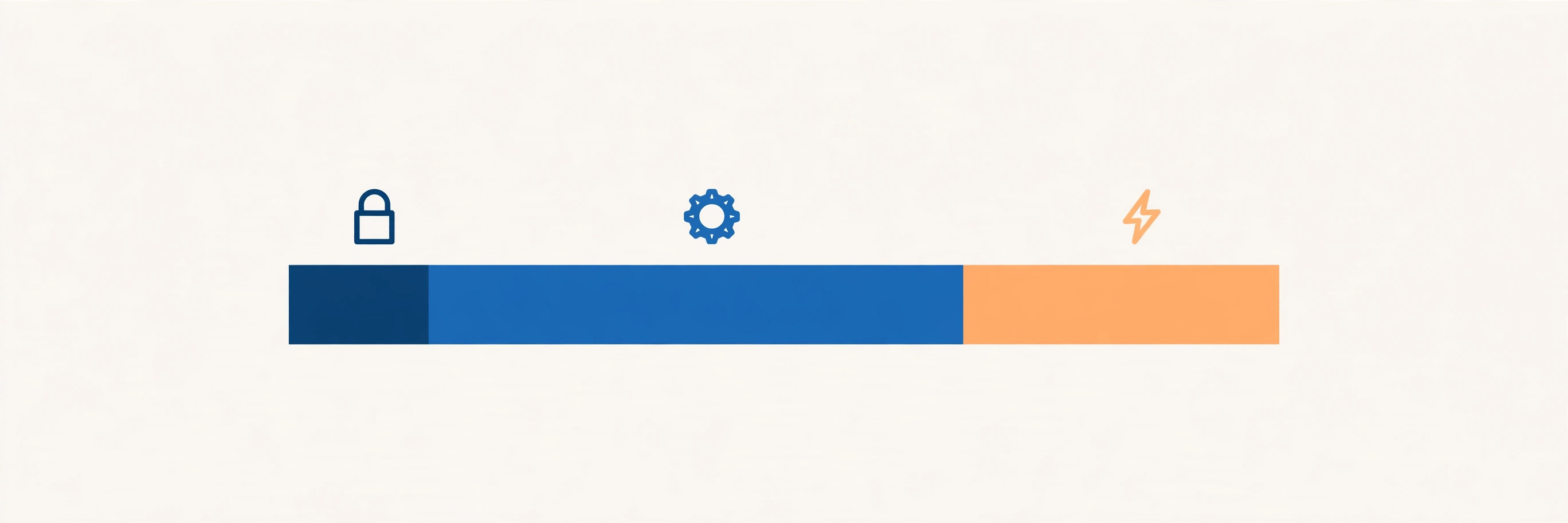
These are the defaults from IANA's service-name and port-number registry, verified against the live registry file for this article. Treat them as conventions, not guarantees — any service can be moved to another port, and the table is only useful if you remember that.
| Port | Protocol | Service |
|---|---|---|
| 20 / 21 | TCP | FTP data / FTP control |
| 22 | TCP | SSH — secure remote login |
| 23 | TCP | Telnet — unencrypted remote login, avoid it |
| 25 | TCP | SMTP — sending mail between servers |
| 53 | TCP / UDP | DNS — name lookups |
| 80 | TCP | HTTP — plain web traffic |
| 110 | TCP | POP3 — fetching mail, unencrypted |
| 143 | TCP | IMAP — fetching mail, unencrypted |
| 443 | TCP | HTTPS — encrypted web traffic |
| 465 | TCP | SMTPS — mail submission over TLS |
| 587 | TCP | Submission — mail submission, usually with STARTTLS |
| 993 | TCP | IMAPS — IMAP over TLS |
| 3306 | TCP | MySQL |
| 5432 | TCP | PostgreSQL |
| 6379 | TCP | Redis |
| 8080 | TCP | Alternate HTTP — dev servers and proxies |
| 27017 | TCP | MongoDB |
Two entries deserve a second look. Port 53 is one of the few services that genuinely uses both TCP and UDP — DNS queries usually travel over UDP, but larger answers and zone transfers use TCP. And port 23, Telnet, is the cautionary tale of the list: it does exactly what SSH does, except every password travels in plain text. Telnet survives in textbooks and in old equipment; on a modern network it should stay closed. Our DNS guide explains what happens on port 53, and the TCP vs UDP guide explains why some services need both protocols.
TCP ports vs UDP ports: same number, different endpoint
A port number is incomplete without its transport protocol. TCP port 443 and UDP port 443 are two entirely separate endpoints that happen to share a decimal value — a program listening on one does not receive traffic sent to the other. The operating system keeps a separate table for each protocol, so the same number can be in use twice at once, once per protocol, with no conflict.
This is why tools that check "is the port open" must name the protocol: a TCP connect test says nothing about UDP, and a UDP probe that gets no answer proves very little, because UDP has no handshake and a silent port may simply be ignoring you. When you write a firewall rule or a port-forwarding rule, always check which protocol the service actually uses — our HTTP vs HTTPS guide shows the TCP side of the web, where the port in the URL is usually hidden because 80 and 443 are the defaults.
What is a socket?
A socket is one end of a network connection: an IP address, a port number and a protocol, held together by the operating system. When a program wants to talk on the network, it asks the operating system for a socket; when it wants to receive, it binds that socket to an address and a port and listens. The socket is the handle the program reads from and writes to.
One connection is identified by four values together: source IP, source port, destination IP and destination port. That four-part combination is the reason a single web server can serve thousands of browsers from port 443 at once: every connection has a different source port, so every conversation is distinct even though the destination is identical. The ephemeral port from the demo below — 52498 — is one half of such a combination, picked by the operating system from the dynamic range and released when the connection closed.
Verified demo: a real port listening, answering, and refusing
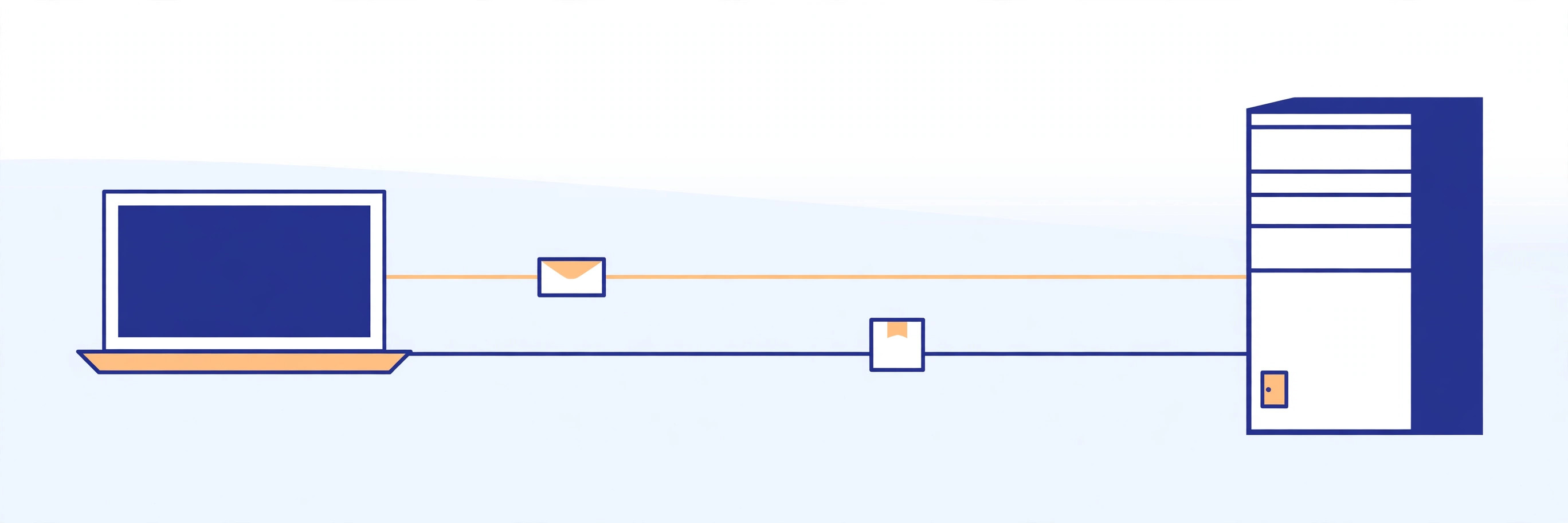
Rather than quote the definitions, I ran them. A small Python server listened on port 8892 on the loopback address, and the system's own tools reported exactly what the theory predicts — a listening socket, a successful reply, an ephemeral client port in the dynamic range, and a refusal on the neighbouring closed port:
$ ss -tlnp
State  Recv-Q Send-Q Local Address:Port Peer Address:Port Process
LISTEN 0      0          127.0.0.1:8892      0.0.0.0:*    users:(("python3",pid=15088,fd=3))

$ curl -s -i http://127.0.0.1:8892/
HTTP/1.0 200 OK
Server: BaseHTTP/0.6 Python/3.12.3
Date: Wed, 18 Nov 2026 16:53:51 GMT

hello from port 8892

client ephemeral port: 52498
closed port 8893: ConnectionRefusedError [Errno 111] Connection refused
Three details in that output are worth reading closely. First, ss shows the server bound to 127.0.0.1:8892 — the loopback address, so only this machine can reach it; binding 0.0.0.0 instead would have exposed it on every network interface. Second, the client connection arrived from port 52498, inside the dynamic range 49152–65535, chosen by the operating system. Third, port 8893 — one number away, nothing listening — answered with "Connection refused" instead of silence, because the operating system rejects packets to a closed TCP port. That refusal proves the network path works and only the service is missing.
5 mistakes that cost hours
Most port trouble comes from five repeatable errors:
- Assuming the port means the service. Port 443 with a database behind it is still a database. Check what is listening —
ss -tlnpon Linux,netstat -anoon Windows — instead of trusting the number. - "Address already in use." Two programs cannot listen on the same IP, port and protocol. Find the occupant with
ssand stop it, or move your service to another port. - Binding 127.0.0.1 when you meant 0.0.0.0. A server bound to loopback answers only on its own machine. Your container, your colleague and your phone all get "connection refused" — and the server looks fine from inside.
- Opening TCP and forgetting UDP — or the reverse. DNS on port 53 needs both. A firewall rule for one protocol leaves the other silently broken, and the failure looks intermittent because small queries work and large ones do not.
- Fighting the privileged-port rule. Binding below 1024 as a normal user fails with a permission error. That is the system working as designed: run the service as root, use a capability, or put a reverse proxy on 443 and keep your app on a user port like 8080. Our localhost guide explains the 127.0.0.1 side of the demo above.
What is a network port? A 16-bit number that routes a packet to the right service on one IP address — the room number to the IP address's street address. Learn the three ranges, remember that TCP and UDP ports are separate, and never trust a port number to tell you what is listening: check with ss and let the machine answer. For the authoritative list of assigned ports, read IANA's service-name and port-number registry and the network port reference on Wikipedia; our REST API guide shows what the services behind those ports actually do.
Frequently asked questions
- What is a network port in simple terms?
- A network port is a 16-bit number, from 0 to 65535, that identifies which service on a computer should receive a packet. The IP address picks the computer; the port picks the program on it. A web server listens on port 443 for HTTPS, an SSH server on port 22 — same machine, same IP address, different doors.
- What is the difference between an IP address and a port?
- An IP address identifies a device on a network; a port identifies a service or process on that device. One IP address can run dozens of services at once because each one listens on its own port. Think of the IP address as the street address of a building and the port as the room number inside it.
- How many ports are there?
- There are 65,536 port numbers per transport protocol: 0 to 65535, because a port number is a 16-bit unsigned integer. TCP and UDP keep separate namespaces, so TCP port 443 and UDP port 443 are two different endpoints that happen to share a number. Port 0 is reserved and is not used for ordinary services.
- What are the three port ranges?
- System ports (0–1023) are reserved for standard services such as HTTP on 80 and HTTPS on 443 and usually need administrator privileges to bind. User ports (1024–49151) are registered for specific applications such as MySQL on 3306. Dynamic or private ports (49152–65535) are never assigned — operating systems hand them out as temporary ephemeral ports for outgoing connections.
- Does a port number alone identify a service?
- No — only by convention. IANA registers the defaults (443 for HTTPS, 22 for SSH), but any program can listen on any free port, and administrators change defaults all the time. A packet arriving on port 443 is handed to whatever is listening there, not automatically to a web server. Never assume the service from the number alone; check what is actually listening.
- What is a socket?
- A socket is one end of a network connection, identified by an IP address, a port number and a transport protocol. A single conversation — a TCP connection — is identified by four values together: source IP, source port, destination IP and destination port. That four-part combination is why one server can hold thousands of simultaneous connections to the same port.
- What does "connection refused" mean?
- It means the packet reached the computer, but nothing is listening on that port. The operating system answers with a TCP reset instead of completing the handshake. It is different from a timeout, which usually means a firewall dropped the packet silently or the host is unreachable. "Connection refused" is actually good news: the network path works, the service is just not running.
- Can two programs use the same port at once?
- Not on the same IP address and protocol — the second one fails with an "address already in use" error, because the operating system can only deliver a packet to one listener. Two programs can share a port number if they bind different IP addresses, or if one uses TCP and the other UDP, since those are separate namespaces. The usual fix for a clash is to move one service to another port.
Related articles
301 vs 302 Redirect: 7 Rules That Decide Which One to Use (With a Verified Demo)
301 vs 302 redirect: a 301 moves a page for good, a 302 is a temporary detour. 7 rules, a verified curl demo, and the caching and POST traps most guides skip.
Web DevelopmentWhat Is a DNS Record? 9 Record Types Explained (With a Real dig Demo)
What is a DNS record? 9 types — A, AAAA, CNAME, MX, TXT, NS, SOA, PTR, CAA — explained with dig output from a live domain and the mistakes that break sites.
Web DevelopmentWhat Are Server-Sent Events? 7 Things Every Developer Should Know (With Examples)
What are server-sent events? Learn how SSE streams live updates over plain HTTP — event format, EventSource, reconnection, SSE vs WebSocket and a verified demo.